

Alternatives to ytskim
ytskim instantly transcribes and summarizes YouTube videos so you can quickly extract key insights without watching the full content.
Explore 20 alternatives to ytskim. Compare features, pricing, and find the best fit for your needs.
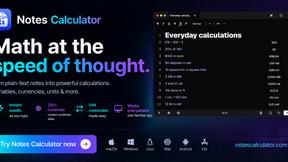
Notes Calculator
A notepad calculator that reads plain text and gives instant answers as you type, free on Mac, iOS, Windows, Linux, Android and Web.


ZeraBooks
Upload a bank statement, get the month booked and reconciled. Accounting software that does the books.

Safe Outreach
AI-powered platform that evaluates the safety of LinkedIn automation tools and helps reduce the risk of account restrictions.

How Long How Many Tool
Timers and hourly checks to figure how out long until a certain time or how many days away.

StillWorks
Hundreds of products launch every day across dozens of sites. StillWorks reads them all and keeps the few worth a look. Free, no pay-to-play.

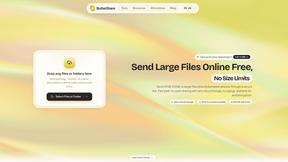
ButterShare
Send files straight between two browsers with a 6-digit key. No signup, no install, nothing stored on a server.

Emailyy
Free email tools for signatures, subject lines, HTML previews, word counts, and email headers. Browser-based, simple to use, and no signup required.
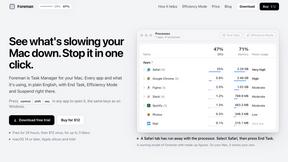
Foreman
See every app and what it's using in plain English, and end or slow down the one that's hogging your Mac.

Uniclip
Clip pages, take full-page screenshots and batch-capture list data to Notion, Feishu, Obsidian, Markdown, CSV or JSON.

TroveKey
Search tabs, Chrome bookmarks and history, run browser commands, and save webpages and social posts locally—no account.
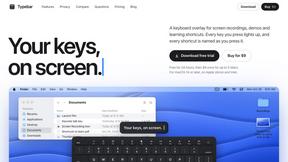
Typebar
Every key you press lights up on an on-screen keyboard, and each shortcut is named as you press it.
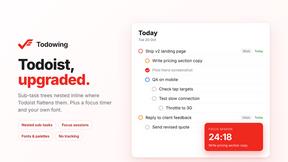
Todowing
Chrome extension that nests Todoist sub-tasks in Today, Upcoming, filters, labels and boards. Free tier, $19.99 lifetime unlock.

Notchpals
Little characters peek out of your Mac's notch to remind you to drink water, eat, sit up and get to bed. Quiet during calls. $4.99 once.


LightScreen
Free fullscreen light screen tool online. Turn any display into a flashlight, ambient light, or solid-color screen. No download or sign-up.

Kovnerov
Personal site of Vlad Kovnerov: analytics dashboards, web development, Telegram bots and browser tools for sellers and subscription tracking.
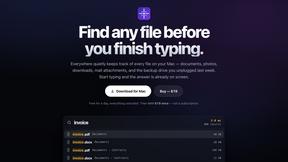
Everywhere
Fast file search for the Mac. Results as you type, files inside Mail and Photos, works with Wi-Fi off. $19 once.
About ytskim Alternatives
In a digital landscape where speed is currency, ytskim has carved out a niche as a go-to tool for instantly extracting accurate transcripts and structured summaries from any YouTube video. As a standout in the Productivity & Management category, it eliminates the friction of watching lengthy content by delivering the core information in seconds. However, even the sharpest tools can leave users wanting more—whether it’s the need for a different pricing model, a broader feature set like multi-language support or deeper integrations, or simply a platform that scales better with their workflow. When evaluating alternatives, look for tools that prioritize accuracy in transcription, offer customizable summary lengths, and integrate seamlessly into your existing productivity stack without adding unnecessary complexity. The goal is to maintain that same rapid, frictionless experience while addressing specific gaps in your daily operations. The search for an alternative often stems from a desire for greater flexibility or cost efficiency. Some users may require bulk processing capabilities or advanced editing features that a lean tool like ytskim doesn’t provide. Others might need robust team collaboration options or offline access. The key is to identify a solution that mirrors ytskim’s core promise—speed and precision—while expanding into the areas that matter most to your workflow. Prioritize tools that offer transparent pricing, reliable API access, and a user interface built for high-velocity output. The right alternative should feel like a natural upgrade, not a compromise.
FAQs about ytskim Alternatives
What is ytskim?
ytskim is a productivity tool designed to transcribe and summarize YouTube videos with exceptional speed and accuracy. It falls under the Productivity & Management category, enabling users to convert video content into structured text in seconds. The tool eliminates the need to watch entire videos, providing concise summaries and full transcripts for efficient information retrieval.
Who is ytskim for?
ytskim is ideal for professionals, students, researchers, and content creators who regularly consume YouTube content for work or study. It serves project managers, marketers, and analysts who need to quickly extract key insights from video-based resources without sacrificing accuracy. The tool is also valuable for anyone managing high volumes of video information and seeking to streamline their research or note-taking process.
Is ytskim free?
The provided product information does not specify a free tier or pricing details for ytskim. However, users should check the official website for current pricing models, as productivity tools like this often offer both free trials and paid subscription plans. The focus of ytskim is on delivering high-speed transcription and summarization, which typically comes with usage-based or subscription pricing to sustain its accuracy and performance.
What are the main features of ytskim?
ytskim’s primary features include the ability to generate accurate transcripts and structured summaries from any YouTube video in seconds. It excels in speed and precision, allowing users to bypass lengthy video playback and access key information instantly. The tool is built for efficiency, making it a core asset in productivity and management workflows where time is critical.