

Seedance 2.0
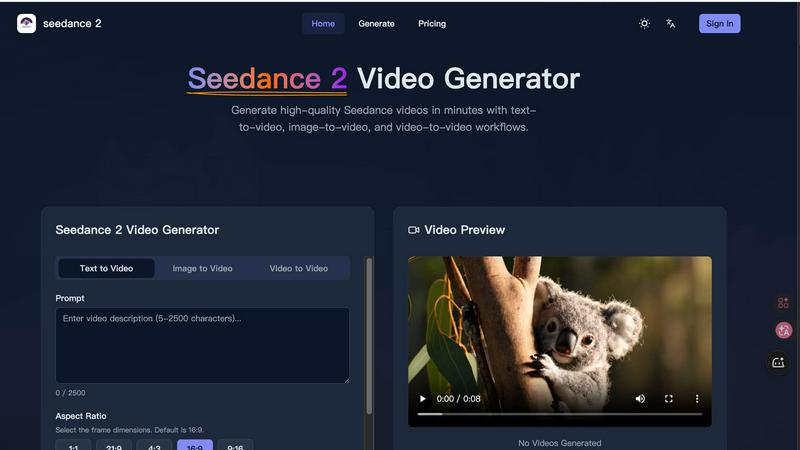
Seedance 2.0 creates AI video from text, images, or existing clips, with visual references and prompt controls for motion and camera direction.
Categories
Pricing
About Seedance 2.0
For creators moving between a concept and a reviewable clip, Seedance 2.0 accepts text, image, and video inputs. A prompt can describe the scene, pacing, framing, and subject movement; images and footage can provide additional visual direction. The platform also supports extending or editing video and generating motion from a still image.
The product page lists outputs up to 4K and 30 seconds, with flexible aspect ratios and MP4 H.264 export. Audio generation can accompany video, and the listed capabilities include lip-sync in more than ten languages. Its model selection spans Seedance versions as well as Veo and Gemini options, so results and credit requirements depend on the chosen model and settings.
Check the model and settings first
This is a fit for social content, product storytelling, and pre-visualization where teams want to explore several directions. The published comparison is a starting point rather than a fixed guarantee: the page says feature availability changes frequently, so confirm current access and limits before building a production workflow around a specific capability.
Features
- Create clips from prompts, still images, and source footage.
- Use references to guide style, composition, and subject continuity.
- Direct camera movement and subject action through prompts.
- Select among listed Seedance, Veo, and Gemini models.
Use cases
- Explore scenes and storyboards before filming.
- Develop social media video variations.
- Make product and advertising concepts.
- Turn a still image into an animated clip.
Pricing
The product offers monthly and annual subscriptions with credit allowances, plus one-time credit packs. Listed monthly subscriptions start at $29; annual plans start at $290 billed yearly. Credit use depends on the model and generation settings.
Frequently asked questions
Can I use reference images?
Yes. The product describes image and video references for guiding subject, composition, and visual style.
Does it support longer clips?
The page lists duration up to 30 seconds, depending on the selected model and settings.
Can I control camera movement?
Prompts can specify framing, tracking, close-ups, pacing, and subject movement.
Similar products
Compare alternatives

FoxyLab
FoxyLab creates product videos and multi-size banners through chat, with plain-language revisions and an API for code-driven jobs.


StikSound

VideoByPrompt
Generate short AI videos from text or photos with VideoByPrompt, including vertical, square and landscape clips up to 1080p.


LayerSplit
LayerSplit turns flat images into named, transparent layers and fills in the background, with exports for PNG, ZIP, or layered PSD workflows.

Clean Audio
Clean Audio removes background noise from voice recordings and videos in your browser, with local processing and adjustable noise reduction.


FLUX 3 Max
Create 5 to 20 second videos with sound from text, photos or up to 10 keyframes, with per-second pricing shown before generation.

FilmCraft
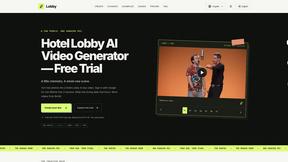

LobbyClip
Generate Hotel Lobby style duo clips from two photos, choosing a scene, resolution and aspect ratio for each video.