

HappyHorse
HappyHorse generates cinematic videos from text and images, with multi-shot storytelling, native audio, and 1080p output.

About HappyHorse
HappyHorse is an online generator for turning a written scene description or a still image into a short video. Its text-to-video mode starts from a prompt; image-to-video animates an existing frame. The product emphasizes cinematic composition and camera direction, including movements such as pans and tracking shots, and describes multi-shot storytelling with continuity of character and style across transitions.
Audio is part of the workflow too: HappyHorse says it can generate voices and sound effects coordinated with visuals, including lip-sync. This may appeal to creators assembling short dramas, social clips, or product scenes who want picture and sound generated together. The site describes 1080p output, although resolution and generation options should be checked for the specific mode before a project depends on them. A free trial is advertised, and the pricing page presents credit-based plans; the detailed plan excerpt includes annual billing, so confirm current billing choices before subscribing.
Features
- Create video from text prompts or animate a still image.
- Direct camera movement and cinematic composition with prompts.
- Generate native voices and sound effects coordinated with visuals.
- Build multi-shot sequences with character and style consistency as a goal.
Use cases
- Draft a short drama or narrative sequence.
- Make social clips from a prompt or key image.
- Create product reveals or advertising scenes.
- Generate dialogue or effects alongside visuals for a music-driven clip.
Pricing
Free trial is available. Paid credit plans are listed, including annual plans; current prices and billing options should be checked on the product page.
Frequently asked questions
Does HappyHorse generate audio?
The product describes native voice and sound-effect generation, including lip-sync coordinated with visuals.
Can I animate an existing image?
Yes. Its image-to-video mode is described as animating a still image into motion.
What resolution does it offer?
The page describes 1080p output; check the current settings for the mode you plan to use.
Similar products
Compare alternatives

FoxyLab
FoxyLab creates product videos and multi-size banners through chat, with plain-language revisions and an API for code-driven jobs.


StikSound

VideoByPrompt
Generate short AI videos from text or photos with VideoByPrompt, including vertical, square and landscape clips up to 1080p.
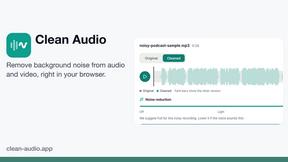

Clean Audio
Clean Audio removes background noise from voice recordings and videos in your browser, with local processing and adjustable noise reduction.
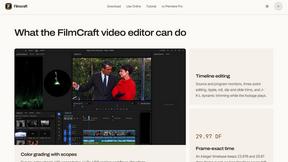

FilmCraft
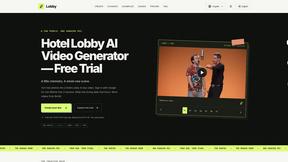

LobbyClip
Generate Hotel Lobby style duo clips from two photos, choosing a scene, resolution and aspect ratio for each video.


Vikas Editor AI
Vikas Editor AI turns photos and prompts into cinematic portraits, festival imagery, and five second videos using customizable creative templates.


PullClip
PullClip saves video and MP3 audio from popular platforms, with trimming, frame capture and a browser-based workflow that needs no account.