

FoxyLab
FoxyLab creates product videos and multi-size banners through chat, with plain-language revisions and an API for code-driven jobs.

FoxyLab creates product videos and multi-size banners through chat, with plain-language revisions and an API for code-driven jobs.




Generate short AI videos from text or photos with VideoByPrompt, including vertical, square and landscape clips up to 1080p.


Clean Audio removes background noise from voice recordings and videos in your browser, with local processing and adjustable noise reduction.

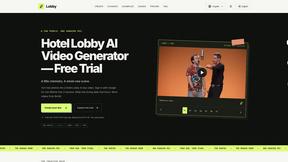

Generate Hotel Lobby style duo clips from two photos, choosing a scene, resolution and aspect ratio for each video.


Vikas Editor AI turns photos and prompts into cinematic portraits, festival imagery, and five second videos using customizable creative templates.


PullClip saves video and MP3 audio from popular platforms, with trimming, frame capture and a browser-based workflow that needs no account.


Generate a vertical 12-second sponge-wallet meme video from one adult portrait, choosing between three resolutions.


Preview hairstyles on your photo, create professional headshots, and use AI tools to generate or edit images and short videos.


Save YouTube videos as MP4 or download audio in eight formats using a free browser-based tool for publicly viewable videos.





Rhinobird turns product photos into listing images, image sets and ads, and includes video and packaging creation tools for product teams.


Genjutsu helps creators turn reference photos into short, soundtrack-matched videos with trending templates and remix examples.


Create short face swap videos from your photos using trending dance, runway and music video templates in portrait or landscape formats.


EveryGen AI brings image and video generation, editing, and browser-based picture tools together in one creative workspace.


Turn a clear photo into a vertical rap performance with an original song, lyrics and stage scene, ready to download in minutes.


GenX.art brings AI image, video, and audio generation into one workspace, with model choices, reference inputs, and credit estimates before creation.
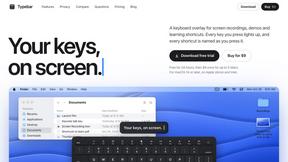

Typebar is a Mac keyboard overlay that labels shortcuts and key presses for screen recordings, live demos, and learning app-specific commands.
Compare whether a video generator supports both prompt-based and image-based creation, and whether audio is generated in the same workflow. For narrative work, check how each tool handles multiple shots and consistency; for social exports, compare supported resolution and output settings.
Check multi-shot support, character and style consistency, camera controls, and audio generation.
HappyHorse lists image-to-video as a creation mode; compare the motion controls and output options available.