Caller vs Dokta
Side-by-side comparison to help you choose the right product.

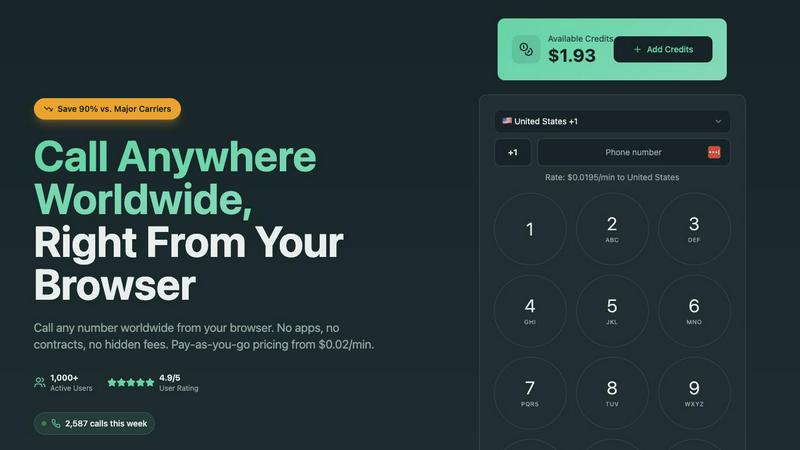
Make cheap international calls from your browser with no fees or contracts, starting at just $0.02 per minute.
Last updated: March 1, 2026

Dokta automates document management for SMBs and freelancers, transforming invoices and contracts into streamlined tasks in seconds.
Last updated: April 4, 2026
Visual Comparison
Caller
Dokta

Feature Comparison
Caller
Pay-As-You-Go Pricing
Caller operates on a flexible pay-as-you-go pricing model, starting at just $0.02 per minute. This means users only pay for the minutes they use, eliminating the burden of monthly fees and subscriptions. With transparent pricing, there are no hidden costs, ensuring that you know exactly what you're charged for.
Global Coverage
With the capability to connect over 200 countries worldwide, Caller provides extensive global coverage. This feature allows users to reach both landlines and mobile phones in major destinations, facilitating international communication like never before. Whether for personal or business use, Caller ensures you can connect wherever you need to.
HD Voice Quality
Caller guarantees crystal-clear audio quality powered by enterprise-grade infrastructure. This feature allows for seamless conversations, making users feel as though they are speaking face-to-face. The HD voice quality enhances user experience, ensuring that important conversations are clear and professional.
Instant Connection
Forget about long setup times and complicated configurations. Caller enables instant connections directly from your web browser. Just enter the phone number and start calling within seconds—no downloads or installations required. This feature is perfect for users who need quick and efficient communication.
Dokta
Instant Document Analysis
Dokta provides lightning-fast document analysis using automatic reading and AI classification, completing the process in under 60 seconds. It identifies the type of document, extracts key data such as amounts, deadlines, and client or supplier information, ensuring that you have all essential details at your fingertips.
Automated Invoicing and Contracts
Create invoices and quotes effortlessly in just a few clicks with Dokta's intuitive interface. The platform supports automatic monthly billing for contracts, allowing you to spend less time on administration and more time focusing on your core business activities.
Real-Time Cash Flow Monitoring
Stay informed about your financial health with Dokta's real-time cash flow tracking. The platform provides a clear overview of billed and collected revenue, outstanding payments, and VAT status, all displayed in a user-friendly graphical format for easy interpretation over a 12-month period.
Anomaly Detection
Dokta enhances your document security with advanced anomaly detection. It alerts you to potential issues such as altered IBANs, duplicate documents, inconsistent VAT numbers, and missing numbering, safeguarding your documents from errors and fraud.
Use Cases
Caller
International Business Calls
For businesses that operate globally, Caller is an essential tool for making international calls without incurring hefty fees. Sales teams can easily reach clients and partners around the world, facilitating smoother communication and stronger relationships.
Remote Team Communication
With more teams working remotely, Caller provides an effective solution for communication among team members. Its browser-based calling enables instant connection, allowing remote workers to collaborate seamlessly and stay in touch without the hassle of traditional calling methods.
Personal Calls Abroad
For individuals with family and friends living overseas, Caller offers a cost-effective way to stay connected. Users can make personal calls without worrying about high international rates, ensuring that they maintain relationships with loved ones no matter where they are.
Customer Support Services
Businesses can utilize Caller for their customer support lines, providing customers with an easy way to reach them. With HD voice quality and a dedicated phone number option, companies can enhance their professional image while ensuring clear communication with clients.
Dokta
Freelance IT Management
Freelance IT professionals can leverage Dokta to automate their billing processes. With features like automatic invoicing for recurring contracts, they can focus on coding while Dokta handles the administrative workload, saving valuable time.
Creative Project Management
For creative freelancers, Dokta simplifies the workflow from initial quotes to final invoices. You can send quotes with online acceptance links, converting them to invoices with just one click, making project management smooth and efficient.
Auto-Entrepreneur Compliance
Auto-entrepreneurs benefit from Dokta's automated invoice generation and payment tracking. The platform ensures compliance with URSSAF deadlines by sending timely reminders, allowing you to manage your finances without the usual headaches.
Small Business Financial Oversight
Growing SMBs can utilize Dokta to maintain a comprehensive overview of their financial situation. With real-time tracking of cash flow and easy CSV exports, businesses can streamline accounting processes and enhance financial decision-making.
Overview
About Caller
Caller is an innovative online phone service designed to revolutionize the way individuals and businesses communicate globally. With the ability to make phone calls directly from your web browser, Caller eliminates the need for app installations, SIM cards, or complex VoIP setups, making it incredibly user-friendly. It caters to a wide audience, including frequent international callers, remote teams, and businesses seeking cost-effective solutions. With pay-as-you-go pricing that starts as low as $0.02 per minute, users can enjoy savings of up to 90% compared to traditional carriers. Caller ensures high-quality, crystal-clear connections with HD audio, empowering users to stay connected seamlessly, anytime and anywhere. Its modern approach simplifies the calling process, allowing users to focus on what truly matters—effective communication.
About Dokta
Dokta is an innovative AI-powered document management platform tailored for freelancers, solo entrepreneurs, auto-entrepreneurs, and small to medium-sized businesses (SMBs). With Dokta, you can effortlessly manage your document workflow, whether it's invoices, quotes, or contracts. The platform's robust AI engine reads, classifies, and extracts key data from your documents in under 60 seconds, streamlining the entire document lifecycle. No more stress over lost files or missed deadlines; Dokta automates the creation of professional invoices and quotes, tracks payments, generates reminders for unpaid invoices, and manages contracts and deadlines seamlessly. By centralizing document management, Dokta helps you build a client database, monitor cash flow in real-time, and easily export financial data to CSV for accounting purposes. It is the perfect solution for freelance developers, consultants, trades contractors, and growing SMBs who need an efficient way to put documents at the heart of their business operations. With a free tier offering 15 documents per month and affordable pricing starting at €9 per month, Dokta is GDPR compliant and hosted securely in Europe (AWS).
Frequently Asked Questions
Caller FAQ
How do I get started with Caller?
Getting started with Caller is simple. Just sign up for a free account, which takes seconds and does not require a credit card. Once registered, add credits to your account and start calling instantly.
Are there any contracts or hidden fees?
No, Caller operates on a pay-as-you-go model, meaning there are no contracts, monthly fees, or hidden charges. You only pay for the minutes you use, making it a transparent and cost-effective choice.
Can I use Caller on any device?
Yes, Caller is designed to work seamlessly across all devices with a web browser. Whether you are using a computer, tablet, or smartphone, you can make calls without the need for additional software.
Is my data secure with Caller?
Absolutely. Caller employs bank-level encryption for all calls and transactions, ensuring that your conversations and payment information are kept secure and private at all times.
Dokta FAQ
What types of documents can I upload to Dokta?
Dokta supports a wide array of document types, including invoices, quotes, contracts, and any scanned or photographed documents. You can easily drag and drop files into the platform for instant analysis.
How does Dokta ensure data security?
Dokta is fully GDPR compliant and hosts all data securely in Europe using AWS infrastructure. Additionally, it employs AES-256 encryption to protect your sensitive information from unauthorized access.
Can I try Dokta for free?
Yes, Dokta offers a free tier that allows you to manage up to 15 documents per month at no cost. This is a great way to explore the platform's features without any commitment.
What support options are available with Dokta?
Dokta provides email support for all users. Additionally, users on paid plans can benefit from enhanced support options to ensure any issues are resolved quickly and efficiently.
Alternatives
Caller Alternatives
Caller is an innovative online phone service that enables users to make calls worldwide directly from their browser, eliminating the need for apps or installations. As a solution focused on productivity and management, Caller appeals to both individuals and businesses looking for a seamless communication experience. Users often seek alternatives due to various reasons such as pricing, features, and specific platform requirements. When exploring alternatives, it's crucial to consider factors like cost-effectiveness, ease of use, connectivity options, and audio quality. A good alternative should not only provide competitive pricing but also ensure reliability, global reach, and a user-friendly interface that meets the unique needs of its users.
Dokta Alternatives
Dokta is an innovative AI-powered document management platform tailored for freelancers, solo entrepreneurs, auto-entrepreneurs, and small to medium-sized businesses (SMBs). It streamlines document handling by automating the reading, classification, and data extraction of various documents like invoices, quotes, and contracts in under a minute. With features that cover the entire document lifecycle, Dokta simplifies tedious administrative tasks, allowing users to focus on their core business activities. Users often seek alternatives to Dokta for several reasons, including pricing structures, specific feature sets, and compatibility with their existing workflows. When considering an alternative, it's essential to evaluate the platform's capabilities, integration options, user experience, and overall value for money. A suitable alternative should not only meet your document management needs but also enhance your operational efficiency and adapt to your unique business requirements.