
Caller vs FilexHost
Side-by-side comparison to help you choose the right product.

Make cheap international calls from your browser with no fees or contracts, starting at just $0.02 per minute.
Last updated: March 1, 2026

Effortlessly host and share your files with instant, secure links using FilexHost’s simple drag-and-drop interface.
Last updated: February 26, 2026
Visual Comparison
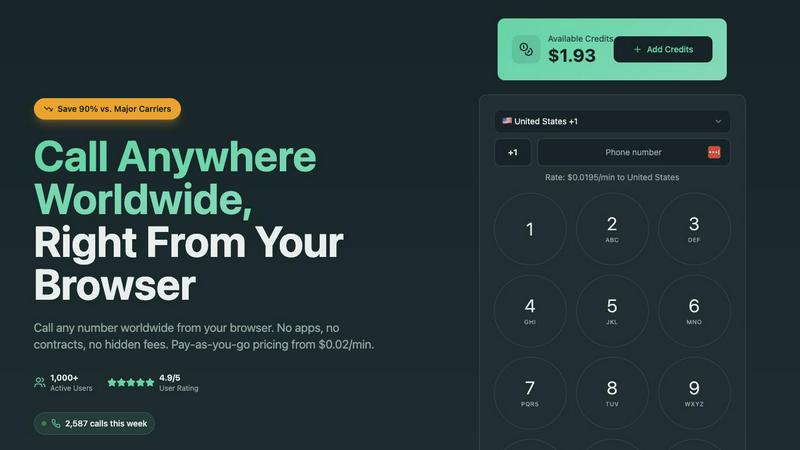
Caller
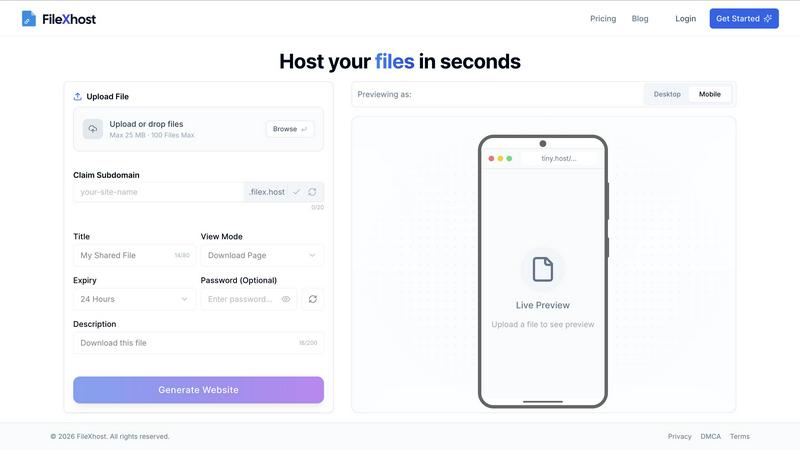
FilexHost
Feature Comparison
Caller
Pay-As-You-Go Pricing
Caller operates on a flexible pay-as-you-go pricing model, starting at just $0.02 per minute. This means users only pay for the minutes they use, eliminating the burden of monthly fees and subscriptions. With transparent pricing, there are no hidden costs, ensuring that you know exactly what you're charged for.
Global Coverage
With the capability to connect over 200 countries worldwide, Caller provides extensive global coverage. This feature allows users to reach both landlines and mobile phones in major destinations, facilitating international communication like never before. Whether for personal or business use, Caller ensures you can connect wherever you need to.
HD Voice Quality
Caller guarantees crystal-clear audio quality powered by enterprise-grade infrastructure. This feature allows for seamless conversations, making users feel as though they are speaking face-to-face. The HD voice quality enhances user experience, ensuring that important conversations are clear and professional.
Instant Connection
Forget about long setup times and complicated configurations. Caller enables instant connections directly from your web browser. Just enter the phone number and start calling within seconds—no downloads or installations required. This feature is perfect for users who need quick and efficient communication.
FilexHost
Universal File Support
FileXHost supports a wide array of file types, including PDFs, Excel spreadsheets, images, audio, video, ZIP archives, and even HTML projects. This versatility ensures that users can host virtually any file they need, making it ideal for a range of applications.
Instant Subdomains
With FileXHost, every uploaded file gets an instant subdomain (your-file.filex.host), requiring zero setup. This feature makes sharing your files incredibly efficient, as you can distribute links immediately after upload without additional configuration.
Smart View Modes
FileXHost offers smart view modes that allow recipients to either directly render files in their browsers or access a download page. This flexibility enhances user experience, ensuring that files are easily accessible and viewable in the way that best suits the recipient's needs.
Secure by Default
Every link generated by FileXHost comes with free SSL encryption, ensuring that your files are shared securely. This commitment to security means users can share sensitive documents without worrying about unauthorized access.
Use Cases
Caller
International Business Calls
For businesses that operate globally, Caller is an essential tool for making international calls without incurring hefty fees. Sales teams can easily reach clients and partners around the world, facilitating smoother communication and stronger relationships.
Remote Team Communication
With more teams working remotely, Caller provides an effective solution for communication among team members. Its browser-based calling enables instant connection, allowing remote workers to collaborate seamlessly and stay in touch without the hassle of traditional calling methods.
Personal Calls Abroad
For individuals with family and friends living overseas, Caller offers a cost-effective way to stay connected. Users can make personal calls without worrying about high international rates, ensuring that they maintain relationships with loved ones no matter where they are.
Customer Support Services
Businesses can utilize Caller for their customer support lines, providing customers with an easy way to reach them. With HD voice quality and a dedicated phone number option, companies can enhance their professional image while ensuring clear communication with clients.
FilexHost
Client Report Sharing
Professionals can use FileXHost to share client reports effortlessly. By uploading reports and generating secure links, they can provide instant access to clients, ensuring timely communication and feedback without the hassle of email attachments.
Developer Hosting
Developers can host landing pages or mock APIs using FileXHost. With the ability to share live HTML projects, they can easily collaborate with team members or showcase their work to potential clients without any complex setup.
Digital Product Distribution
Creators can distribute digital products such as eBooks, music files, or software through FileXHost. The simple drag and drop interface allows them to share their creations quickly, reaching their audience efficiently and effectively.
Quick File Testing
Individuals needing to test files can use FileXHost for quick sharing and access. Whether it is a presentation, spreadsheet, or media file, users can upload and test their files in real-time without the burden of managing file servers or configurations.
Overview
About Caller
Caller is an innovative online phone service designed to revolutionize the way individuals and businesses communicate globally. With the ability to make phone calls directly from your web browser, Caller eliminates the need for app installations, SIM cards, or complex VoIP setups, making it incredibly user-friendly. It caters to a wide audience, including frequent international callers, remote teams, and businesses seeking cost-effective solutions. With pay-as-you-go pricing that starts as low as $0.02 per minute, users can enjoy savings of up to 90% compared to traditional carriers. Caller ensures high-quality, crystal-clear connections with HD audio, empowering users to stay connected seamlessly, anytime and anywhere. Its modern approach simplifies the calling process, allowing users to focus on what truly matters—effective communication.
About FilexHost
FileXHost is your go-to solution for instant file hosting and sharing, designed to streamline the process of delivering files effortlessly. It caters to a diverse audience, including professionals, developers, and creators, providing high-speed hosting for any file type—documents, media, spreadsheets, or even entire websites. With FileXHost, sharing files becomes a breeze thanks to its intuitive "Drop & Share" workflow. Users simply drag and drop their files, receive an instant secure URL, and share it without any complicated setups or recipient logins. The platform prioritizes viewer experience, ensuring that files are presented beautifully and optimally without the need for downloads or plugins. Whether you are sharing client reports, hosting landing pages, or distributing digital products, FileXHost combines speed, simplicity, and security to transform how you manage and share your files.
Frequently Asked Questions
Caller FAQ
How do I get started with Caller?
Getting started with Caller is simple. Just sign up for a free account, which takes seconds and does not require a credit card. Once registered, add credits to your account and start calling instantly.
Are there any contracts or hidden fees?
No, Caller operates on a pay-as-you-go model, meaning there are no contracts, monthly fees, or hidden charges. You only pay for the minutes you use, making it a transparent and cost-effective choice.
Can I use Caller on any device?
Yes, Caller is designed to work seamlessly across all devices with a web browser. Whether you are using a computer, tablet, or smartphone, you can make calls without the need for additional software.
Is my data secure with Caller?
Absolutely. Caller employs bank-level encryption for all calls and transactions, ensuring that your conversations and payment information are kept secure and private at all times.
FilexHost FAQ
What is FileXHost?
FileXHost is an instant file hosting and sharing solution that allows users to upload and share a wide variety of files effortlessly. It prioritizes simplicity and speed, providing users with quick access to secure links for file distribution.
Is it really free?
Yes, FileXHost offers a free plan that allows users to host up to 1,000 files with a maximum size of 25 MB each. This plan includes ad support and a 7-day expiry for hosted files, making it suitable for quick sharing and testing.
What file types are supported?
FileXHost supports a broad range of file types, including documents (PDF, TXT), spreadsheets (XLSX, CSV), images (JPG, PNG), media files (MP4, MP3), and even ZIP archives and HTML projects, ensuring versatility for all your hosting needs.
How do I update my site?
To update your hosted site, simply re-upload your file or website ZIP using the drag and drop interface. FileXHost will automatically generate a new link for you, ensuring that your latest version is always accessible.
Alternatives
Caller Alternatives
Caller is an innovative online phone service that enables users to make calls worldwide directly from their browser, eliminating the need for apps or installations. As a solution focused on productivity and management, Caller appeals to both individuals and businesses looking for a seamless communication experience. Users often seek alternatives due to various reasons such as pricing, features, and specific platform requirements. When exploring alternatives, it's crucial to consider factors like cost-effectiveness, ease of use, connectivity options, and audio quality. A good alternative should not only provide competitive pricing but also ensure reliability, global reach, and a user-friendly interface that meets the unique needs of its users.
FilexHost Alternatives
FilexHost is an innovative file hosting and sharing service that simplifies the process of sharing files through a straightforward drag-and-drop interface. Users can effortlessly upload any file type, from documents to media, and receive a live, shareable URL in seconds, making it an ideal solution for professionals, developers, and creatives alike. However, users often seek alternatives to FilexHost for various reasons, including pricing structures, specific feature sets, or compatibility with particular platforms. When looking for an alternative, it's essential to consider aspects such as ease of use, file type support, security features, and storage options to ensure the chosen service aligns with your needs for fast and reliable file sharing.