
CleanPaste.org vs Seedance2 Video Generator
Side-by-side comparison to help you choose the right product.

CleanPaste.org
CleanPaste instantly removes invisible characters and AI watermarks from your text for free.
Last updated: March 2, 2026

Seedance2 Video Generator
Create stunning videos in seconds by transforming text or images into captivating visuals with Seedance2 Video.
Last updated: February 26, 2026
Visual Comparison
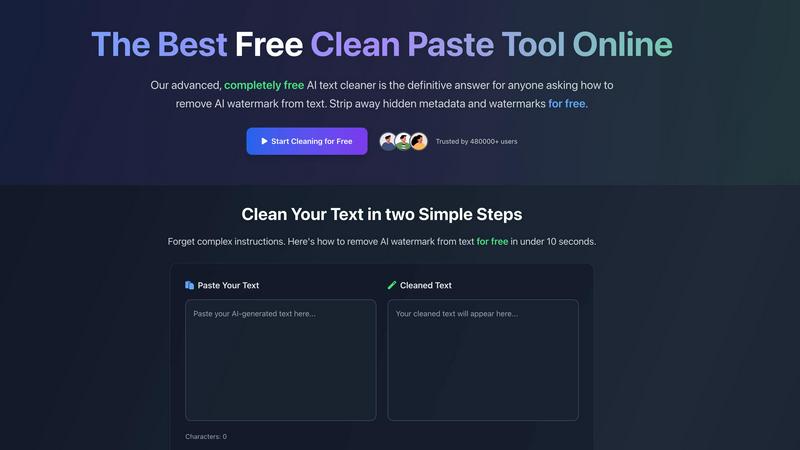
CleanPaste.org
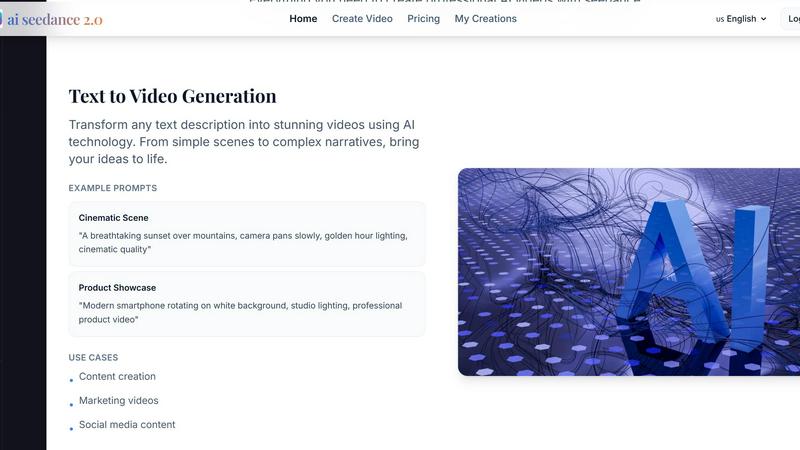
Seedance2 Video Generator
Feature Comparison
CleanPaste.org
Instant AI Watermark Removal
Our advanced algorithm is specifically tuned to detect and eliminate AI watermarks embedded within text. This feature ensures your content passes through AI detection systems seamlessly, transforming it from machine-generated to authentically human-sounding in a single click, all while preserving the original message and quality.
Deep-Scan for Invisible Characters & Metadata
CleanPaste.org doesn't just skim the surface. It performs a deep scan of your text to root out and strip all types of invisible characters, including zero-width spaces, hidden formatting artifacts, and embedded metadata. This thorough cleansing guarantees that your final text is completely clean and free from any hidden, disruptive elements.
Real-Time, Zero-Sign-Up Processing
Experience ultimate efficiency with real-time processing that requires absolutely no account creation. Simply paste your text and get cleaned results instantly. This frictionless, fast-paced approach respects your time and privacy, making professional-grade text cleaning accessible in seconds without any barriers.
Dual-Action Cleaning Modes
Take control with specialized cleaning modes. Choose "Watermark Removal Only" for targeted AI cleansing or use the full "Clear Invisible Characters" function for a comprehensive scrub. This flexibility allows you to tailor the cleaning power to your specific need, ensuring precise and effective results for every unique task.
Seedance2 Video Generator
Text to Video Generation
Seedance2 excels at converting written descriptions into dynamic videos. Users can simply input their text prompts, ranging from simple ideas to complex narratives, and the AI technology will transform them into visually engaging content. This feature empowers creators to bring their stories and messages to life without any video editing experience.
Image to Video Animation
With Seedance2, users can upload still images that the AI will animate, adding motion and life to static visuals. This feature is perfect for turning cherished memories into engaging videos or enhancing presentations with animated graphics, making it easy to captivate an audience and communicate ideas effectively.
High-Definition Quality Output
Seedance2 ensures that every video generated is in high-definition quality, making it suitable for both social media and professional usage. The crystal-clear outputs are tailored for various platforms, enabling users to share their creations seamlessly across channels without sacrificing quality.
Multiple AI Models
Seedance2 offers users access to various AI models, including Sora 2 for superior quality, Veo 3 for quick generation, and Kling for enhanced motion control. This flexibility allows users to choose the best model that meets their specific video creation needs, ensuring optimal results tailored to their projects.
Use Cases
CleanPaste.org
For Students Submitting Academic Work
Students can confidently submit essays and assignments by using CleanPaste.org to remove invisible characters and metadata from AI-assisted drafts. This ensures their work appears original and avoids any potential flags for hidden formatting, helping them maintain academic integrity with polished, submission-ready text.
For Content Creators & SEO Specialists
Bloggers, writers, and SEO professionals use CleanPaste to humanize AI-generated articles and web copy. By stripping AI watermarks and hidden characters, they protect their content from detection tools, maintain their brand's authentic voice, and improve engagement with natural-sounding text that resonates with both readers and search algorithms.
For Professionals Drafting Communications
Professionals, including non-native English speakers, leverage AI for drafting emails, reports, and proposals. CleanPaste.org refines this text by removing traces of AI assistance, ensuring all communications sound professional, natural, and personally crafted, which is crucial for client trust and corporate correspondence.
For Developers and Data Handlers
Developers and analysts frequently copy text from various sources and formats. CleanPaste.org is the perfect tool to clean this text before importing it into code, databases, or presentations, removing invisible characters and metadata that could cause errors, corruption, or unintended formatting issues.
Seedance2 Video Generator
Content Creation
Seedance2 is a game-changer for content creators who need to produce engaging videos quickly. Whether it's for blogs, vlogs, or social media posts, the tool makes it effortless to create captivating content that attracts and retains audience attention.
Marketing Videos
Marketers can leverage Seedance2 to craft stunning promotional videos that showcase products or services effectively. With minimal effort, they can generate high-quality videos that drive engagement and conversions, making it an essential tool in any marketing strategy.
Educational Animation
Educators can utilize Seedance2 to create animated learning materials that enhance student engagement. By transforming complex concepts into visual explanations, educators can make learning more accessible and enjoyable for their students.
Creative Storytelling
For writers and filmmakers, Seedance2 provides a platform to visualize their narratives. By directly inputting story prompts, users can generate cinematic-quality videos that convey emotion and intrigue, allowing them to share their artistic visions with a broader audience.
Overview
About CleanPaste.org
CleanPaste.org is the definitive free online utility for instantly purifying your text. It's engineered to strip away the digital fingerprints left behind by AI tools and word processors, including AI watermarks, hidden metadata, and invisible characters like zero-width spaces. This tool is essential for anyone who needs to present clean, authentic, and professional text. Whether you're a student polishing an AI-assisted essay, a content creator ensuring your blog posts pass AI detection, or a professional drafting client communications, CleanPaste.org delivers immediate results. Its core value proposition is unmatched: powerful, instant text cleaning that is 100% free, with no sign-up, no usage limits, and no hidden paywalls. Trusted by over 480,000 users, it transforms AI-generated or copy-pasted content into natural, human-like text in under 10 seconds, ensuring your work maintains its integrity and originality without any trace of automated assistance.
About Seedance2 Video Generator
Seedance2 Video Generator is an innovative AI-driven tool designed to revolutionize the way users create videos. Powered by ByteDance's advanced Seedance 2 model, this platform allows for rapid and intuitive video generation, transforming text descriptions and images into compelling videos in mere seconds. Ideal for content creators, marketers, educators, and anyone looking to produce high-quality videos efficiently, Seedance2 emphasizes ease of use and accessibility. Its streamlined web interface makes it easy for users to experiment with ideas, validate concepts, and create lightweight content without requiring extensive technical skills. With the promise of stunning HD outputs, Seedance2 is the ultimate solution for those who want to elevate their visual storytelling while saving time and resources.
Frequently Asked Questions
CleanPaste.org FAQ
How does Clean Paste remove invisible characters?
Our tool employs advanced, proprietary algorithms designed to detect and strip a wide array of invisible elements. It deep-scans your text to identify and remove zero-width spaces, hidden metadata, AI watermarking patterns, and other formatting artifacts. The entire process happens locally in your browser for security and is completed instantly upon clicking the clean button.
Is Clean Paste truly free? What's the catch?
Yes, CleanPaste.org is 100% completely free. There is no catch, no premium tier, and no hidden fees. We do not impose usage limits, require user registration, or gate advanced features behind a paywall. Our mission is to provide the best invisible character remover as an accessible public tool for everyone.
What types of hidden characters does Clean Paste remove?
CleanPaste.org removes a comprehensive range of hidden characters. This includes zero-width spaces and joiners, non-printable formatting metadata, AI-specific watermarking patterns, and other invisible artifacts introduced by text editors, AI platforms, and copy-paste actions. Every cleaning function is available free of charge.
Will using CleanPaste.org alter my original text content?
No. The core purpose of CleanPaste is to remove only the invisible, non-content elements. Your original wording, sentence structure, and intended meaning remain completely unchanged and preserved. The tool is designed to clean the text's underlying code, not rewrite or paraphrase the visible content you've created.
Seedance2 Video Generator FAQ
How does Seedance2 generate videos from text?
Seedance2 uses advanced AI technology to analyze the text input provided by users and translates it into video content. This process involves interpreting the narrative and creating visuals that align with the described scenes, producing videos in seconds.
Can I use Seedance2 for social media content?
Absolutely! Seedance2 generates videos in formats optimized for various social media platforms, including 16:9 for YouTube and 9:16 for TikTok and Instagram Reels. This ensures that your videos are ready to upload and share instantly.
Is there a limit to the length of the text I can input?
While there is a character limit for prompts (up to 5000 characters), this is more than sufficient for most users to describe their desired video scenes or concepts fully. This flexibility allows for both concise and detailed prompts.
Do I need any video editing experience to use Seedance2?
No, Seedance2 is designed for users of all skill levels. Its intuitive interface allows anyone to create professional-looking videos without prior video editing experience, making it accessible to everyone from beginners to seasoned creators.
Alternatives
CleanPaste.org Alternatives
CleanPaste.org is a leading free tool in the AI content refinement category, designed to strip AI watermarks and hidden formatting from text. It empowers users to transform AI-generated output into polished, human-like content with speed and precision. Users often seek alternatives for various reasons. Some require more advanced features, integration with specific platforms, or different pricing models beyond a free tier. Others might need offline capabilities or a different approach to text humanization and plagiarism checking. When evaluating alternatives, prioritize core needs. Look for robust watermark removal, reliable AI detection bypass, and strong data security. Consider the tool's processing speed, output quality, and whether it offers the integrations or additional utilities your workflow demands.
Seedance2 Video Generator Alternatives
The Seedance2 Video Generator is a cutting-edge AI video generation tool that harnesses the power of ByteDance’s Seedance 2 model. This lightweight application allows users to effortlessly convert text or images into coherent videos, making it a valuable asset in the realm of AI assistants. Its user-friendly web interface and rapid processing capabilities make it particularly appealing for those seeking quick content creation and idea validation. However, users often seek alternatives to Seedance2 for various reasons, including pricing concerns, feature sets, or specific platform compatibility. When evaluating alternatives, it’s essential to consider aspects such as ease of use, performance reliability, and the breadth of features that align with your content creation needs. Additionally, think about the level of support and community resources available, as these can significantly enhance your experience.