conceptviz vs Proofapp
Side-by-side comparison to help you choose the right product.

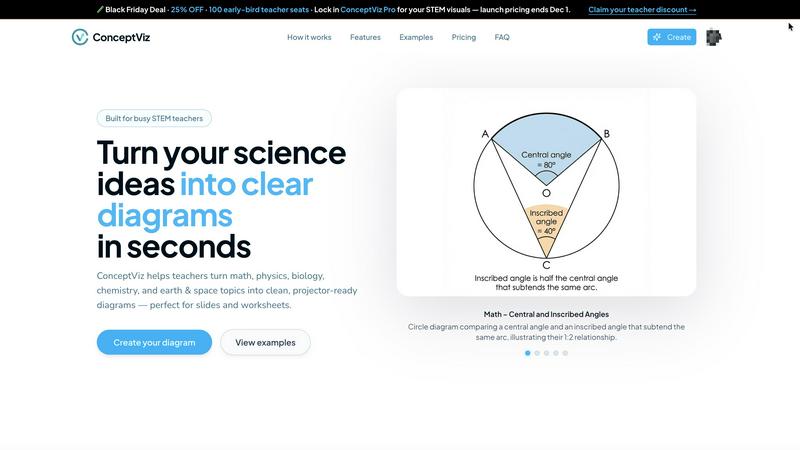
ConceptViz instantly creates clear, classroom-ready science and math diagrams from your simple description.
Last updated: March 1, 2026

Proofapp
Proofapp pins visual feedback directly on websites to stop endless email chains.
Last updated: March 4, 2026
Visual Comparison
conceptviz
Proofapp

Feature Comparison
conceptviz
Subject & Grade Presets
Jumpstart your diagram creation with intelligent presets tuned for real STEM classrooms. Select from core subjects like Physics, Biology, Chemistry, Earth & Space, and Math, each configurable for U.S. grade bands such as elementary, middle, and high school. This feature ensures the generated diagrams are age-appropriate and conceptually aligned with your curriculum, removing all guesswork and design overhead. You get a diagram that fits your lesson's context instantly, with no need for any prior design or technical drawing skills.
Projector-Ready Clarity
Every diagram is engineered for maximum legibility in real classroom and presentation environments. ConceptViz prioritizes thick, high-contrast lines and large, readable text labels against simple, uncluttered backgrounds. This deliberate design minimizes visual noise and ensures the visual remains sharp and comprehensible from the front row to the back of the room, even on lower-resolution projectors. The output is consistently clear, professional, and built for effective communication, not just aesthetic appeal.
Slide & Worksheet Friendly Format
Diagrams are delivered in a practical, ready-to-use format. They are generated in a widescreen aspect ratio perfect for modern presentation slides (PowerPoint, Google Slides) and come with clean white or light backgrounds ideal for printing on worksheets or handouts. You can download high-resolution PNG files and paste them directly into your existing teaching materials, streamlining your workflow from creation to classroom deployment in a matter of moments.
Plain-English Prompt to Diagram
The entire powerful engine is activated by simple, descriptive language. There's no complex syntax or coding required. Just type what you need, like "labeled plant cell cross-section for 8th grade" or "convex lens ray diagram with object between F and 2F." ConceptViz's AI interprets your instructional intent and generates a diagram that matches your specific description, turning your own verbal explanation into a perfect visual aid in seconds, saving you from endless online searches.
Proofapp
Visual Commenting
Click directly on any element of your live website or captured screenshot to leave contextual feedback. This eliminates the guesswork and confusing descriptions like "top left, under the nav." Comments are pinned exactly where they matter, creating a crystal-clear dialogue between creator and reviewer. You can start threaded conversations, mention team members, and ensure every piece of feedback is visually anchored to the design itself, making it impossible to misinterpret.
Multi-Breakpoint Testing
Proofapp automatically captures and presents your website at both desktop and mobile breakpoints the moment you submit a URL. This allows for comprehensive review across the most critical device types without any extra effort. Stakeholders can toggle between views and leave specific feedback for each layout, ensuring your design is polished and functional no matter how your users access it, all from a single project link.
Secure, Account-Free Sharing
Share your review projects with clients and external stakeholders via secure, expirable links. The game-changing advantage is that reviewers can participate fully—viewing, commenting, and attaching files—without the friction of creating a Proofapp account. This drastically reduces onboarding time and barriers to entry, making it effortless to collect feedback from anyone, while you maintain full control over access and project security.
Real-Time Collaboration & Resolution
See comments from your team and clients appear live as they are made. This real-time collaboration keeps everyone on the same page instantly, eliminating version confusion and lag. You can reply directly within threads, attach supporting files for context, and, crucially, mark comments as "Resolved." This creates a clear, trackable progress log from feedback to fix, ensuring nothing falls through the cracks.
Use Cases
conceptviz
Creating Engaging K-12 Lesson Materials
Teachers can rapidly generate custom, grade-appropriate diagrams for worksheets, interactive whiteboard lessons, and student handouts. Whether it's a diagram of the water cycle for 4th grade or a free-body diagram for a high school physics class, ConceptViz allows educators to produce tailored visuals that capture student attention and clarify complex topics, making lesson preparation faster and more effective than ever before.
Developing University-Level Lecture Slides
Professors and teaching assistants can create precise, detailed figures for advanced undergraduate and graduate courses. From illustrating biochemical pathways and quantum mechanics concepts to engineering schematics, the tool ensures that lecture slides are populated with accurate, custom visuals that enhance the academic narrative, saving hours otherwise spent in traditional illustration software.
Accelerating Academic Research & Publishing
Researchers, PhD candidates, and academics can generate precise figures for journal papers, conference posters, and thesis documents. ConceptViz helps visualize experimental setups, theoretical models, and data concepts with the clarity and precision required for academic publication, streamlining the often-tedious process of creating publication-ready graphics without specialized software expertise.
Designing Custom Study Aids & Tutorials
Students and tutors can use ConceptViz to create personalized study guides and explanation aids. By generating diagrams that break down specific problem areas or complex theories, learners can build a visual library that complements their textbooks and notes, fostering deeper understanding through tailored visual representation of challenging STEM concepts.
Proofapp
Freelancer Client Approvals
Freelancers can present website designs to clients in a professional, centralized hub. Instead of trading messy email chains with annotated screenshots, they share a single Proofapp link. Clients click to give precise visual feedback, which the freelancer can immediately action and mark as complete. This streamlines the revision process, reduces rounds of changes, and projects a polished, efficient service that saves hours per project.
Agency Design Team Workflow
Design agencies managing multiple projects and stakeholders use Proofapp to unify internal and client feedback. Designers, project managers, and developers can all collaborate in one space, with comments pinned directly to the relevant UI element. This visual system eliminates miscommunication between departments, accelerates internal reviews, and provides a clear audit trail of client feedback for approvals, ensuring projects move forward faster and more accurately.
Marketing Campaign Reviews
Marketing teams launching new landing pages or campaign assets need quick, clear feedback from various departments (copy, design, product). Proofapp allows the whole team to review live pages visually. Comments on headlines, CTAs, and imagery are contextually clear, preventing copy edits from getting lost in a Slack thread about hero images. This results in faster iterations and higher-quality, on-brand launches.
Developer Handoff & QA
Developers can use Proofapp during the QA and handoff phase to report bugs and visual inconsistencies directly on the staging site. Instead of writing lengthy bug reports, they can pin a comment exactly where an issue occurs, attach console logs or screenshots, and tag the responsible designer or developer. This visual bug-tracking method cuts down resolution time and ensures fixes are accurate the first time.
Pricing Comparison
conceptviz
ConceptViz is currently offering a Limited Time Lifetime Deal for $229. This one-time purchase provides permanent access to the platform's features. As of the latest update, there are only 20 seats remaining for this offer. The platform also provides a free tier that includes 4K Ultra HD diagram generation and does not require a credit card to start using.
Proofapp
Proofapp offers a generous free tier to get started, along with simple, scalable paid plans. Notably, they are running an early bird promotion for their first 1,000 users, offering lifetime discounts. A highlighted plan is the Solo tier, offered at a locked-in rate of $9.50 per month (originally $19/month), which is positioned as 600% more affordable than some competitors. This plan is tailored for freelancers and small projects. All new users can start with a full-access 2-month free trial with no credit card required to test the platform's complete feature set.
Overview
About conceptviz
ConceptViz is the AI-powered diagram generator engineered to revolutionize STEM education and research by delivering instant, precision-crafted visuals. It eliminates the tedious, time-consuming process of searching for imperfect stock images or struggling with complex drawing software. The core mission is to turbocharge productivity and enhance understanding by transforming abstract scientific and mathematical concepts into crystal-clear, classroom-ready diagrams in seconds. Its primary value proposition is an unbeatable combination of speed, accuracy, and pedagogical clarity. Users simply describe the diagram they need in plain English, and ConceptViz generates a projector-optimized image with high-contrast lines, readable labels, and minimal visual noise. Built specifically for the practical demands of real-world teaching and research, it serves a diverse audience from K-12 teachers creating engaging worksheets and lesson slides to university professors, graduate students, and researchers needing publication-quality figures for papers and presentations. By automating the creation of perfect visual explanations, ConceptViz reclaims invaluable prep time and ensures every learner, regardless of their seat in the room, can follow along with intuitively designed visuals that match the educator's exact teaching narrative.
About Proofapp
Proofapp is the visual feedback platform that kills the endless email chain for good. It's built for designers, developers, freelancers, and agencies who are tired of miscommunication, vague revision notes, and hours wasted playing "screenshot tennis." The core value proposition is simple: replace scattered, text-based feedback with precise, visual collaboration that gets projects shipped faster. You simply paste any website URL, and Proofapp automatically captures desktop and mobile screenshots. From there, your team and clients can click directly on the design to pin comments, reply in threads, attach files, and mark feedback as resolved—all without requiring reviewers to create an account. With features like real-time notifications, Slack integration, multi-page support, and enterprise-grade security, Proofapp centralizes all communication into one actionable dashboard. It's a 5-minute setup that saves teams 5+ hours per week, reduces revision rounds by 60%, and turns chaotic feedback into a streamlined, visual workflow. Stop describing problems and start pointing at them.
Frequently Asked Questions
conceptviz FAQ
What subjects and grade levels does ConceptViz support?
ConceptViz is specifically built for STEM education and supports core subjects including Physics, Biology, Chemistry, Earth & Space Science, and Mathematics. It is designed with U.S. grade bands in mind, offering presets and tuning for Elementary, Middle School, and High School levels, as well as university-level research topics, making it versatile across the entire educational spectrum.
Do I need any design or technical skills to use it?
Absolutely not. ConceptViz is designed for educators and researchers, not graphic designers. The interface is built around simple plain-English prompts. You describe the diagram you need as if you were explaining it to a colleague, and the AI handles the complex task of rendering a clean, accurate, and classroom-ready visual. No drawing, coding, or design skills are required.
What format are the diagrams, and how do I use them?
Diagrams are generated as high-resolution PNG image files. They are provided in a widescreen aspect ratio perfect for direct insertion into presentation software like PowerPoint or Google Slides. The clean backgrounds also make them ideal for printing on worksheets. You simply download the image and drag-and-drop it into your existing lesson materials, presentations, or documents.
Is there a free trial or any usage limits?
Yes, ConceptViz offers a free tier that allows you to generate diagrams in 4K Ultra HD resolution without requiring a credit card. This lets you fully test the platform's capabilities and integrate it into your workflow before committing to a paid plan, ensuring it meets your specific needs for speed, clarity, and pedagogical utility.
Proofapp FAQ
How do reviewers leave feedback without an account?
The process is designed for zero friction. You, as the project owner, generate a secure, shareable link from your Proofapp dashboard and send it to your clients or team members. When they open the link, they see the captured screenshots of your site and can immediately click anywhere to leave a comment, attach a file, or reply to a thread. No sign-up, login, or password is required for them to participate fully in the review process.
Does Proofapp work on live websites or just static images?
Proofapp works directly on live website URLs. You paste the URL of your staging site, prototype, or live production site, and our system automatically captures fresh, interactive screenshots at the specified breakpoints. Reviewers are commenting on an accurate representation of the live site, not a static mockup you uploaded weeks ago, ensuring feedback is always relevant and current.
What kind of integrations does Proofapp offer?
Proofapp connects with the tools you already use to maintain a seamless workflow. It offers direct integration with Slack, sending real-time notifications when new feedback is posted on your projects. This means you can stay on top of client comments without constantly checking the app. Additional integrations and API access are available to connect with project management and developer workflows.
Is my data and client feedback secure?
Absolutely. Proofapp is built with enterprise-grade security considerations. Features include secure, expirable share links, role-based permissions for team members, and comprehensive audit logs. Your data and client communications are handled with strict security protocols to ensure confidentiality and give you peace of mind, whether you're working on internal projects or sensitive client work.
Alternatives
conceptviz Alternatives
ConceptViz is an AI-powered diagram generator in the education and content creation space, designed to instantly produce clear science and math visuals from a simple text description. It specifically targets STEM educators and researchers who need to save time and enhance clarity in their materials. Users often explore alternatives for various practical reasons. This could be due to budget constraints, a need for different features beyond STEM-focused diagrams, compatibility with specific platforms or workflows, or simply a desire to compare options before committing to a tool. When evaluating other solutions, key considerations include the tool's core specialization, the quality and customizability of its output, its ease of use for non-designers, and its overall value for your specific teaching or research needs. The right fit balances capability with efficiency for your unique context.
Proofapp Alternatives
Proofapp is a dynamic visual feedback platform in the design tools category. It streamlines collaboration by letting teams and clients pin comments directly on live website screenshots, eliminating the chaos of scattered emails and vague notes. Users often explore alternatives for various reasons. Needs evolve, and a tool's pricing, specific feature set, or integration capabilities might no longer align with a growing team's workflow or budget constraints. The search for a better fit is a natural part of scaling any agile operation. When evaluating other options, prioritize core efficiency. Look for robust visual commenting, seamless stakeholder access, and integrations that plug into your existing toolkit. The goal is to maintain that fast-paced, organized feedback loop without friction.