SeeDance Ai vs SubtitlesFast
Side-by-side comparison to help you choose the right product.

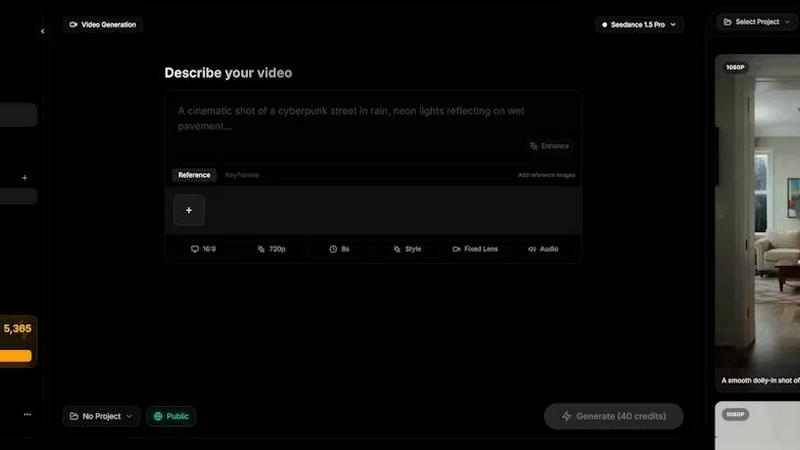
Seedance AI instantly transforms your text, images, audio, and video into polished, sound-synced cinematic clips in one seamless generation.
Last updated: April 13, 2026

SubtitlesFast
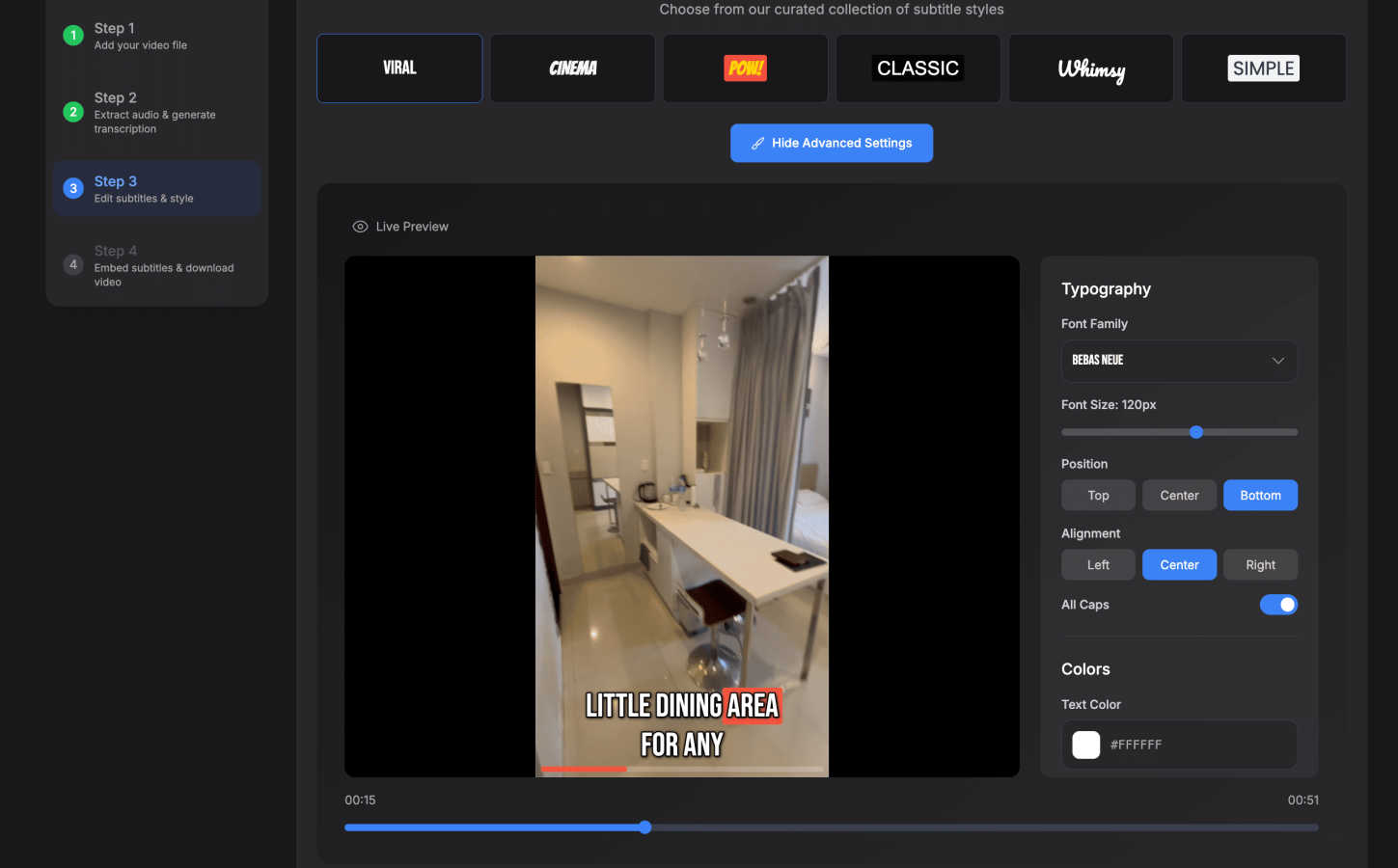
SubtitlesFast instantly adds beautiful, animated subtitles to your videos in minutes.
Last updated: March 1, 2026
Visual Comparison
SeeDance Ai
SubtitlesFast
Feature Comparison
SeeDance Ai
Multimodal @ Reference System
Ditch the guesswork of perfect prompt engineering. SeeDance Ai allows you to upload up to 12 reference files—including images, videos, and audio clips—and tag them directly in your prompt using the @ symbol. This system lets you precisely instruct the AI, for example, to use a specific face from @Image1, a camera move from @Video1, and a soundtrack from @Audio1. It transforms vague inspiration into exact, executable creative direction, drastically cutting down iteration time.
Native Audio-Visual Synchronization
Sound is not an afterthought. SeeDance Ai’s model generates audio and video together in one cohesive pass. This native synchronization means footsteps match the stride, dialogue is perfectly lip-synced, and musical beats align with visual cuts. The platform generates environmental sounds, background scores, and character speech intrinsically, delivering a complete audiovisual piece that often requires zero post-production sound design.
Consistent Character & Identity Lock
Eliminate the frustration of character drift between scenes. Through an advanced cross-attention reference system, SeeDance Ai locks in facial features, clothing details, art style, and even fine text or logos across multiple shots and entirely different scenarios. This capability is essential for creating episodic content, consistent brand mascots, or product showcases where maintaining a uniform identity is critical for professionalism and viewer trust.
Precise Motion & Camera Control
Replicate complex choreography, specific camera movements, and dynamic physics with high fidelity. By uploading a reference video, you can direct SeeDance Ai to copy exact cinematic techniques—be it a smooth dolly zoom, a chaotic handheld shot, or a complex dance sequence. The model respects skeletal integrity and realistic motion, applying the referenced movement to your generated characters and scenes without the unnatural flickering or physics-defying artifacts common in other platforms.
SubtitlesFast
AI-Powered Auto-Transcription
Leverage cutting-edge AI to generate accurate subtitles in seconds, supporting over 50 languages. The engine captures speech with high precision, providing a solid transcript foundation that you can quickly review and edit. This feature strips away hours of manual typing, letting you focus on perfecting your message and style instead of tedious data entry.
Advanced Subtitle Styling & Animation
Go beyond basic text with a suite of design tools. Choose from 30+ animated styles and apply word-level highlighting to make your captions dynamic and engaging. Customize fonts, colors, positions, and effects to match your brand identity, ensuring your subtitles aren't just readable but are a visually compelling part of your video's storytelling.
Browser-Based, No-Download Editor
Access a full-featured, intuitive editing suite directly from your web browser. Upload your video, edit the transcript on a simple timeline, add background music or images, and export—all without installing a single piece of software. This guarantees a fast start, seamless updates, and complete privacy, as your video data never leaves your machine.
One-Click, Watermark-Free Export
Publish faster with instant exports optimized for all major platforms. With one click, download a final video with subtitles burned directly into the footage, perfectly formatted for TikTok, YouTube, Instagram Reels, and X. Even the free trial offers exports without any distracting watermarks, so you can publish professional content immediately.
Use Cases
SeeDance Ai
Viral Social Media & Marketing Clips
Create high-impact, scroll-stopping content for platforms like TikTok, Instagram Reels, and YouTube Shorts in minutes. Generate product demos with synced sound effects, animate brand mascots for consistent campaign storytelling, or produce trendy dance and transition videos with flawless motion. SeeDance Ai’s speed and cinematic output help marketing teams and influencers maintain a rapid, professional content calendar.
Professional Storyboarding & Pre-Visualization
Filmmakers and agencies can rapidly prototype scenes and visual narratives. Input a script excerpt with reference images for characters and settings, and generate a multi-shot sequence with basic audio. This provides a powerful visual tool for pitching ideas, planning shots, and communicating directorial vision to clients and production teams before a single real-world shot is scheduled.
Dynamic Educational & Explainer Content
Educators and course creators can produce engaging animated explainer videos. Transform a lesson script into a video with a consistent presenter avatar, on-screen text graphics that remain legible, and synchronized narration. Complex concepts can be visualized with smooth, clear animations and supportive sound design, enhancing comprehension and learner engagement.
Choreography Visualization & Dance Content
Ideal for choreographers and dance studios. Upload a reference video of a dance routine and apply it to generated characters in any environment—from a studio to a fantasy landscape. This allows for creative presentation of routines, audition tape enhancements, and the creation of unique dance performance videos without needing multiple takes or complex video editing software.
SubtitlesFast
Daily Social Media Content Creation
Ideal for creators posting daily vlogs, tutorials, or clips to TikTok, Instagram, or X. The sub-5-minute workflow from upload to publish means you can capture a moment, add engaging animated subtitles, and share it with your audience while it's still relevant, all from your phone or computer without slowing down your content cadence.
Enhancing Video Accessibility & Reach
Automatically make your content accessible to viewers who are deaf or hard of hearing, and to those who watch videos on mute. By adding accurate, styled captions, you not only comply with accessibility best practices but also significantly increase watch time and engagement across social media platforms where sound isn't always available.
Rapid Marketing & Promotional Videos
Marketers and small business owners can quickly produce polished promotional clips, product demos, or announcement videos. SubtitlesFast allows you to add professional, branded subtitles that capture attention in crowded feeds, convey key messages clearly, and drive action—all without needing a dedicated video editor or a large production budget.
Repurposing Long-Form Content
Easily clip and subtitle key moments from longer videos like podcasts, webinars, or YouTube videos for use on short-form platforms. The precise timeline editor and fast transcription let you quickly extract the most valuable snippets, add punchy captions, and create a stream of engaging teaser content to drive traffic back to your full-length material.
Overview
About SeeDance Ai
SeeDance Ai is a cutting-edge, multimodal AI video generation platform engineered for creators who demand cinematic quality without the studio overhead. It transforms text prompts, images, audio clips, and video references into polished, multi-shot videos with native audio-visual synchronization and director-level control. This tool is built for professionals in marketing, social media, content creation, and storytelling who are frustrated by the limitations of standard AI video tools—specifically issues like anatomical drift, inconsistent characters, and disjointed sound.
Its core value proposition lies in its integrated, physics-aware generation pipeline. Unlike tools that treat audio as a post-production add-on, SeeDance Ai generates sound and visuals simultaneously within a single model pass. This ensures perfect lip-sync, sound effects that hit on the exact frame, and motion that adheres to realistic physics. With specialized models like SeeDance 2.0, the platform guarantees character and identity consistency across shots, making it possible to produce serialized content and branded campaigns with a reliable, professional finish. It’s not just a video generator; it’s an automated production assistant that handles camera work, continuity, and sound design from the start.
About SubtitlesFast
SubtitlesFast is the ultimate, browser-based accelerator for video creators. It's engineered for one mission: to transform a raw video clip into a polished, subtitled piece of content ready for social media in under five minutes. This tool eliminates the bloat and complexity of traditional video editors, focusing purely on the speed-to-publish workflow that daily creators, marketers, and vloggers demand. At its core is a powerful AI that automatically transcribes speech in over 50 languages with impressive accuracy. You then have full control to customize the look with extensive styling options, including word-level highlighting and animated text effects. The final export delivers a video with perfectly burned-in, engaging subtitles—all processed directly in your browser with no software to download. With a commitment to creator privacy and a generous free trial that includes exports without watermarks, SubtitlesFast is the agile, no-fuss solution for anyone serious about boosting engagement and growing their audience through accessible video.
Frequently Asked Questions
SeeDance Ai FAQ
What makes SeeDance Ai different from other AI video generators?
SeeDance Ai is built as a true multimodal production pipeline. The key differentiators are its native audio-visual sync, which generates sound and picture together for perfect timing, and its advanced reference system that gives precise control over characters, motion, and style. It specifically solves core professional issues like character inconsistency and unnatural physics, which are common pain points in other generators.
Can I use SeeDance Ai for commercial projects?
Yes, the content generated with SeeDance Ai is designed for commercial use. It is particularly suited for creating marketing materials, social media ads, branded content, and other professional projects where high-quality, consistent video output is required. Always review the specific terms of service on the platform for detailed licensing information.
How many reference files can I use in one prompt?
You can upload and tag up to 12 reference files in a single prompt. This includes a mix of up to 9 images, 3 videos, and 3 audio clips. Using the @ tagging system in your prompt, you can direct the AI to use specific elements from each reference, allowing for highly detailed and controlled video generation.
What video models are available on SeeDance Ai?
The platform offers multiple model versions to suit different needs, including SeeDance 2.0, SeeDance 1.5 Pro, SeeDance 1.0, and SeeDance 1.0 Pro. Newer models like SeeDance 2.0 offer the most advanced features, such as superior character consistency and motion fidelity, while other versions provide a balance of capability and generation speed.
SubtitlesFast FAQ
Is there really no software to download?
Yes, that's correct. SubtitlesFast is entirely browser-based. You access the full editor directly through your web browser (like Chrome or Safari). There are no downloads or installations required. You simply visit the website, upload your video, and start editing. This also means you get the latest features automatically every time you log in.
How accurate is the AI transcription?
The AI transcription is highly accurate for clear audio and supports over 50 languages. It's built specifically for the varied audio conditions found in creator content, like vlogs and social media clips. For best results, ensure your audio is as clear as possible. You always have full access to the transcript to make any quick corrections or adjustments on the easy-to-use timeline.
What video formats can I upload and export?
SubtitlesFast supports all common video file formats for upload, including MP4, MOV, and AVI. Your final exported video will be delivered as an MP4 file with the subtitles burned directly into the video track. This universal format is ready for immediate upload to any social media platform, including YouTube, TikTok, Instagram, and X.
Does the free trial include a watermark?
No. A key benefit of SubtitlesFast is that its free trial allows you to export your finished videos without any watermarks. You can create, style, and download your subtitled videos for publishing completely free of branding from SubtitlesFast, allowing you to evaluate the tool with real, publishable content.
Alternatives
SeeDance Ai Alternatives
SeeDance Ai is a specialized AI video generation platform designed for creating cinematic, multi-shot videos from text, images, audio, and video inputs. It belongs to the professional-grade AI cinematography category, focusing on delivering high-fidelity motion and consistent character identity. Users often explore alternatives for various reasons, including budget constraints, specific feature requirements not covered by a single tool, or the need for a different platform or integration. The search for the right tool is driven by the unique demands of each project and workflow. When evaluating alternatives, key factors to consider are output quality, particularly in motion realism and anatomical consistency, the level of creative control offered, pricing structure, and the specific use cases the platform is optimized for, such as marketing or social content.
SubtitlesFast Alternatives
SubtitlesFast is a browser-based video subtitle tool designed for creators who need to add animated, engaging captions to their content with maximum speed and minimal friction. It falls squarely into the productivity and marketing categories, empowering users to make their videos more accessible and polished in minutes. Even with its streamlined approach, users often explore alternatives for various reasons. This could be due to specific budget constraints, a need for more advanced video editing features beyond subtitling, or a preference for a downloadable desktop application over a cloud-based service. Different workflows demand different tools. When evaluating other options, focus on your core needs. Key considerations include the accuracy and language support of the auto-transcription, the flexibility of the subtitle styling and animation, the overall platform's ease of use, and the final export quality. The right tool should match your pace without compromising on the professional finish your audience expects.