One More Shot AI vs StatPecker
Side-by-side comparison to help you choose the right product.

One More Shot AI
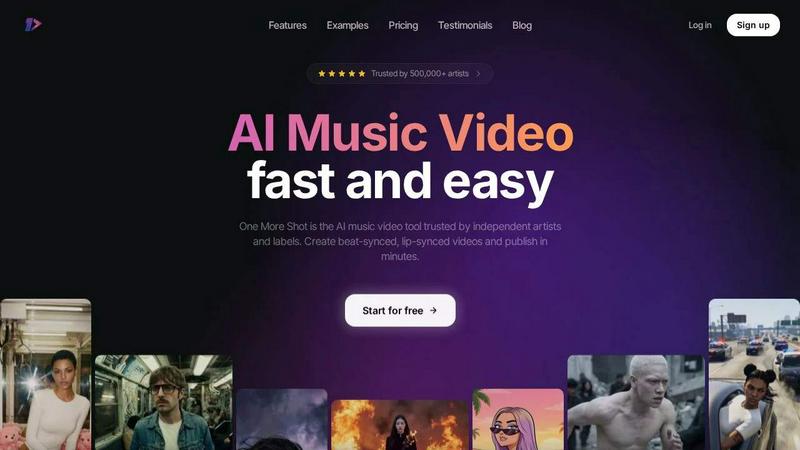
One More Shot AI instantly transforms your songs into professional, lip-synced music videos so you can publish in minutes.
Last updated: April 4, 2026

StatPecker
StatPecker transforms your data into quick insights and stunning visuals, making analysis and sharing effortless.
Last updated: March 1, 2026
Visual Comparison
One More Shot AI
StatPecker
Feature Comparison
One More Shot AI
AI Artist & Identity Consistency
Create a persistent, virtual artist from a single photo or descriptive prompt. This feature ensures your generated subject maintains a consistent and recognizable appearance across all scenes and videos, building a strong, cohesive visual identity for your music brand without needing a human actor on set.
Auto Video Generation
Activate your AI production crew with one click. Simply input your song and a reference image, and the platform's AI agents handle the entire creative process—analyzing the audio, generating synchronized visuals, and editing—to deliver a complete, dynamic music video in a fraction of the traditional time.
Precise Project Mode Editing
Move beyond automation with granular, scene-by-scene control. Project Mode allows you to start from scratch or deconstruct an auto-generated video, giving you the power to edit individual shots, adjust timing, and fine-tune visuals for a perfectly customized final product that matches your exact creative vision.
Top-Tier AI Lip-Sync (Seedance 2.0)
Featuring the advanced Seedance 2.0 model, this technology ensures singing scenes look completely natural and perfectly synchronized with your audio track. It analyzes the vocals to generate precise mouth movements, making virtual artists appear convincingly real and elevating the professional quality of your music video.
StatPecker
Ask Your Query
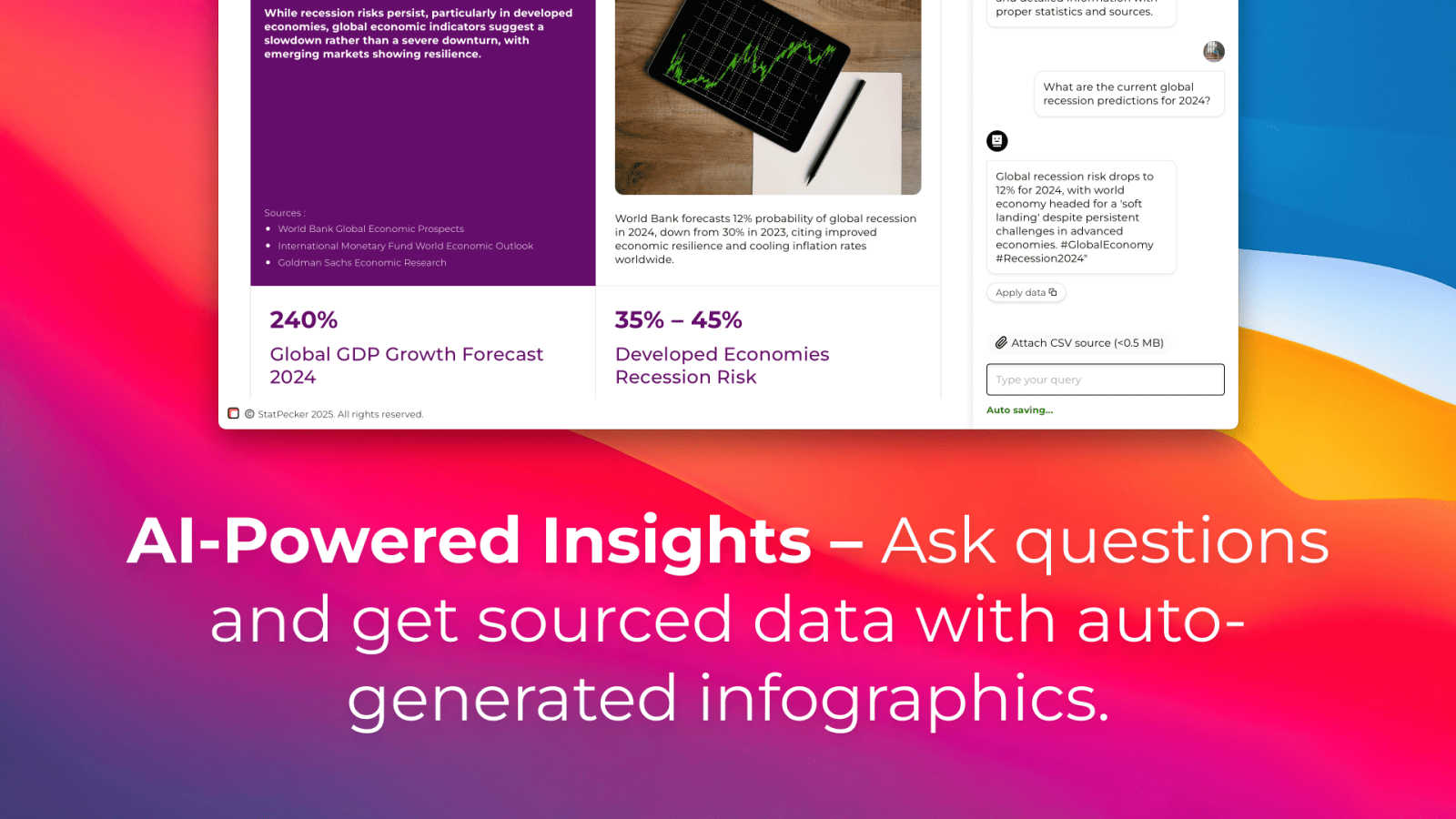
StatPecker simplifies data exploration by allowing users to ask direct questions and receive instant insights from validated sources. This feature eliminates the need for complex tools, making data analysis straightforward and efficient.
Publish & Embed
Create interactive visuals that can be easily integrated into blogs, articles, and websites. This feature ensures that users can not only generate stunning graphics but also share them seamlessly across various platforms.
Upload & Analyze CSVs
Users can upload local CSV files (up to 50 MB) and conduct insightful analyses without the hassle of traditional spreadsheets. The on-device analysis ensures that data remains private and secure while extracting key insights.
Download & Use Anywhere
StatPecker allows users to export infographics as images for use in reports, presentations, and more. This flexibility means that data storytelling can be enhanced across multiple formats, making it easier to share insights with any audience.
Use Cases
One More Shot AI
Independent Artist Music Videos
Independent musicians and bands can produce high-quality, lyric-synced music videos to promote new singles or albums without a production budget. This enables them to compete visually with major label artists and capture audience attention on platforms like YouTube and Instagram.
Social Media Content Creation
Generate a stream of vertical, square, and horizontal video clips directly from your tracks for TikTok, Instagram Reels, and YouTube Shorts. Quickly turn a chorus or a 30-second snippet into eye-catching, platform-optimized content to drive engagement and streams.
Music Marketing & Promotion
Labels and marketers can rapidly prototype video concepts, create visualizers for pre-release hype, or produce multiple alternate video cuts for A/B testing campaigns. The speed allows for agile, data-driven marketing strategies centered around visual content.
AI-Generated Artist Branding
Develop and maintain a unique virtual artist persona for an entire project or career. Use the AI Artist feature to generate not just music videos, but also consistent profile pictures, social media posts, and other visual assets that build a recognizable and marketable brand identity.
StatPecker
For Content Creators
Content creators can utilize StatPecker to generate compelling infographics that enhance their storytelling. Whether for blogs, social media posts, or articles, the tool helps in presenting data in a visually engaging manner, capturing audience attention effectively.
For Data Analysts
Data analysts can leverage StatPecker to quickly visualize complex datasets and extract meaningful trends. This feature allows them to focus on interpretation rather than formatting, enhancing their productivity and the clarity of their presentations.
For Marketers
Marketers can use StatPecker to create visuals that illustrate campaign performance, market research, and customer insights. These infographics can be shared with teams or clients to support data-driven decisions and strategies.
For Educators
Educators can harness StatPecker to present educational data in a more engaging way, making lessons more interactive and insightful for students. This feature can simplify complex concepts, helping students grasp information more effectively.
Overview
About One More Shot AI
One More Shot AI is the definitive AI-powered music video production platform, built to transform audio tracks into stunning visual experiences in minutes. It serves as a full AI production crew for musicians, creators, and music marketers, eliminating the traditional, costly, and time-consuming video production workflow. The platform intelligently analyzes a song's rhythm, energy, and mood to generate perfectly beat-synced visuals. Users can choose a rapid, automated path by simply uploading a song and a reference image, or dive into advanced Project Mode for granular, frame-by-frame creative control. With core strengths in speed, identity consistency, and top-tier AI lip-sync technology, it empowers artists to create professional-grade content for social media, music promotion, and artist branding across multiple formats like vertical, horizontal, and square. Trusted by over 500,000 artists, One More Shot AI is the fastest way to go from a finished track to a captivating, publish-ready music video.
About StatPecker
StatPecker is an innovative, AI-driven tool designed to transform the way users engage with data by turning raw datasets into visually striking infographics in just seconds. This comprehensive solution eliminates the tedious process of manual reporting and the high costs typically associated with hiring professional designers. Ideal for a variety of users—including content creators, analysts, marketers, and educators—StatPecker empowers individuals to enhance storytelling through powerful visuals. With seamless data visualization automation, users can concentrate on deriving insights rather than getting bogged down with formatting details. Its advanced features allow for easy data uploads, insightful analyses, and the creation of interactive visual presentations, ensuring that data is not only visually appealing but also impactful and accessible for everyone.
Frequently Asked Questions
One More Shot AI FAQ
What do I need to start creating a video?
You just need your audio track (in MP3 or WAV format) and a starting idea. This can be a reference image for the AI Artist, a text prompt describing the visual style, or both. The platform guides you through a simple flow, and you can have your first video ready in minutes.
How does the lip-sync technology work?
Our platform uses the advanced Seedance 2.0 model. It analyzes the vocal track of your song to detect phonemes and timing, then generates corresponding, realistic mouth movements for your AI Artist. This ensures the lip-sync is tightly matched to the audio, creating a natural singing performance.
Can I edit the videos after they are generated?
Absolutely. While the Auto Video feature provides a complete, ready-to-publish video, you have full access to Project Mode. Here, you can break the video down into individual shots, change scenes, adjust timing, modify prompts, and regenerate specific parts for total creative control.
What audio sources does it work with?
One More Shot AI works seamlessly with any audio file you upload. It is popularly used with tracks created in Suno, Udio, Mureka, FL Studio, and Ableton, as well as songs exported from streaming platforms or local files, making it a versatile tool for all creators.
StatPecker FAQ
How does StatPecker ensure data security?
StatPecker employs on-device analysis for uploaded data, meaning that your information remains private and secure throughout the analysis process. No data is sent to external servers, ensuring confidentiality.
Can I use StatPecker for free?
Yes, StatPecker offers a free tier that includes unlimited projects, embeds with manual edits, and a limited number of AI queries and CSV uploads. This allows users to explore the tool’s capabilities without any cost.
What types of files can I upload to StatPecker?
Users can upload CSV files of up to 50 MB to analyze and visualize their data. This format is widely used and allows for straightforward data handling, making it easy for users to get started.
Is there a refund policy for paid users?
Yes, StatPecker offers a 10-day refund policy for paid users, ensuring satisfaction without any questions asked. This policy allows users to try the full range of features risk-free.
Alternatives
One More Shot AI Alternatives
One More Shot AI is a dynamic content creation tool that transforms audio tracks into AI-generated music videos. It's designed for artists and creators who need to produce engaging visual content rapidly, bypassing traditional video production's high costs and slow timelines. Users often explore alternatives for various reasons. Budget constraints, specific feature requirements like different AI models or editing capabilities, and platform compatibility needs—such as desktop-only software versus mobile-friendly apps—are common drivers. The need for a particular visual style or more granular control over the output can also prompt a search for other solutions. When evaluating other options, focus on core needs. Prioritize tools that offer strong beat-syncing, maintain character consistency across scenes, and provide the output formats you require for platforms like TikTok, YouTube, or Instagram. The ideal alternative balances creative control with the speed and automation that makes AI video generation so powerful.
StatPecker Alternatives
StatPecker is an innovative, AI-powered data visualization tool designed to transform how users interact with their data. It specializes in converting raw datasets into stunning infographics quickly, making it a vital resource for content creators, analysts, marketers, and educators who want to enhance storytelling through visuals. However, users often seek alternatives due to factors such as pricing, specific feature sets, or compatibility with their preferred platforms. When considering alternatives to StatPecker, it's essential to evaluate the ease of use, the range of visualization options, integration capabilities, and overall cost-effectiveness. Assessing how well an alternative aligns with your specific needs and workflows can lead to a more efficient and impactful data visualization experience.