
Seedance2 Video Generator vs SVG to 3D
Side-by-side comparison to help you choose the right product.

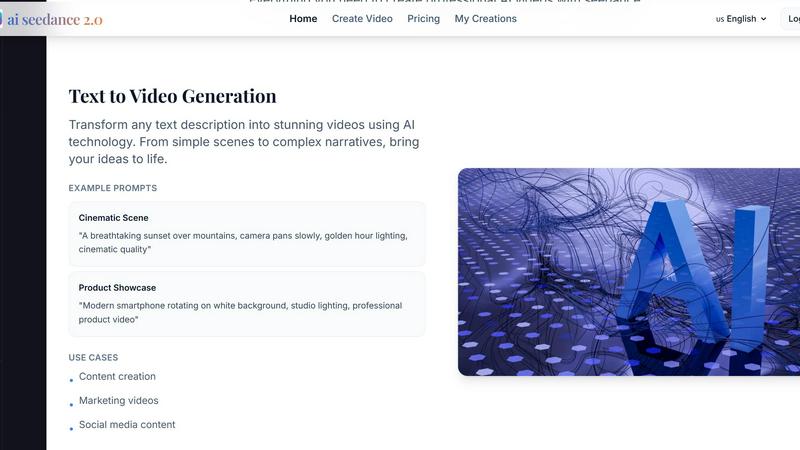
Seedance2 Video Generator
Create stunning videos in seconds by transforming text or images into captivating visuals with Seedance2 Video.
Last updated: February 26, 2026
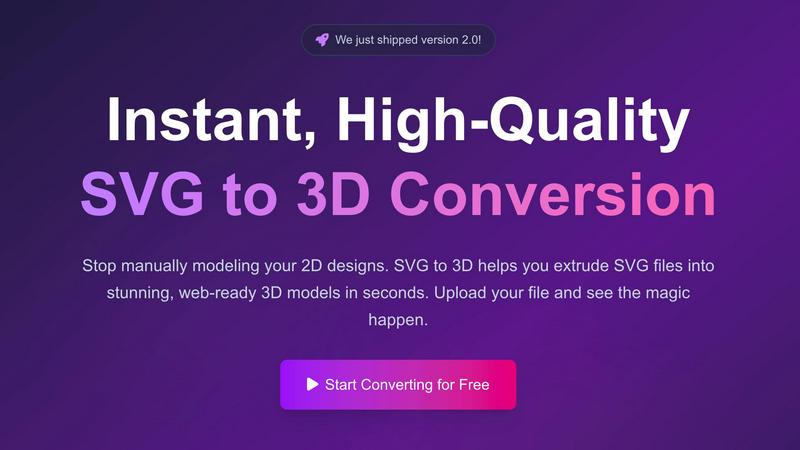
SVG to 3D
Easily transform your SVG files into stunning 3D models in seconds with advanced controls and optimized exports.
Last updated: February 26, 2026
Visual Comparison
Seedance2 Video Generator
SVG to 3D
Feature Comparison
Seedance2 Video Generator
Text to Video Generation
Seedance2 excels at converting written descriptions into dynamic videos. Users can simply input their text prompts, ranging from simple ideas to complex narratives, and the AI technology will transform them into visually engaging content. This feature empowers creators to bring their stories and messages to life without any video editing experience.
Image to Video Animation
With Seedance2, users can upload still images that the AI will animate, adding motion and life to static visuals. This feature is perfect for turning cherished memories into engaging videos or enhancing presentations with animated graphics, making it easy to captivate an audience and communicate ideas effectively.
High-Definition Quality Output
Seedance2 ensures that every video generated is in high-definition quality, making it suitable for both social media and professional usage. The crystal-clear outputs are tailored for various platforms, enabling users to share their creations seamlessly across channels without sacrificing quality.
Multiple AI Models
Seedance2 offers users access to various AI models, including Sora 2 for superior quality, Veo 3 for quick generation, and Kling for enhanced motion control. This flexibility allows users to choose the best model that meets their specific video creation needs, ensuring optimal results tailored to their projects.
SVG to 3D
One-Click to GLB for the Web
With a single click, users can export their 3D models in the GLB format, optimized for web use. This feature is perfect for developers looking to integrate 3D graphics seamlessly into their projects using libraries like Three.js or React Three Fiber, adding dynamic visuals to their websites.
3D-Print Ready
SVG to 3D makes it easy to create models that are ready for 3D printing. By supporting clean STL exports, users can directly utilize their designs with slicers, eliminating the need for additional software or complex workflows, ensuring that their creations can be printed accurately.
Real-Time Browser Modeling
This tool allows users to go beyond basic extrusion. With real-time modeling capabilities, users can adjust thickness, apply complex bevels, and experiment with PBR materials, all while viewing instant previews of their adjustments. This hands-on approach enhances creativity and precision.
Advanced Material System
The advanced material system in SVG to 3D lets users apply realistic PBR materials and custom textures to their models. This feature ensures that 3D creations have a professional finish, allowing them to stand out in any application, whether online or in physical form.
Use Cases
Seedance2 Video Generator
Content Creation
Seedance2 is a game-changer for content creators who need to produce engaging videos quickly. Whether it's for blogs, vlogs, or social media posts, the tool makes it effortless to create captivating content that attracts and retains audience attention.
Marketing Videos
Marketers can leverage Seedance2 to craft stunning promotional videos that showcase products or services effectively. With minimal effort, they can generate high-quality videos that drive engagement and conversions, making it an essential tool in any marketing strategy.
Educational Animation
Educators can utilize Seedance2 to create animated learning materials that enhance student engagement. By transforming complex concepts into visual explanations, educators can make learning more accessible and enjoyable for their students.
Creative Storytelling
For writers and filmmakers, Seedance2 provides a platform to visualize their narratives. By directly inputting story prompts, users can generate cinematic-quality videos that convey emotion and intrigue, allowing them to share their artistic visions with a broader audience.
SVG to 3D
Create Interactive 3D Logos and Icons for Web
Web developers can transform simple SVG icons into eye-catching 3D models that enhance the interactivity of their websites. By using the optimized GLB exports, they can easily integrate these models into modern web frameworks for a more engaging user experience.
Bring Digital Designs to Physical Life
Designers can use SVG to 3D to convert their digital artwork into tangible 3D printed objects. This capability is particularly useful for artists and makers looking to fabricate custom parts, prototypes, or unique art pieces without needing to navigate complex CAD software.
Enhance UI/UX Designs with Depth
With SVG to 3D, designers can add depth to their user interface projects. By converting UI elements into 3D models, they can present their concepts with realistic lighting and textures, impressing clients and stakeholders with visually rich prototypes.
Rapid Prototyping for 3D Printing
Entrepreneurs and product developers can quickly create prototypes for 3D printing using SVG to 3D. The tool’s ability to generate clean STL files ready for slicing accelerates the prototyping process, allowing for faster iterations and testing of product ideas.
Overview
About Seedance2 Video Generator
Seedance2 Video Generator is an innovative AI-driven tool designed to revolutionize the way users create videos. Powered by ByteDance's advanced Seedance 2 model, this platform allows for rapid and intuitive video generation, transforming text descriptions and images into compelling videos in mere seconds. Ideal for content creators, marketers, educators, and anyone looking to produce high-quality videos efficiently, Seedance2 emphasizes ease of use and accessibility. Its streamlined web interface makes it easy for users to experiment with ideas, validate concepts, and create lightweight content without requiring extensive technical skills. With the promise of stunning HD outputs, Seedance2 is the ultimate solution for those who want to elevate their visual storytelling while saving time and resources.
About SVG to 3D
SVG to 3D is an innovative tool designed to revolutionize the way designers, developers, and 3D printing enthusiasts convert two-dimensional SVG vector graphics into stunning three-dimensional models. It addresses a common pain point in the creative community: the need for a quick and efficient method to transform 2D designs without the hassle of heavyweight software like Blender or Cinema 4D. With SVG to 3D, users can effortlessly upload their SVG files and generate high-quality 3D models ready for web integration or 3D printing in a matter of seconds. This streamlined process not only saves time but also enhances productivity, allowing users to focus on creativity rather than technical hurdles. Whether you are looking to enhance web experiences with interactive 3D graphics or create physical objects for 3D printing, SVG to 3D provides a user-friendly interface and powerful features that make it the go-to solution for professionals and hobbyists alike.
Frequently Asked Questions
Seedance2 Video Generator FAQ
How does Seedance2 generate videos from text?
Seedance2 uses advanced AI technology to analyze the text input provided by users and translates it into video content. This process involves interpreting the narrative and creating visuals that align with the described scenes, producing videos in seconds.
Can I use Seedance2 for social media content?
Absolutely! Seedance2 generates videos in formats optimized for various social media platforms, including 16:9 for YouTube and 9:16 for TikTok and Instagram Reels. This ensures that your videos are ready to upload and share instantly.
Is there a limit to the length of the text I can input?
While there is a character limit for prompts (up to 5000 characters), this is more than sufficient for most users to describe their desired video scenes or concepts fully. This flexibility allows for both concise and detailed prompts.
Do I need any video editing experience to use Seedance2?
No, Seedance2 is designed for users of all skill levels. Its intuitive interface allows anyone to create professional-looking videos without prior video editing experience, making it accessible to everyone from beginners to seasoned creators.
SVG to 3D FAQ
What file formats can I export my 3D models in?
You can export your 3D models in multiple formats including GLB, GLTF, OBJ, and STL, making it easy to use your creations across various applications and platforms.
Is SVG to 3D free to use?
Yes, SVG to 3D offers a completely free service with no registration required. Users can convert SVG files to 3D models without any hidden fees or subscriptions.
How does SVG to 3D ensure my privacy?
SVG to 3D prioritizes user privacy by processing files locally in your browser when possible. This means your designs are not uploaded to external servers, keeping your work secure and confidential.
Can I use SVG to 3D on mobile devices?
While SVG to 3D is primarily optimized for desktop browsers, its web-based design allows for some functionality on mobile devices. However, for the best user experience and performance, a desktop environment is recommended.
Alternatives
Seedance2 Video Generator Alternatives
The Seedance2 Video Generator is a cutting-edge AI video generation tool that harnesses the power of ByteDance’s Seedance 2 model. This lightweight application allows users to effortlessly convert text or images into coherent videos, making it a valuable asset in the realm of AI assistants. Its user-friendly web interface and rapid processing capabilities make it particularly appealing for those seeking quick content creation and idea validation. However, users often seek alternatives to Seedance2 for various reasons, including pricing concerns, feature sets, or specific platform compatibility. When evaluating alternatives, it’s essential to consider aspects such as ease of use, performance reliability, and the breadth of features that align with your content creation needs. Additionally, think about the level of support and community resources available, as these can significantly enhance your experience.
SVG to 3D Alternatives
SVG to 3D is an innovative tool designed to seamlessly convert 2D SVG vector graphics into striking 3D models. It falls under the category of AI Assistants, catering to developers, designers, and 3D printing enthusiasts who need efficient workflows. Users often seek alternatives due to factors such as pricing, feature sets, and specific platform requirements that may not align with their needs. As you explore options, consider the ease of use, output quality, and compatibility with your existing projects to ensure you find the best fit for your creative endeavors. When searching for an alternative, prioritize solutions that offer a user-friendly interface, robust export formats, and the ability to meet your specific workflow demands. Look for flexibility in modeling features, efficiency in processing time, and customer support to help you navigate any challenges that may arise. Ultimately, the right choice should enhance your creative process without complicating it.