
TaleHug AI Story Generator for Kids
TaleHug turns a child's voice, drawing, or idea into a short illustrated AI storybook for safe, fast co-reading.
Visit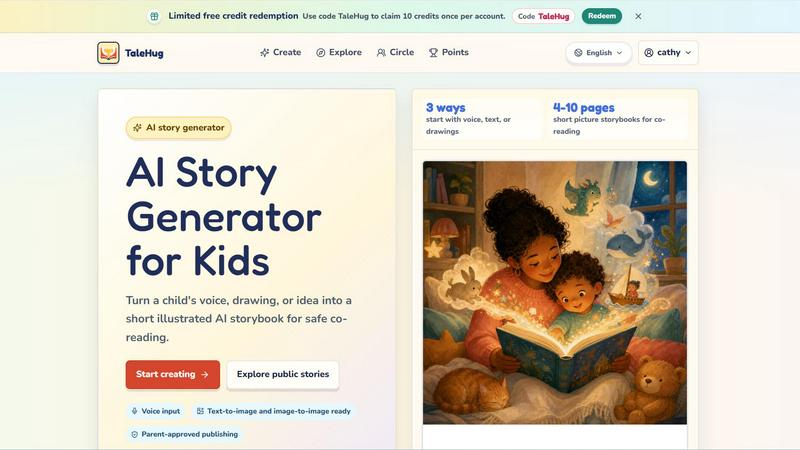
About TaleHug AI Story Generator for Kids
TaleHug is an AI-powered storytelling platform engineered specifically for children to create their own illustrated storybooks. It transforms a child's voice, drawing, or simple idea into a short, illustrated AI storybook designed for safe co-reading with parents. The platform prioritizes kid-friendly interaction and vibrant, colorful illustrations to make story creation engaging and approachable for young readers and writers. TaleHug is built for preschool and kindergarten-aged children, typically ages 3 to 6, and produces storybooks ranging from 4 to 10 pages. The core value proposition is turning a child's imagination into a tangible, shareable storybook in minutes, without exposing them to the risks of open AI tools. Safety is a fundamental design principle: all drafts are private by default, and any public or circle sharing requires explicit parent approval. The platform avoids collecting personal data like full names, school names, addresses, or contact details, and uses safe display names instead. TaleHug offers three distinct input methods: voice input for non-readers, text input for early writers, and drawing uploads for visual creators. It also features text-to-image and image-to-image generation, allowing children to see their own drawings transformed into storybook illustrations. The platform includes a public gallery of approved examples for inspiration, a tutorial video, and a library of story ideas like "Moon rabbit bedtime" and "Garden courage" to jumpstart creativity. TaleHug is operated by Vava AI Labs LLC and offers a limited free credit redemption using the code "TaleHug" for 10 credits per account. It is the ideal tool for parents, educators, and caregivers who want to foster literacy, creativity, and safe digital expression in young children.
Features of TaleHug AI Story Generator for Kids
Three Input Methods for Maximum Creativity
TaleHug offers three distinct ways for children to start their story journey. They can use voice input to simply speak their idea, which is perfect for pre-literate children who cannot type yet. They can type or dictate a text prompt for more structured storytelling. Or they can upload a drawing they have created, and the AI will use image-to-image generation to transform that drawing into a full storybook illustration. This flexibility ensures that every child, regardless of age or ability, can participate in the creative process.
AI-Powered Picture Storybook Generation
The core engine of TaleHug takes the child's input and generates a complete, illustrated storybook. Each page features a strong, colorful AI-generated image paired with a single short sentence that is easy for young readers to follow. The platform stores the prompt for each page, allowing parents and children to regenerate images if they want a different look or style. The output is always a short picture storybook of 4 to 10 pages, specifically designed for co-reading sessions between adults and children.
Safety-First Design with Parental Controls
TaleHug is built from the ground up with child safety as the top priority. All story drafts are private by default, meaning no one else can see them unless the parent chooses to share. Publishing a story to the "Circle" (a private group of family and friends) or to the public gallery requires explicit adult review and approval. The platform has zero public comments in the MVP, eliminating the risk of online harassment. It uses safe display names instead of full child names and does not collect school names, addresses, or any child contact details.
Parent-Approved Publishing and Visibility Modes
TaleHug provides three distinct visibility modes to control who can see a child's story. The "Private" mode keeps the story completely hidden from everyone except the child and their parent. The "Circle" mode allows sharing with a curated group of family and friends. The "Public" mode makes the story visible in the public gallery, but only after a parent has reviewed and approved the content. This graduated system gives parents full control over their child's digital footprint while still allowing for safe sharing and celebration of their creative work.
Public Gallery and Story Idea Library
The platform includes a curated public gallery featuring AI storybook examples from young creators. This gallery serves as inspiration and a safe space for children to see what others have created. Additionally, TaleHug offers a library of pre-made story ideas and picture worlds ready for a first draft, such as "Moon rabbit bedtime," "Sharing the red truck," and "Garden courage." These prompts help children overcome the blank page and jumpstart their creativity with parent-approved themes.
Tutorial and Walkthrough Support
TaleHug includes a tutorial video that provides a short walkthrough of starting a new AI storybook, choosing inputs, and reading the finished pages. This resource is designed to help both parents and children understand the platform quickly and get started with minimal friction. The tutorial ensures that even non-technical users can navigate the tool and begin creating stories immediately.
Use Cases of TaleHug AI Story Generator for Kids
Bedtime Story Creation for Parents
Parents can use TaleHug to create personalized bedtime stories for their children in minutes. Instead of reading the same book every night, a parent can ask their child to describe a dream or an idea, input it into TaleHug, and generate a unique 4 to 10 page storybook with colorful illustrations. This transforms bedtime into an interactive, creative ritual that strengthens the parent-child bond and encourages a love for reading. The voice input feature is especially useful for winding down, as children can speak their ideas without the need for screens or typing.
Classroom Literacy and Creativity Exercises
Kindergarten and preschool teachers can integrate TaleHug into their curriculum to foster early literacy and creative thinking. Students can work individually or in groups to create stories about their day, their feelings, or a lesson topic. The AI handles the illustration and text generation, allowing young children to focus on the narrative and imaginative aspects of storytelling. Teachers can then share approved stories with the class via the Circle mode, creating a safe digital library of student work. This use case is perfect for social stories about sharing, bravery, or first school mornings.
Therapeutic Storytelling for Emotional Development
Child therapists and counselors can use TaleHug as a tool for emotional expression and development. A child struggling to articulate their feelings can draw a picture or describe a scene, and TaleHug will turn it into a story. For example, the "Feelings under the sea" story idea helps children name and explore emotions in a safe, non-threatening context. The platform's private default ensures that these sensitive stories remain confidential between the child and the therapist or parent. This use case leverages the power of narrative to help children process complex emotions.
Family Bonding and Collaborative Storytelling
TaleHug is an excellent tool for family bonding activities. Siblings can collaborate on a single story, taking turns adding ideas or drawings. Grandparents can create stories for their grandchildren using the voice input feature, even if they are not tech-savvy. The Circle visibility mode allows extended family to view and enjoy the stories, creating a shared digital keepsake. This use case turns story creation into a multi-generational activity that can be done remotely or together in the same room, strengthening family connections through shared creativity.
Safe Digital Introduction for Young Children
Parents who want to introduce their children to AI and digital tools in a safe, controlled environment can use TaleHug as their entry point. The platform eliminates the risks of open AI chatbots by providing a kid-friendly interface, parent-approved prompts, and no public comments. Children learn how to interact with AI by giving voice or text commands and seeing immediate, visual results. This use case is ideal for tech-conscious parents who want to leverage AI for educational purposes without exposing their children to inappropriate content or data collection.
Frequently Asked Questions
What age group is TaleHug designed for?
TaleHug is specifically designed for preschool and kindergarten-aged children, typically ages 3 to 6. The platform creates short picture storybooks of 4 to 10 pages with one sentence per page, making them perfect for co-reading sessions. The voice input feature is ideal for pre-literate children, while the text and drawing options cater to early writers and visual creators. Parents and educators can also use it with slightly older children who are developing their reading and writing skills.
How does TaleHug ensure child safety and privacy?
Safety is the core design principle of TaleHug. All story drafts are private by default, meaning no one else can see them. Publishing to Circle or Public visibility requires explicit parent approval. The platform does not collect full child names, school names, addresses, or contact details, using safe display names instead. There are no public comments in the MVP, eliminating the risk of online harassment. The public gallery only contains pre-approved examples, and all sharing is modeled around adult review and consent.
Can my child use voice input to create a story?
Yes, voice input is one of the three primary ways to start a story on TaleHug. This feature is perfect for young children who cannot type yet or who prefer to speak their ideas. The child simply speaks their story idea, and the AI processes it to generate the illustrated storybook. This makes the platform accessible to pre-literate children and supports a more natural, conversational creative process. The voice input works alongside text and drawing upload options for maximum flexibility.
What is the difference between Private, Circle, and Public visibility?
Private visibility means the story is only visible to the child and their parent account. No one else can see it. Circle visibility allows sharing with a curated group of family and friends that the parent has approved. Public visibility makes the story visible in the public gallery for all TaleHug users to see. Importantly, Circle and Public publishing require explicit parent review and approval before the story goes live. This graduated system gives parents full control over their child's digital sharing.
How many pages are in a typical TaleHug storybook?
TaleHug generates short picture storybooks that are typically between 4 and 10 pages long. Each page features one strong, colorful AI-generated image and one short sentence. This length is specifically designed for co-reading sessions with young children, keeping the story short enough to hold their attention while being long enough to tell a complete narrative. The 4 to 10 page range is ideal for preschool and kindergarten bedtime reading or classroom use.
How do I get started with TaleHug?
Getting started is simple. First, visit the TaleHug website and log in or create an account. You can redeem a limited free credit code "TaleHug" to claim 10 credits per account. Then, choose how you want to start your story: by speaking an idea, typing a prompt, or uploading a drawing. The AI will generate a 4 to 10 page illustrated storybook. You can then read it together, regenerate images if needed, and choose the visibility setting. A tutorial video is available to walk you through the entire process.
Can I regenerate or edit the images in the storybook?
Yes, TaleHug stores the prompt for each page in the storybook, allowing you to regenerate images if you want a different look or style. This feature gives parents and children creative control over the final product. If the initial illustration does not match the child's vision, you can simply regenerate that specific page's image using the same prompt. This iterative process helps children understand that creativity involves refinement and choice.
Pricing of TaleHug AI Story Generator for Kids
TaleHug operates on a credit-based system. New users can redeem a limited free credit offer by using the code "TaleHug" to claim 10 credits once per account. Each credit likely corresponds to one story generation or a set of pages, though the exact credit-to-story ratio is not specified in the provided context. The platform does not publicly list additional paid plans or tiers in the available content. For detailed pricing information, including any subscription options or additional credit packs, users should visit the TaleHug website or contact Vava AI Labs LLC directly.
Similar to TaleHug AI Story Generator for Kids

An adaptive AI tutor that turns topics or your materials into courses, lessons, and answers tailored to how you learn.

Master networking with interactive, hands-on practice directly in your browser. Solve real terminal challenges, debug routes, and build core IT skills

A modern, AI-native CRM built for lead-driven businesses. Qualify leads 24/7, track pipelines, and measure true ad ROI with flat-rate pricing.

Free browser tools to solve, create, print, and play word puzzles—no account or installation needed.

Zeptap lets AI use your real iPhone like you do: open apps, read the screen, tap, swipe and type. Reply to DMs, post Stories, book rides, test apps.

Free browser calculators for loans, mortgages, GPA, concrete, paint and snow removal, each with its formula and a worked example.

Turn text prompts and photos into videos with Sora 2, Veo 3.1, Wan and more. Get free starter credits and watermark-free downloads.

One API key and one credit balance for Reddit and X data. REST endpoints and a hosted MCP server, so your code and your agents call the same tools.