
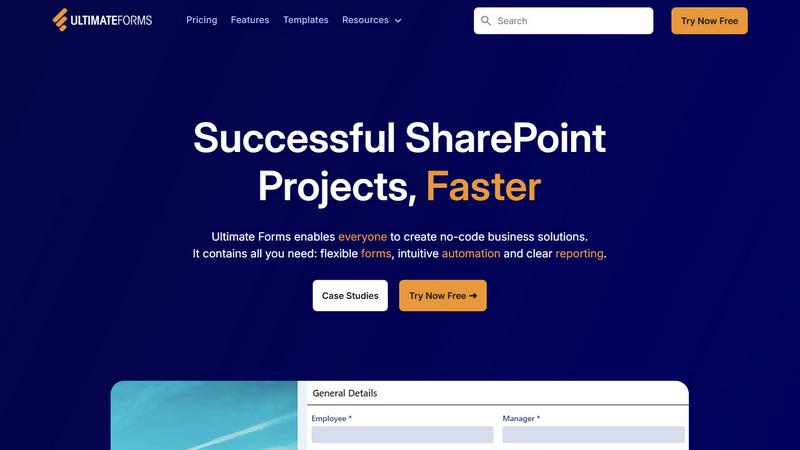
About Ultimate Forms
Ultimate Forms is the definitive no-code platform for building powerful business solutions directly within Microsoft SharePoint and Microsoft 365. Designed to accelerate digital transformation, it empowers teams of all technical skill levels to create, automate, and manage complex forms and workflows without writing a single line of code. By seamlessly integrating with your existing SharePoint environment, it keeps all data secure and centralized while providing an intuitive, modern interface for users. The platform is built for businesses of all sizes seeking to eliminate operational bottlenecks, enhance data accuracy, and drive significant productivity gains. Its core value proposition lies in democratizing solution development; it turns business analysts, HR professionals, project managers, and SharePoint admins into citizen developers. With Ultimate Forms, you can rapidly deploy tailored applications for asset tracking, HR onboarding, project management, and more, dramatically reducing reliance on IT and cutting development time from months to days. It's the key to unlocking SharePoint's full potential, enabling organizations to streamline processes, improve reporting, and achieve their goals faster than ever before.
Features of Ultimate Forms
Flexible, Responsive Forms
Create modern, dynamic forms that provide an exceptional user experience on any device. Go beyond basic SharePoint forms with advanced features like tabs, repeating sections, conditional logic, column permissions, and electronic signatures. Implement robust input validation to ensure data quality from the start. All form data is stored securely within your SharePoint lists and libraries, maintaining a single source of truth and simplifying governance without compromising on flexibility or design.
Intuitive Automation with Actions
Replace complex, hard-to-maintain workflows with simple, versatile Actions. Automate business processes by triggering actions that create, update, or manage data across SharePoint and integrated applications like Microsoft Teams, Exchange, SQL Server, and more. This visual, logic-based automation builder dramatically reduces the learning curve, empowering more people in your organization to build and manage automated solutions, successfully removing bottlenecks and accelerating process execution.
Clear Reporting and Dashboards
Transform raw SharePoint data into actionable insights with powerful, shareable reports, dashboards, KPIs, calendars, and charts. Visualize information in an accessible, real-time format to improve organizational responsiveness and accountability. This feature enables everyone, from executives to team members, to make data-driven decisions quickly, monitor process health, and track key performance indicators without needing advanced analytical skills or external tools.
Pre-built Solution Templates
Jumpstart your projects with a vast library of pre-configured, automation-enhanced solution templates for common business scenarios like Project Management, HR Recruitment, and Leave Requests. These templates allow you to build a solution once and deploy it multiple times across different sites or tenants with a single click. This drastically reduces development time and effort, ensuring best practices and accelerating time-to-value for your SharePoint-based business applications.
Use Cases of Ultimate Forms
Streamlined Project Management
Manage and track the entire project lifecycle within SharePoint. Create centralized hubs for customers, projects, tasks, and work hours. Use dynamic forms for task submission and status updates, automate assignment and notification workflows, and generate real-time dashboards for resource allocation and project timelines. This consolidates all project data, improves team collaboration, and provides managers with instant visibility into progress and bottlenecks.
Efficient HR Recruitment Portal
Build a multi-stage recruitment portal to process, evaluate, and hire candidates seamlessly. Automate the flow of applications through screening, interview scheduling, feedback collection, and offer letter generation. Use forms with conditional sections for different roles and secure permissions to control data access. This use case significantly reduces manual administrative work, ensures a consistent candidate experience, and speeds up the time-to-hire.
Automated Leave Request Management
Simplify and automate employee leave requests and approvals. Employees submit requests via a user-friendly form that checks against company policy and remaining balance. Automated workflows instantly route the request to the appropriate manager for approval, update shared team calendars, and notify relevant parties. This eliminates email chains and spreadsheets, reduces errors, and provides HR with a clear, auditable trail of all leave transactions.
Comprehensive Asset Tracking
Gain full visibility and control over company assets, from IT equipment to facility resources. Utilize forms to check items in and out, log maintenance requests, and update asset conditions. Set up automated alerts for scheduled maintenance or when assets are due for return. Generate reports on asset location, utilization, and lifecycle status. This use case prevents loss, optimizes asset usage, and ensures compliance with auditing requirements.
Frequently Asked Questions
Is Ultimate Forms a no-code tool?
Yes, Ultimate Forms is a completely no-code platform. It is designed with a user-friendly, visual interface that allows anyone—from business users to SharePoint administrators—to build sophisticated forms, automate complex workflows, and create detailed reports without any programming knowledge. You create solutions by configuring settings, dragging and dropping elements, and defining logical rules, making advanced SharePoint application development accessible to all.
How does Ultimate Forms integrate with Microsoft 365?
Ultimate Forms is built natively for the Microsoft 365 ecosystem. It installs directly as an add-in or solution within your SharePoint Online or on-premises environment. It leverages and extends standard SharePoint lists and libraries. Furthermore, its Automation Actions provide deep, out-of-the-box integration with other Microsoft 365 apps like Teams (for notifications), Exchange Online (for emails), and the broader Microsoft Graph, ensuring a cohesive and secure user experience.
Can I use my existing SharePoint lists with Ultimate Forms?
Absolutely. Ultimate Forms enhances your current SharePoint investment. You can apply its powerful forms, automation, and reporting features directly to your existing SharePoint lists and libraries. There's no need to migrate data. This allows you to instantly modernize legacy processes, improve the user interface for data entry, and add automation to existing workflows, all while keeping your data securely in its original location.
Are the forms created with Ultimate Forms mobile-friendly?
Yes, all forms built with Ultimate Forms are fully responsive and mobile-friendly. They automatically adapt their layout to provide an optimal user experience on desktops, tablets, and smartphones. This ensures that employees in the field, on the factory floor, or working remotely can easily submit data, request approvals, and interact with business processes from any device, driving efficiency and participation.