
URL to Any
Effortlessly convert any URL into various formats like PDF, Markdown, and images with the all-in-one URL to Any tool.
Visit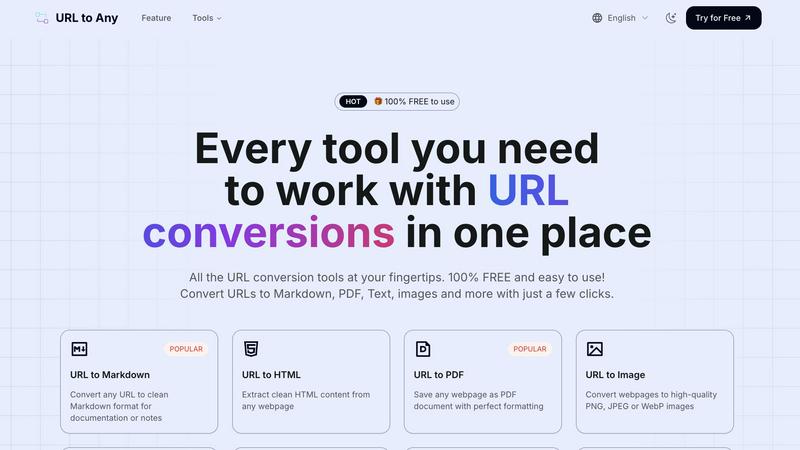
About URL to Any
URL to Any is a revolutionary web content conversion tool that caters to a broad audience, including content creators, developers, and casual web users. Designed with efficiency in mind, this tool provides an intuitive platform to convert any webpage into multiple formats like Markdown, PDF, HTML, images, and QR codes—all without requiring user registration. The core value proposition of URL to Any is its simplicity and speed; users simply input a URL, select their desired format, and receive their converted content within seconds. As a 100% free service, it eliminates the hassles of complex software, enabling users to save vital information and streamline their workflows effortlessly. With its range of features, URL to Any empowers individuals to repurpose web data efficiently, enhancing productivity and making web content management a breeze.
Features of URL to Any
URL to Markdown
Transform any URL into clean, well-structured Markdown format, making it perfect for documentation, note-taking, or sharing with technical teams. This feature ensures that formatting is preserved, allowing users to focus on content rather than formatting issues.
URL to PDF
Instantly save any webpage as a PDF document with perfect formatting. This feature is crucial for users who need to archive web content, create reports, or share information in a universally accepted format without losing layout integrity.
URL to Image
Convert webpages into high-quality images in formats like PNG, JPEG, or WebP. This feature is perfect for users who want to capture visual content or create graphics for presentations and social media, ensuring clarity and detail are maintained.
URL to QR Code
Generate QR codes from any URL for easy sharing and quick access. This feature facilitates seamless information distribution, allowing users to share links efficiently in physical spaces, presentations, or digital communications.
Use Cases of URL to Any
Content Creation
Content creators can use URL to Any to quickly convert web articles into Markdown for easier editing and integration into their projects. This streamlines their workflow, reducing the time spent on formatting tasks.
Data Extraction for Developers
Developers can extract data from web pages and convert it into structured formats like JSON or XML, enabling them to repurpose content for applications or websites. This enhances their ability to work with web data efficiently.
Educational Resources
Teachers and students can convert educational articles into PDF or image formats, creating study materials that can be easily shared or printed. This makes learning resources more accessible and versatile.
Quick Information Sharing
Users can create QR codes from URLs, allowing them to distribute information swiftly at events or meetings. This feature promotes easy access to digital content, enhancing engagement and interaction.
Frequently Asked Questions
How do I convert a URL using URL to Any?
To convert a URL, simply paste the desired web address into the tool, select your preferred format, and click convert. Your content will be ready to download in seconds.
Is there any cost associated with using URL to Any?
No, URL to Any is completely free to use. You can access all conversion tools without any hidden fees or registration requirements.
What formats can I convert URLs into?
URL to Any supports a wide range of formats, including Markdown, PDF, HTML, images, JSON, XML, and even QR codes, giving you flexibility in how you save and share content.
Is my data safe when using URL to Any?
Yes, your data is processed securely, and we do not store any personal information or converted content on our servers. Your privacy is our priority.
Similar to URL to Any


AI-powered CA practice, task, meeting, OKR, and workflow management software for growing teams.

Apps and files on an infinite canvas where people and AI agents work together.

ReadyData is an online PDF to Excel converter powered by AI. It helps users extract tables and relevant fields from invoices, bank statements, reports

AI academic assistant for writing, research, presentations, and coding

Signage and kiosk infrastructure for AI agents. Your agent publishes images, video, streams, web pages and apps to screens via one plugin.screenRIG is

A comprehensive suite of browser-side financial planners, health trackers, and developer utilities running completely on your terms.
