

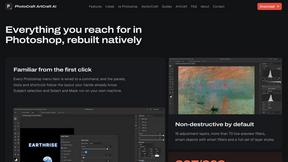

An independent guide to PhotoCraft, a free open-source image editor with downloads, tutorials, PSD support, and practical setup guidance.
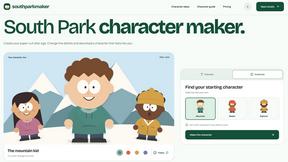

Create original paper-cut cartoon avatars in your browser, then export PNG or SVG.


Real-time AI answer suggestions during live interviews, grounded in your own resume and experience.
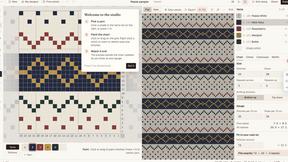

Free browser tool that turns a photo into a knitting chart. No account.
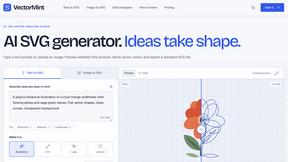

AI SVG generator for editable icons, logos, illustrations, and line art.

Your AI agent says it works. Make it prove it, on web and mobile. Get your first 10 tests free.


FindTourGuide helps travelers discover trusted local experts, get personalized recommendations, and compare multiple quotes


An AI mock interviewer for system design rounds. Talk out loud, draw on a shared whiteboard, and get scores on seven skills with a model answer.


Discover the best free online tools with ToolSuite Pro. Explore AI, productivity, marketing, SEO, writing, business, and software tools in one place.
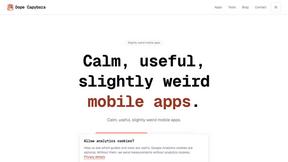

Calm, useful, slightly weird Android apps and free web tools: word games, quizzes, scanners and trackers. Most are free, offline, no account.


VidSyndicate helps creators and businesses automate video publishing, generate AI descriptions, and grow their reach across social platforms.
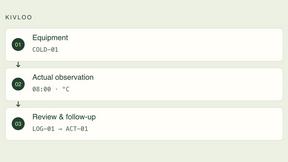

Workplace and food safety software for daily checks on phones, with photo evidence and inspection records across every site.


Turn articles, AI answers, notes and meetings into scrolling visual stories, with every number checked.


AI product video tool that turns product photos into conversion-ready video ads for TikTok Shop, Shopify, Amazon, Instagram and YouTube Shorts. No edi
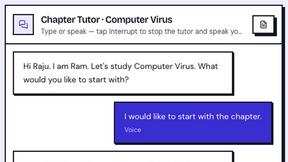

Turn chapter PDFs into a speaking AI voice tutor & quizzes. It is the ultimate AI buddy for your exam preparation.


Curated directory of hand-tested SaaS, utility-first AI, and pre-built n8n workflows built for developers, indie hackers, and automation engineers.


Check your screen display for dead pixels using White screen or black screen checkers.




AI automation lessons and done-for-you setups for small business
SLABCALC is a free, no-signup suite of 34 concrete calculators enhanced by AI tools, designed primarily for contractors, builders, and DIYers to get instant answers for any concrete project. It sits squarely in the categories of AI Assistants and Design Tools, offering specialized volume, cost, and material estimates alongside advanced features like crack diagnosis and quote analysis. Users commonly look for alternatives when they need deeper integration with project management software, require offline access, or want a more visual 3D modeling interface for complex pours. Others may seek tools with more robust reporting for client proposals or platforms that offer a broader scope beyond just concrete, such as full structural engineering calculations. When evaluating an alternative, prioritize accurate unit conversions, adjustable waste factors, and the ability to toggle between imperial and metric systems. Also consider whether the tool offers real-time cost data for your specific region and if it provides a seamless mobile experience for on-site use, as speed and efficiency are critical in construction workflows. The best alternatives will match SLABCALC’s core strength of delivering fast, accurate results without requiring a login, while potentially adding value through bulk project management or enhanced collaboration features. Look for platforms that maintain a clean user interface with minimal friction, since every second saved on calculations translates directly to faster project execution. For professionals handling high-volume estimates, a tool that stores project history or allows quick copy-paste of results into invoices and spreadsheets is a significant advantage. Ultimately, the right choice depends on whether you need a specialized concrete-only calculator or a more generalist tool that can handle multiple trades, but speed and accuracy should remain non-negotiable factors in your decision.
SLABCALC is a free, no-signup suite of 34 concrete calculators plus AI tools for crack diagnosis and quote analysis, built to deliver instant answers for concrete projects. It covers slabs, driveways, patios, footings, foundations, walls, CMU block, columns, curbs, stairs, sonotubes, rebar, gravel, garage and basement floors, and more. Each calculator returns volume in cubic yards and cubic meters, pre-mix bag counts (40/50/60/80 lb), total weight, and a cost estimate with an adjustable waste factor and imperial/metric toggle.
SLABCALC is designed for contractors, builders, and DIYers who need fast, accurate concrete estimates without signing up for an account. It serves professionals working on residential or commercial projects, as well as homeowners tackling patios, driveways, or basement floors. The AI-powered tools also make it valuable for engineers and inspectors who need to analyze concrete cracks or evaluate contractor quotes.
Yes, SLABCALC is completely free to use and requires no sign-up or login. All 34 calculators, the AI Concrete Crack Analyzer, the AI Quote Analyzer, cost-by-city pricing pages, expert guides, and the concrete glossary are accessible without any payment. There are no hidden fees, subscription tiers, or premium features locked behind a paywall.
The core feature is a suite of 34 specialized concrete calculators that provide volume, bag counts, weight, and cost estimates with adjustable waste. It also includes an AI Concrete Crack Analyzer that diagnoses damage from a photo, grading severity on a 1–5 scale and offering DIY-or-engineer advice, plus a Quote Analyzer that breaks down contractor bids and flags red flags. Additional features include cost-by-city pricing, expert guides, a concrete glossary, a Chrome extension, and embeddable widgets for seamless integration into workflows.