AISeedance2 vs BlitzCut
Side-by-side comparison to help you choose the right product.

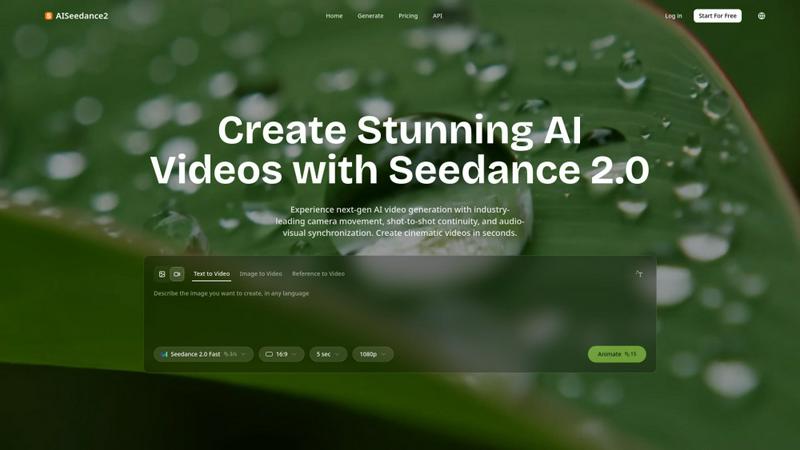
Seedance 2.0 instantly creates cinematic AI videos with professional camera movement and perfect scene continuity.
Last updated: February 27, 2026

BlitzCut
BlitzCut is an AI video editor that transforms raw clips into viral-ready videos by removing silence and adding.
Last updated: February 26, 2026
Visual Comparison
AISeedance2
BlitzCut

Feature Comparison
AISeedance2
Wide-Range Cinematic Camera Movement
AISeedance2 delivers the most advanced AI camera control in the industry, executing complex, fluid movements that rival professional cinematography. It generates sweeping crane shots, dynamic tracking sequences, orbital movements, and drone-like aerial perspectives from a single text prompt. The AI natively understands cinematic motion, creating smooth camera paths with accurate depth-of-field transitions and dramatic push-in/pull-out sequences that other models cannot achieve, bringing a true director's vision to life automatically.
Shot-to-Shot Continuity
This feature maintains perfect visual coherence and narrative flow across different scenes and shots. Unlike standard AI video tools that produce disjointed clips, AISeedance2 ensures characters, settings, lighting, and style remain consistent from one generated shot to the next. This breakthrough is essential for creating believable multi-scene narratives, short films, and commercials without manual editing or painful inconsistencies breaking the viewer's immersion.
Precision Audio-Visual Synchronization
AISeedance2 masterfully synchronizes generated video frames with accompanying audio tracks. Every visual beat, action, and character movement can be timed to match the rhythm, sound effects, and dialogue of your audio file. This precision is crucial for creating music videos, animated explainers with voiceovers, and action sequences where the on-screen impact must align perfectly with the soundtrack, elevating production value significantly.
Character Identity Lock & 2K Resolution
The platform ensures characters remain visually consistent throughout a video, locking in facial features, clothing, and body type even during complex action sequences. Coupled with support for stunning 2K cinematic resolution, this feature guarantees your protagonists are recognizable and your final output is sharp, detailed, and ready for professional use on large screens or high-definition marketing platforms.
BlitzCut
Automatic Silence Removal
BlitzCut’s Automatic Silence Removal feature uses advanced AI algorithms to instantly detect and cut out pauses in your videos. This dramatically reduces editing time, allowing you to go from raw footage to a polished final product in seconds. Say goodbye to the tedious task of manually searching for dead air; BlitzCut does it all for you, ensuring your content stays engaging and fast-paced.
AI Captions
With AI Captions, BlitzCut provides over 95% accuracy in generating captions that not only match the spoken words but also come in trendy, styled formats. This feature enhances viewer engagement and accessibility, allowing your audience to follow along easily. Plus, the automated captioning process saves you precious time, enabling you to focus on creating compelling content.
Text-Based Editing
Text-Based Editing allows you to edit your video by simply deleting sentences from a transcription of your footage. This innovative feature simplifies the editing process, making it intuitive and straightforward. You can quickly refine your video without needing to scrub through timelines, which enhances your overall workflow and boosts productivity.
Mobile-First Design
BlitzCut is built for mobile devices, specifically optimized for iPhone, iPad, and Mac. This mobile-first design ensures that you can create and edit videos anytime, anywhere. With an easy-to-navigate interface, you can import clips, apply edits, and export finished videos directly to social media platforms in mere minutes, making it the ultimate tool for on-the-go creators.
Use Cases
AISeedance2
Short Film & Narrative Production
Independent filmmakers and content creators can rapidly prototype and produce short films. The shot-to-shot continuity and cinematic camera movement allow for the creation of cohesive scenes and dynamic storytelling without a large crew or expensive equipment, turning written scripts into visual sequences in minutes.
Marketing & Social Media Creatives
Marketing teams can generate high-impact video ads, product demos, and branded content for platforms like TikTok, Instagram, and YouTube. The speed and 2K quality enable rapid iteration of campaigns, while the audio-visual sync is perfect for creating engaging videos set to trending music or voiceovers.
Educational & Explainer Content
Educators and course creators can transform lessons and complex concepts into engaging animated explainer videos. Using text or image prompts, they can generate clear, visually consistent scenes with synchronized voiceover narration, making learning materials more captivating and easier to produce at scale.
Dynamic Action & Sports Content
Creators focusing on sports, gaming, or action genres can produce highlight reels, choreography sequences, and intense scenarios. The AI excels at rendering high-intensity action with accurate body dynamics, fluid motion, and dynamic camera angles that follow the flow of movement, ideal for sports analysis or entertainment content.
BlitzCut
Quick Social Media Edits
BlitzCut is perfect for content creators who need to produce social media videos quickly. With its streamlined editing features, you can transform raw footage into polished videos ready for TikTok, Instagram Reels, or YouTube Shorts in under five minutes. This efficiency allows you to maintain a consistent posting schedule without sacrificing quality.
Influencer Marketing
For influencers collaborating with brands, BlitzCut makes it easy to edit promotional videos seamlessly. You can quickly add styled captions and remove unnecessary pauses, creating engaging content that meets brand guidelines while still being true to your style.
Educational Content Creation
Educators and trainers can utilize BlitzCut to create informative videos that captivate learners. The AI captioning and silence removal features ensure that your educational content is both accessible and engaging, keeping your audience's attention focused on the material being presented.
Vlogging
Vloggers can leverage BlitzCut to edit their video diaries efficiently. With features like text-based editing and automatic silence removal, you can keep your vlogs punchy and entertaining while ensuring that the editing process is quick and hassle-free.
Overview
About AISeedance2
AISeedance2, also known as Seedance 2.0, is the most powerful AI video generator available today, redefining the landscape of AI filmmaking. Developed by ByteDance, it empowers creators, marketing teams, educators, and filmmakers to produce stunning, cinematic-quality videos in seconds. The platform's core value proposition lies in its three industry-first breakthroughs: wide-range cinematic camera movement, shot-to-shot continuity, and precision audio-visual synchronization. This combination allows users to generate cohesive, multi-shot video narratives with professional cinematography directly from text, images, or reference videos. With support for 2K cinematic resolution and a robust character identity lock feature, AISeedance2 ensures visual consistency and high fidelity, making it 30% faster than previous iterations for producing content ideal for short films, marketing creatives, educational materials, and dynamic social media production. It's not just a video generator; it's a complete AI filmmaking toolkit designed for speed, quality, and creative control.
About BlitzCut
BlitzCut is a cutting-edge AI video editing tool designed specifically for content creators who demand speed and efficiency. With a mission to make professional video editing accessible to everyone, BlitzCut streamlines the editing process, allowing creators to transform their raw footage into polished social media-ready videos in just minutes. Whether you're a TikTok enthusiast, an Instagram influencer, or a YouTube content creator, BlitzCut provides the essential tools you need to keep up with the fast-paced creator economy. By automating tedious tasks like silence removal and captioning, BlitzCut empowers users to focus on their creativity instead of getting bogged down by technicalities. The mobile-first approach ensures that you can edit on the go, making daily posting not just a possibility but a reality.
Frequently Asked Questions
AISeedance2 FAQ
What makes AISeedance2 different from other AI video generators?
AISeedance2 stands apart with its three core breakthroughs: professional-grade cinematic camera movements, true shot-to-shot continuity for multi-scene narratives, and precise audio-to-video synchronization. Combined with 2K resolution and character consistency, it offers a more complete and professional filmmaking toolkit compared to generators that produce simpler, disjointed clips.
What kind of videos can I create with AISeedance2?
You can create a wide variety of videos, including cinematic short films, marketing advertisements, social media clips, educational explainers, music videos, action sequences, and product demos. Its versatility supports text-to-video, image-to-video, and reference-guided video generation for multiple creative workflows.
How does the character identity lock feature work?
The character identity lock feature uses advanced AI to recognize and maintain the key visual characteristics of a character across different shots and scenes. Once a character is generated or defined, the system ensures their facial features, hairstyle, clothing, and physique remain consistent throughout the video, even when the camera angle or action changes.
Is AISeedance2 suitable for complete beginners?
Yes, AISeedance2 is designed to be accessible. Users can start by simply typing a text prompt to generate a video. The intuitive interface and fast generation speed make it easy for beginners to experiment. However, to fully leverage its professional features like complex camera choreography, a basic understanding of cinematic terms and storytelling will yield the best results.
BlitzCut FAQ
What platforms is BlitzCut available on?
BlitzCut is available for iPhone, iPad, and Mac, making it a versatile tool for creators on various devices. The mobile-first design ensures that you can edit videos on the go.
How does AI improve the editing process with BlitzCut?
BlitzCut uses AI to automate time-consuming tasks like silence removal and caption generation. This allows creators to focus on content creation rather than getting bogged down by technical editing processes.
Is BlitzCut free to use?
Yes, BlitzCut is free to download and use, making high-quality video editing accessible to all creators without any initial investment.
Can I export videos directly to social media?
Absolutely! BlitzCut allows you to export videos in full quality HDR directly to platforms like TikTok, Instagram, and YouTube, streamlining your workflow and making sharing content effortless.
Alternatives
AISeedance2 Alternatives
AISeedance2 is a powerful web-based AI video generator in the text-to-video and image-to-video category. It empowers creators to produce cinematic content with advanced features like multi-shot continuity and precise audio sync, streamlining workflows for marketing, education, and social media. Users often explore alternatives for various reasons. Budget constraints, specific feature requirements not covered, or a need for different platform compatibility (like desktop apps or mobile access) can drive the search for other tools. It's a natural step in finding the perfect fit for a project's unique demands and resources. When evaluating other options, focus on core capabilities. Prioritize tools that deliver on your need for high-quality output, intuitive controls for camera and scene management, and reliable consistency across video shots. The right alternative should match your creative vision and production speed without compromising on the professional finish you require.
BlitzCut Alternatives
BlitzCut is an AI-powered video editor that streamlines the video editing process, making it highly efficient and accessible for content creators. As part of the content creation category, it focuses on automating tedious tasks like silence removal and caption styling, allowing users to produce engaging videos quickly and easily. However, some users may seek alternatives due to factors such as pricing, specific feature sets, or compatibility with different platforms and devices. When choosing an alternative to BlitzCut, consider the features that best suit your editing style and workflow. Look for tools that emphasize speed, mobile compatibility, and intuitive interfaces. Additionally, evaluate the software's ability to support automation, helping you maximize creativity while minimizing time spent on technical tasks.