DocuExtractor vs Receipt Generator
Side-by-side comparison to help you choose the right product.

DocuExtractor
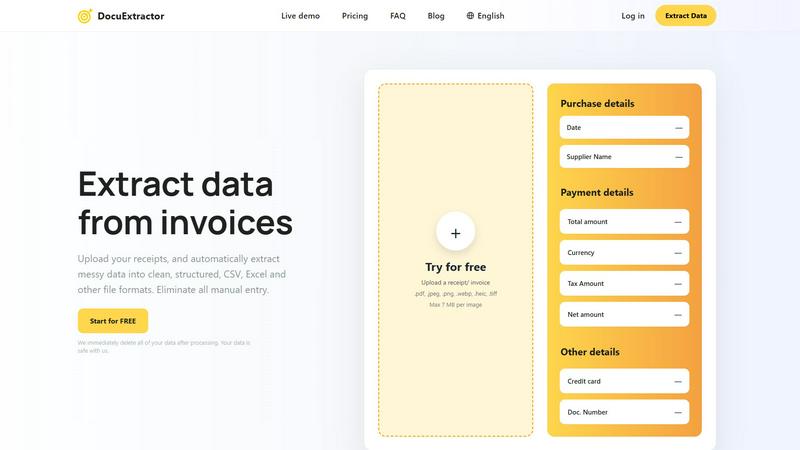
Transform messy receipts and invoices into structured data effortlessly with DocuExtractor's fast and accurate AI.
Last updated: February 28, 2026

Receipt Generator
Create realistic, customizable receipts in seconds with 400+ templates for business, creative, and personal use, all for free.
Last updated: April 4, 2026
Visual Comparison
DocuExtractor
Receipt Generator

Feature Comparison
DocuExtractor
Advanced Optical Character Recognition
DocuExtractor utilizes state-of-the-art OCR technology to accurately read and extract data from various document types. This ensures minimal errors during the data extraction process, allowing users to depend on precise outputs.
Batch Processing Capability
With the ability to upload multiple documents simultaneously, DocuExtractor saves time and enhances efficiency. Users can drag and drop several files at once, making large-scale processing quick and hassle-free.
Customizable Data Fields
Users can tailor the extraction process by selecting specific data fields relevant to their needs. This feature allows for flexibility and adaptability, accommodating diverse requirements across different financial documents.
Instant Downloads
Once the extraction process is complete, users can instantly download their data in preferred formats like CSV or Excel. This streamlined process ensures that the information is readily available for further analysis or integration with accounting software.
Receipt Generator
Extensive Template Library
With over 400 professionally designed templates at your fingertips, Receipt Generator allows you to choose from a wide range of store-specific options. Whether you need receipts for retail, restaurants, or pharmacies, finding the right template is a breeze.
AI "Place in Scene" Feature
This innovative feature lets you create photorealistic images of your receipts placed on various surfaces, such as desks or wallets. This capability enhances your projects without the need for a printer, providing a polished look for visual documentation.
Full Customization Options
Receipt Generator empowers users with complete control over their receipts. You can edit every detail, including line items, prices, taxes, and payment methods, ensuring that your receipt meets specific requirements for personal or business use.
Instant Download Capability
Once you complete your receipt, download it instantly as a high-resolution PNG or PDF file. No waiting, no hassle, and no need for account sign-up, making it incredibly user-friendly and efficient for anyone on the go.
Use Cases
DocuExtractor
Efficient Invoice Processing
Accountants can effortlessly process dozens of invoices in minutes, extracting essential data such as payment details, supplier names, and total amounts, significantly speeding up their workflow.
Streamlined Receipt Management
Bookkeepers can manage large volumes of receipts with ease. By automating the extraction process, they can quickly compile and categorize expenses without the burden of manual entry.
Accurate Bank Statement Analysis
Financial analysts can utilize DocuExtractor to extract critical data from bank statements, allowing for accurate budgeting and financial forecasting, all while reducing the risk of human error.
Data Preparation for Reporting
Operations managers can leverage DocuExtractor to prepare financial data for reports. By converting raw data into structured formats, they can generate insights efficiently, supporting strategic decision-making processes.
Receipt Generator
Small Business Management
Receipt Generator is perfect for small business owners who need to issue professional receipts to clients. The customizable templates help maintain a consistent brand image while ensuring compliance with tax regulations.
Freelance Invoicing
Freelancers can benefit from this tool by generating receipts for services rendered. It's an efficient way to keep track of transactions and provide clients with clear documentation of payments.
Expense Reporting
Content creators and marketers can utilize the AI "Place in Scene" feature to create realistic mockups of receipts for expense reporting. This adds a professional touch to presentations and financial documentation.
Inventory Documentation
Resellers can use Receipt Generator to maintain accurate records of inventory purchases. The ability to customize receipts for multiple suppliers streamlines the process of tracking expenses and inventory levels.
Overview
About DocuExtractor
DocuExtractor is a revolutionary document conversion software that transforms the way financial professionals handle data extraction. Designed for accountants, bookkeepers, and finance experts, this powerful tool automates the process of extracting valuable information from various financial documents, including invoices, bank statements, and receipts. By leveraging advanced Optical Character Recognition (OCR) technology, DocuExtractor ensures high accuracy and efficiency, converting unstructured data into clean, organized formats such as CSV and Excel. This automation significantly reduces the time spent on manual data entry, allowing users to focus on more strategic tasks. With its user-friendly interface and enterprise-level security, DocuExtractor is not just a tool; it is a game-changer in the world of accounting and finance management. Start extracting valuable insights from your documents today and elevate your productivity!
About Receipt Generator
Receipt Generator is your go-to online tool for crafting professional-grade receipts with unparalleled speed and convenience. Designed for small business owners, freelancers, content creators, and resellers, this platform offers over 400 store-specific templates, including popular names like Walmart, Target, and Starbucks. Users can customize every detail of their receipts, from item descriptions and prices to payment methods and dates, all in just a few clicks. With no account required, you can dive right into creating high-resolution PNG files instantly. A standout feature is the AI "Place in Scene" capability, which allows you to generate photorealistic images of your receipts on various surfaces, making it ideal for visual projects, inventory documentation, and expense mockups. Receipt Generator's lightning-fast performance ensures you can create and download receipts without any lag, making it the perfect solution for anyone who needs to produce high-quality receipts quickly and efficiently.
Frequently Asked Questions
DocuExtractor FAQ
How safe is my data when using DocuExtractor?
Your data security is our top priority. DocuExtractor immediately deletes all uploaded data after processing, ensuring that your information remains confidential and secure.
What types of documents can I upload?
DocuExtractor supports a wide range of document types, including PDFs, JPGs, PNGs, and TIFFs. This versatility allows users to extract data from various financial documents effortlessly.
Is there a limit on the size of documents I can process?
Yes, each document can be a maximum of 7 MB. However, you can upload multiple documents in one batch, making it easy to handle large volumes of data simultaneously.
Can I try DocuExtractor for free?
Absolutely! DocuExtractor offers a free trial that allows you to test the platform and experience the benefits of automated data extraction before committing to a subscription.
Receipt Generator FAQ
Do I need an account to use Receipt Generator?
No, you do not need to create an account to start using Receipt Generator. You can begin creating receipts immediately without any sign-up requirements.
Can I customize the templates?
Absolutely! Receipt Generator allows you to fully customize the templates, including changing line items, prices, payment methods, and more to fit your specific needs.
What file formats can I download my receipts in?
You can download your receipts as high-resolution PNG or PDF files, ensuring you have the format that best suits your needs.
Is there a free version available?
Yes, Receipt Generator offers a free tier with a watermark. If you want unlimited downloads and custom templates without watermarks, consider upgrading to one of the Pro plans.
Alternatives
DocuExtractor Alternatives
DocuExtractor is a powerful document conversion tool that falls into the Productivity & Management category. Designed specifically for handling financial documents like invoices, receipts, and bank statements, it simplifies the data extraction process using advanced Optical Character Recognition technology. However, users often seek alternatives to DocuExtractor for various reasons, such as pricing concerns, the need for additional features, or compatibility with different platforms. When exploring alternatives, it's crucial to consider factors like ease of use, data accuracy, and customization capabilities to ensure that the chosen solution aligns with your specific requirements and enhances your workflow. --- [{"question": "What is DocuExtractor?", "answer": "DocuExtractor is a document conversion software that converts messy receipts and invoices into clean, structured data formats."},{"question": "Who is DocuExtractor for?", "answer": "DocuExtractor is tailored for accountants, bookkeepers, and financial professionals who need to extract data from financial documents."},{"question": "Is DocuExtractor free?", "answer": "DocuExtractor is not free; it is a premium software solution designed to optimize document processing."},{"question": "What are the main features of DocuExtractor?", "answer": "Main features include advanced OCR technology, batch processing capability, customizable data extraction, and multi-format output."}]
Receipt Generator Alternatives
Receipt Generator is an innovative online tool designed for creating customized receipts, offering a vast selection of over 400 templates tailored to specific retailers. As a product in the productivity and management category, it empowers users to quickly generate professional-looking receipts for various personal and business needs without the hassle of complicated software. Users often seek alternatives for a variety of reasons, including pricing structures, feature sets, integration capabilities, or specific platform compatibility. When looking for an alternative, consider factors such as ease of use, available templates, customization options, and the quality of generated output. Additionally, evaluate whether the service meets your specific use case, whether for personal expense tracking, business transactions, or content creation.