
DocuExtractor
Transform messy receipts and invoices into structured data effortlessly with DocuExtractor's fast and accurate AI.
Visit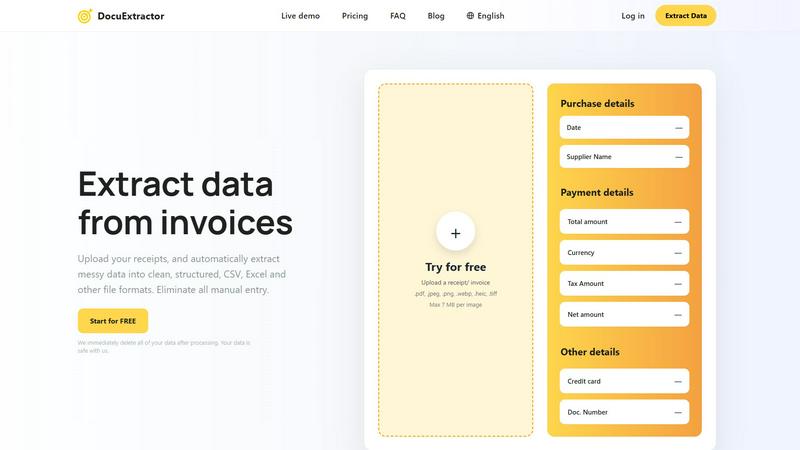
About DocuExtractor
DocuExtractor is a revolutionary document conversion software that transforms the way financial professionals handle data extraction. Designed for accountants, bookkeepers, and finance experts, this powerful tool automates the process of extracting valuable information from various financial documents, including invoices, bank statements, and receipts. By leveraging advanced Optical Character Recognition (OCR) technology, DocuExtractor ensures high accuracy and efficiency, converting unstructured data into clean, organized formats such as CSV and Excel. This automation significantly reduces the time spent on manual data entry, allowing users to focus on more strategic tasks. With its user-friendly interface and enterprise-level security, DocuExtractor is not just a tool; it is a game-changer in the world of accounting and finance management. Start extracting valuable insights from your documents today and elevate your productivity!
Features of DocuExtractor
Advanced Optical Character Recognition
DocuExtractor utilizes state-of-the-art OCR technology to accurately read and extract data from various document types. This ensures minimal errors during the data extraction process, allowing users to depend on precise outputs.
Batch Processing Capability
With the ability to upload multiple documents simultaneously, DocuExtractor saves time and enhances efficiency. Users can drag and drop several files at once, making large-scale processing quick and hassle-free.
Customizable Data Fields
Users can tailor the extraction process by selecting specific data fields relevant to their needs. This feature allows for flexibility and adaptability, accommodating diverse requirements across different financial documents.
Instant Downloads
Once the extraction process is complete, users can instantly download their data in preferred formats like CSV or Excel. This streamlined process ensures that the information is readily available for further analysis or integration with accounting software.
Use Cases of DocuExtractor
Efficient Invoice Processing
Accountants can effortlessly process dozens of invoices in minutes, extracting essential data such as payment details, supplier names, and total amounts, significantly speeding up their workflow.
Streamlined Receipt Management
Bookkeepers can manage large volumes of receipts with ease. By automating the extraction process, they can quickly compile and categorize expenses without the burden of manual entry.
Accurate Bank Statement Analysis
Financial analysts can utilize DocuExtractor to extract critical data from bank statements, allowing for accurate budgeting and financial forecasting, all while reducing the risk of human error.
Data Preparation for Reporting
Operations managers can leverage DocuExtractor to prepare financial data for reports. By converting raw data into structured formats, they can generate insights efficiently, supporting strategic decision-making processes.
Frequently Asked Questions
How safe is my data when using DocuExtractor?
Your data security is our top priority. DocuExtractor immediately deletes all uploaded data after processing, ensuring that your information remains confidential and secure.
What types of documents can I upload?
DocuExtractor supports a wide range of document types, including PDFs, JPGs, PNGs, and TIFFs. This versatility allows users to extract data from various financial documents effortlessly.
Is there a limit on the size of documents I can process?
Yes, each document can be a maximum of 7 MB. However, you can upload multiple documents in one batch, making it easy to handle large volumes of data simultaneously.
Can I try DocuExtractor for free?
Absolutely! DocuExtractor offers a free trial that allows you to test the platform and experience the benefits of automated data extraction before committing to a subscription.
Explore more in this category:
Similar to DocuExtractor

Practical, independent guides to home repairs, maintenance, costs, troubleshooting, and everyday fixes.

Highlight faster. Study in flow with custom shortcuts and a workflow built around you. Print smarter, or turn any page into a tiled poster.


AjaxCalculators offers free online calculators, unit converters, and image and document tools. Explore practical tools for finance, health, math, scie


IZIPAY is a virtual and physical crypto card service that lets users top up with digital assets and pay online like with a regular card.

Build Mode is a Mac app that turns focused sessions into visible progress, so you can see the work adding up before the results arrive.

Focused native Mac apps, including ZipSeek for searching documents, images and nested archives locally.