Dokta vs invoice Sonic
Side-by-side comparison to help you choose the right product.

Dokta automates document management for SMBs and freelancers, transforming invoices and contracts into streamlined tasks in seconds.
Last updated: April 4, 2026

Create stunning professional invoices instantly with our free, easy-to-use generator.
Last updated: February 28, 2026
Visual Comparison
Dokta

invoice Sonic
Feature Comparison
Dokta
Instant Document Analysis
Dokta provides lightning-fast document analysis using automatic reading and AI classification, completing the process in under 60 seconds. It identifies the type of document, extracts key data such as amounts, deadlines, and client or supplier information, ensuring that you have all essential details at your fingertips.
Automated Invoicing and Contracts
Create invoices and quotes effortlessly in just a few clicks with Dokta's intuitive interface. The platform supports automatic monthly billing for contracts, allowing you to spend less time on administration and more time focusing on your core business activities.
Real-Time Cash Flow Monitoring
Stay informed about your financial health with Dokta's real-time cash flow tracking. The platform provides a clear overview of billed and collected revenue, outstanding payments, and VAT status, all displayed in a user-friendly graphical format for easy interpretation over a 12-month period.
Anomaly Detection
Dokta enhances your document security with advanced anomaly detection. It alerts you to potential issues such as altered IBANs, duplicate documents, inconsistent VAT numbers, and missing numbering, safeguarding your documents from errors and fraud.
invoice Sonic
Completely Free Tier
InvoiceSonic operates on a generous free model, allowing users to create up to 5 professional invoices per month without any cost, hidden fees, or requirement for a credit card. This zero-commitment access is perfect for testing the platform or for freelancers with moderate billing needs, providing full functionality including template access and PDF download without the pressure of a trial or subscription.
Professional Template Library
Access a curated collection of clean, modern invoice templates designed for various industries and purposes. Choose from standard professional invoices, proforma invoices for quotes, and blank templates—all fully customizable. Each template adheres to professional standards, ensuring your invoices always include essential elements like invoice numbers, due dates, and itemized lists for a polished presentation.
Instant PDF Generation & Download
Speed is paramount. InvoiceSonic delivers a finished, professional document in moments. Once you input your business and client details, add line items, and apply any taxes, you can instantly preview and download your invoice as a ready-to-send PDF file. This feature eliminates formatting headaches and ensures your invoice looks perfect on any device your client uses.
Automated Calculations & Customization
The generator automatically handles all math, calculating subtotals, applying taxes (like GST), and displaying the final balance due, removing human error. Simultaneously, it offers deep customization: add your business logo, set payment terms, include hourly rates or discounts, and save your business details for future use, creating a branded, consistent invoicing experience in just a few clicks.
Use Cases
Dokta
Freelance IT Management
Freelance IT professionals can leverage Dokta to automate their billing processes. With features like automatic invoicing for recurring contracts, they can focus on coding while Dokta handles the administrative workload, saving valuable time.
Creative Project Management
For creative freelancers, Dokta simplifies the workflow from initial quotes to final invoices. You can send quotes with online acceptance links, converting them to invoices with just one click, making project management smooth and efficient.
Auto-Entrepreneur Compliance
Auto-entrepreneurs benefit from Dokta's automated invoice generation and payment tracking. The platform ensures compliance with URSSAF deadlines by sending timely reminders, allowing you to manage your finances without the usual headaches.
Small Business Financial Oversight
Growing SMBs can utilize Dokta to maintain a comprehensive overview of their financial situation. With real-time tracking of cash flow and easy CSV exports, businesses can streamline accounting processes and enhance financial decision-making.
invoice Sonic
The Freelancer Closing a Project
A graphic designer or writer completes a client project and needs to bill immediately. Using InvoiceSonic, they select a modern template, input saved business details, add the project description with an hourly rate, and apply the agreed-upon discount. Within 60 seconds, a professional PDF invoice is generated and emailed to the client, accelerating payment and closing the loop efficiently.
The Startup Issuing Its First Invoices
A new consulting startup needs to establish a professional billing process without investing in expensive software. The founder uses InvoiceSonic’s free tier to create branded invoices with their logo, automatically calculate service taxes, and set clear 30-day payment terms. This allows them to present a credible, established company image from day one while managing cash flow.
The Small Business Managing Recurring Billing
A small marketing agency has several clients on monthly retainer agreements. The office manager uses InvoiceSonic to quickly duplicate and modify previous invoices, updating descriptions and amounts as needed. The automated calculations ensure accuracy for each billing cycle, and the instant PDF download allows for fast distribution via email, streamlining recurring administrative tasks.
The Contractor Sending a Proforma Invoice
A contractor needs to provide a detailed quote or proforma invoice before starting a large job. They utilize InvoiceSonic’s proforma template to outline the scope of work, materials, and estimated costs. This professionally formatted document builds client trust by clearly communicating the project breakdown and total investment required, facilitating faster approval and project kickoff.
Overview
About Dokta
Dokta is an innovative AI-powered document management platform tailored for freelancers, solo entrepreneurs, auto-entrepreneurs, and small to medium-sized businesses (SMBs). With Dokta, you can effortlessly manage your document workflow, whether it's invoices, quotes, or contracts. The platform's robust AI engine reads, classifies, and extracts key data from your documents in under 60 seconds, streamlining the entire document lifecycle. No more stress over lost files or missed deadlines; Dokta automates the creation of professional invoices and quotes, tracks payments, generates reminders for unpaid invoices, and manages contracts and deadlines seamlessly. By centralizing document management, Dokta helps you build a client database, monitor cash flow in real-time, and easily export financial data to CSV for accounting purposes. It is the perfect solution for freelance developers, consultants, trades contractors, and growing SMBs who need an efficient way to put documents at the heart of their business operations. With a free tier offering 15 documents per month and affordable pricing starting at €9 per month, Dokta is GDPR compliant and hosted securely in Europe (AWS).
About invoice Sonic
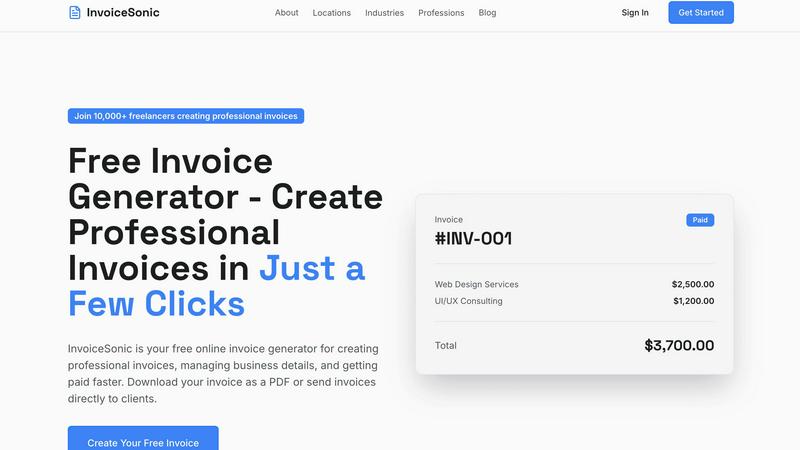
InvoiceSonic is a dynamic, free invoice generator engineered for speed and professional results. It is the definitive solution for freelancers, small business owners, and startups who need to create polished invoices instantly, without the friction of sign-ups, subscriptions, or complex software. The platform eliminates the inefficiency of manual spreadsheets and outdated tools by providing a sleek, web-based generator where users can input details, preview, and download a finished invoice in seconds. Its core value proposition is delivering immediate professionalism: a library of modern, customizable templates, automatic calculations for totals and taxes, and the ability to embed your brand identity. Designed for agility, it empowers solo entrepreneurs and growing teams to streamline their billing workflow, ensure accuracy, and get paid faster, all while maintaining a credible and consistent business image with every client transaction. By removing financial and procedural barriers, InvoiceSonic puts powerful invoicing capability directly into the hands of those who need it most.
Frequently Asked Questions
Dokta FAQ
What types of documents can I upload to Dokta?
Dokta supports a wide array of document types, including invoices, quotes, contracts, and any scanned or photographed documents. You can easily drag and drop files into the platform for instant analysis.
How does Dokta ensure data security?
Dokta is fully GDPR compliant and hosts all data securely in Europe using AWS infrastructure. Additionally, it employs AES-256 encryption to protect your sensitive information from unauthorized access.
Can I try Dokta for free?
Yes, Dokta offers a free tier that allows you to manage up to 15 documents per month at no cost. This is a great way to explore the platform's features without any commitment.
What support options are available with Dokta?
Dokta provides email support for all users. Additionally, users on paid plans can benefit from enhanced support options to ensure any issues are resolved quickly and efficiently.
invoice Sonic FAQ
Is InvoiceSonic really free to use?
Yes, absolutely. InvoiceSonic offers a completely free tier that allows you to generate up to 5 invoices per month without any cost, sign-up, or credit card required. You have full access to professional templates, customization options, and instant PDF downloads. This makes it an ideal, risk-free tool for freelancers and small businesses to start invoicing professionally immediately.
What file format are the invoices downloaded in?
All invoices created with InvoiceSonic are downloaded as high-quality PDF files. This universal format ensures your invoice maintains its professional layout, fonts, and branding on any device or operating system your client uses. PDFs are also the standard for business documents, making them easy for clients to save, print, or forward for payment processing.
Can I add my company logo and branding to the invoices?
Yes, you can fully customize your invoices with your brand identity. InvoiceSonic allows you to upload your company logo directly into the invoice template. You can also permanently save your business details, color schemes, and preferred payment terms, ensuring every invoice you send is consistently branded and reinforces your professional image with clients.
Does InvoiceSonic support different tax rates and calculations?
Yes. The invoice generator includes a dedicated field for GST/Tax or any other sales tax. You can specify a tax percentage, and the system will automatically calculate the tax amount and add it to the invoice subtotal to display the correct final total. This automation ensures accuracy and compliance, saving you time on manual calculations for every invoice you create.
Alternatives
Dokta Alternatives
Dokta is an innovative AI-powered document management platform tailored for freelancers, solo entrepreneurs, auto-entrepreneurs, and small to medium-sized businesses (SMBs). It streamlines document handling by automating the reading, classification, and data extraction of various documents like invoices, quotes, and contracts in under a minute. With features that cover the entire document lifecycle, Dokta simplifies tedious administrative tasks, allowing users to focus on their core business activities. Users often seek alternatives to Dokta for several reasons, including pricing structures, specific feature sets, and compatibility with their existing workflows. When considering an alternative, it's essential to evaluate the platform's capabilities, integration options, user experience, and overall value for money. A suitable alternative should not only meet your document management needs but also enhance your operational efficiency and adapt to your unique business requirements.
invoice Sonic Alternatives
InvoiceSonic is a free, fast-paced invoice generator in the productivity and management category, designed to help freelancers and small businesses create professional invoices instantly. Users often seek alternatives when their needs evolve, whether they require more invoices per month, deeper integrations with other business tools, or a platform that scales with a growing client base. Choosing the right alternative requires a clear assessment of your workflow. Key considerations include your monthly invoice volume, the need for features like recurring billing or client portals, and whether you prefer a standalone tool or one embedded within a larger accounting suite. The goal is to find a solution that matches your speed and efficiency demands without unnecessary complexity or cost.