Job Boardly vs TemplateFox
Side-by-side comparison to help you choose the right product.

Job Boardly
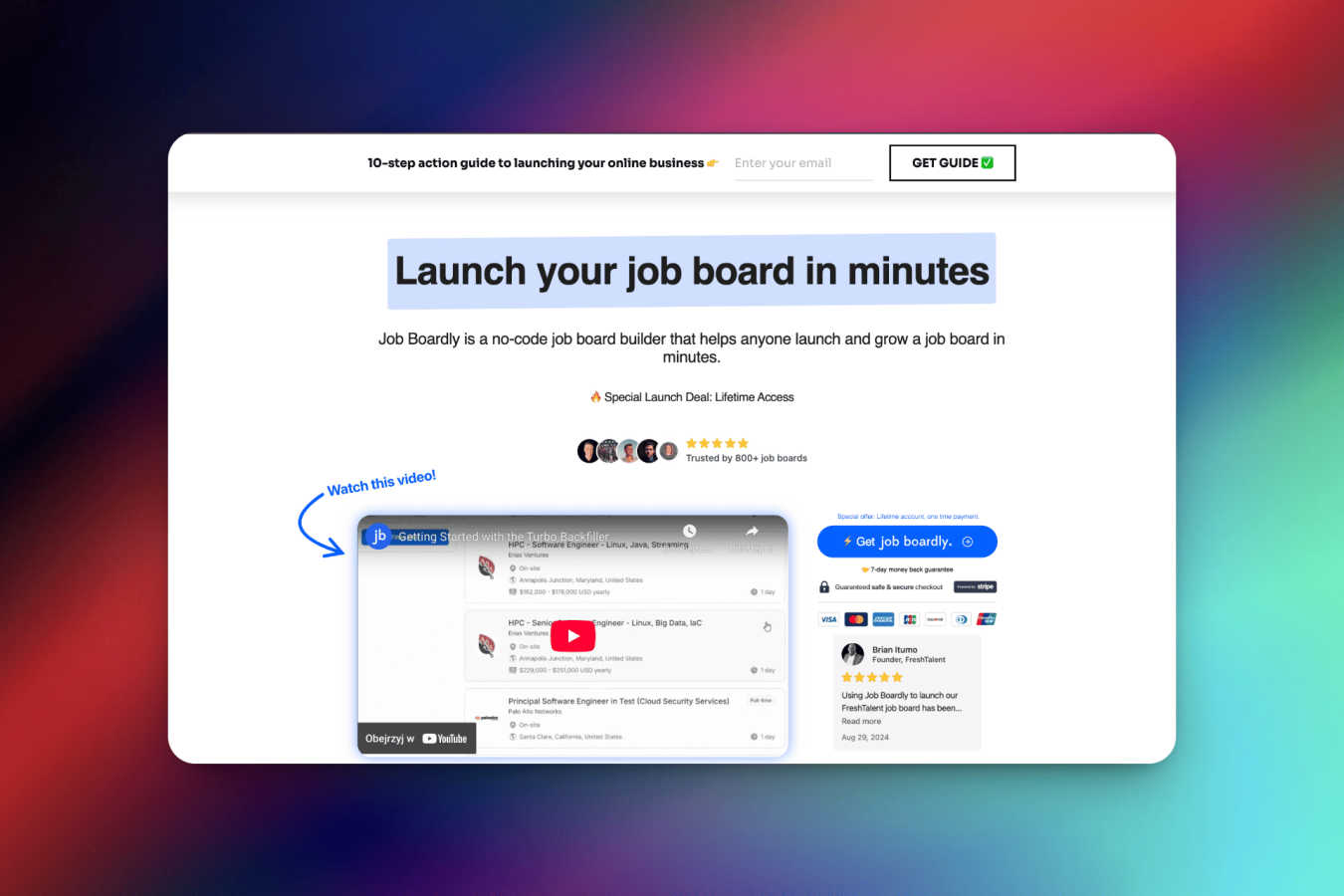
Effortlessly launch and grow your niche job board with Job Boardly's powerful no-code platform and automation tools.
Last updated: March 1, 2026

TemplateFox
Create dynamic PDF templates effortlessly and automate generation with our API or Zapier to save time and enhance.
Last updated: February 28, 2026
Visual Comparison
Job Boardly
TemplateFox

Feature Comparison
Job Boardly
Paywall
The paywall feature allows job board owners to monetize their listings by restricting access to premium job postings. Users can browse a limited range of jobs for free, but full access to premium listings requires a paid subscription, thus offering a sustainable revenue model.
Job Backfiller
Job Backfiller automatically enriches your job board with relevant job listings, making it easier for job seekers to find opportunities. By using either Turbo Backfiller or Magic Aggregator, users can customize backfill options based on categories, countries, and keywords.
Job Aggregator
With Job Aggregator, users can automatically import jobs from multiple career sites using a tailored import tool. This feature broadens job availability and enhances the relevance of listings, ensuring your job board remains competitive and comprehensive.
No-Code Solution
Job Boardly provides a true no-code experience, allowing users to launch their job boards without writing a single line of code. This user-friendly approach empowers anyone, regardless of technical skills, to create a professional job board quickly and efficiently.
TemplateFox
Visual Drag-and-Drop Editor
TemplateFox's powerful visual editor allows users to create professional PDF templates without any coding. This intuitive interface makes it easy to design headers, footers, and other elements by simply dragging and dropping components into place.
Dynamic Data Binding
With dynamic data binding, TemplateFox enables users to inject real-time data into their templates. Whether it's names, addresses, or prices, the platform ensures that all information updates automatically, making document preparation faster and more accurate.
Automatic Table Management
TemplateFox features tables that can grow dynamically with your data. No matter whether you need to display three items or three hundred, the platform automatically adjusts the table size, ensuring that it spans multiple pages if necessary.
Built-in QR Codes and Barcodes
Easily generate scan-ready QR codes and barcodes directly from your data. TemplateFox supports various formats, including Code128 and EAN-13, allowing you to streamline processes such as inventory management and tracking.
Use Cases
Job Boardly
Entrepreneurial Job Boards
Entrepreneurs looking to carve out a niche can leverage Job Boardly to create tailored job boards for specific industries or professions. This allows them to connect job seekers with employers in a focused environment.
Community-Based Job Boards
Niche community leaders can utilize Job Boardly to establish job boards that cater to their specific audiences. By providing a platform for community members to share job postings, they enhance job visibility within their networks.
Recruitment Agencies
Recruiters can streamline their hiring processes by setting up custom job boards that showcase their clients' job openings. This allows them to manage listings efficiently while offering a branded experience to candidates.
Educational Institutions
Schools and universities can create job boards to help students and alumni find internships and job opportunities. This not only supports career development but also strengthens the institution's relationship with its students.
TemplateFox
Business Invoicing
TemplateFox simplifies the invoicing process for businesses by allowing them to create customizable invoice templates. Users can automatically populate client information, service details, and pricing, ensuring accurate and professional invoices every time.
Education Certificates
Educators can leverage TemplateFox to generate personalized certificates of achievement for students. By integrating data from student databases, schools can automate the creation of certificates that reflect individual accomplishments seamlessly.
E-commerce Order Fulfillment
E-commerce businesses can utilize TemplateFox to create packing slips and shipping labels. The platform's automatic table management ensures that all order details fit perfectly, regardless of the number of items in the order.
Marketing Materials
Marketers can design high-quality promotional materials such as flyers and brochures using TemplateFox. The platform's visual editor allows for rapid adjustments, while dynamic data binding ensures that marketing messages are tailored to specific audiences.
Overview
About Job Boardly
Job Boardly is a groundbreaking platform tailored for individuals and organizations eager to create and manage their custom job boards with ease. Designed for entrepreneurs, recruiters, and niche community leaders, Job Boardly simplifies the job board creation process, enabling users to launch a fully functional site in mere minutes—no coding required. This innovative solution stands out from traditional job board platforms that often come with hefty price tags and complex setups. With Job Boardly, users can focus on forging connections between job seekers and employers. Key features like Turbo Backfiller, Magic Aggregator, and built-in monetization tools empower users to not only launch quickly but also scale effectively as their needs grow. With a user-friendly interface, limitless customization options, and seamless integrations, Job Boardly makes job board management accessible to everyone, regardless of technical expertise.
About TemplateFox
TemplateFox is an innovative SaaS platform designed to transform the way professionals generate PDFs. By automating and streamlining the PDF creation process, TemplateFox eliminates the complexity associated with traditional coding methods, allowing users to create stunning, pixel-perfect templates effortlessly. With its intuitive drag-and-drop editor, users can design diverse documents such as invoices, reports, and certificates without the need for HTML or CSS knowledge. The platform is ideal for indie hackers, developers, and businesses of all sizes, enabling users to generate thousands of unique PDFs in mere seconds. TemplateFox's robust REST API and seamless integration with no-code tools like Zapier, Make, and Airtable make it easy to automate workflows and enhance productivity. The platform prioritizes speed and reliability, providing secure document delivery through signed URLs or direct binary downloads. With a free plan offering 100 PDFs per month, TemplateFox invites users to experience the efficiency of automated document creation without upfront costs.
Frequently Asked Questions
Job Boardly FAQ
Can I customize the appearance of my job board to match my brand?
Absolutely! Job Boardly offers extensive customization options, allowing users to personalize their job boards with logos, colors, and other branding elements, ensuring a cohesive look that aligns with their brand identity.
Can I connect my own domain?
Yes, Job Boardly makes it simple to connect your own domain to your job board. This quick process helps maintain your brand's identity and professionalism, making your job board easily recognizable to users.
How can I backfill jobs on my board using Job Boardly?
Job Boardly features an automatic backfill capability that enriches your job listings with content from various sources. Customize backfilling by categories, countries, or keywords, and choose from tools like the Magic Aggregator and Turbo Backfiller.
How do backfiller credits work?
Backfill credits can be purchased directly within the app, starting at $0.009 per API credit. These credits are required for using the Turbo Backfiller and Magic Aggregator services, providing access to over 7 million active job listings.
TemplateFox FAQ
How does TemplateFox handle data security?
TemplateFox prioritizes data security by delivering documents via secure signed URLs and direct binary downloads. This ensures that sensitive information remains protected throughout the document generation process.
Can I use TemplateFox without any coding skills?
Absolutely! TemplateFox is designed for users of all skill levels. Its drag-and-drop editor and no-code integrations with tools like Zapier and Airtable mean you can create and automate PDFs without writing a single line of code.
What types of documents can I create with TemplateFox?
TemplateFox supports a wide range of document types, including invoices, reports, certificates, packing slips, and more. The platform's flexibility allows you to design and customize templates to suit your specific needs.
Is there a free trial available for TemplateFox?
Yes, TemplateFox offers a free plan that allows users to generate up to 100 PDFs per month. This gives you the opportunity to explore the platform's features and capabilities without any financial commitment.
Alternatives
Job Boardly Alternatives
Job Boardly is a leading no-code platform that empowers users to effortlessly launch and manage their own niche job boards. It streamlines the process of connecting job seekers with employers, making it accessible for everyone, from entrepreneurs to recruiters. As users explore their options, many seek alternatives due to various factors such as pricing, specific features that align better with their needs, or the desire for different platform capabilities that may enhance their job board experience. When searching for alternatives, users should consider essential aspects like user-friendliness, the availability of monetization options, and integration capabilities with other tools they may be using. It's also crucial to assess the scalability of the platform to ensure it can grow alongside the evolving needs of the job board community.
TemplateFox Alternatives
TemplateFox is a powerful SaaS platform designed to automate and streamline the generation of professional PDFs at scale. It falls under the category of productivity and management tools, providing users with a visual drag-and-drop editor that eliminates the complexity of coding. Users frequently seek alternatives for various reasons, including pricing, specific feature sets, integration capabilities, or unique platform requirements that may not be met by TemplateFox. When looking for an alternative, it's crucial to assess the ease of use, the quality of customer support, the flexibility of templates, and the overall scalability of the solution to ensure it aligns with your document generation needs.