
Pictro.ai vs Seedream 5.0
Side-by-side comparison to help you choose the right product.

Pictro.ai
Pictro.ai instantly creates and edits professional 4K images and videos with powerful AI.
Last updated: February 28, 2026

Seedream 5.0
Seedream 5.0 instantly turns your text prompts into stunning visuals, making creative design effortless and exciting.
Last updated: February 28, 2026
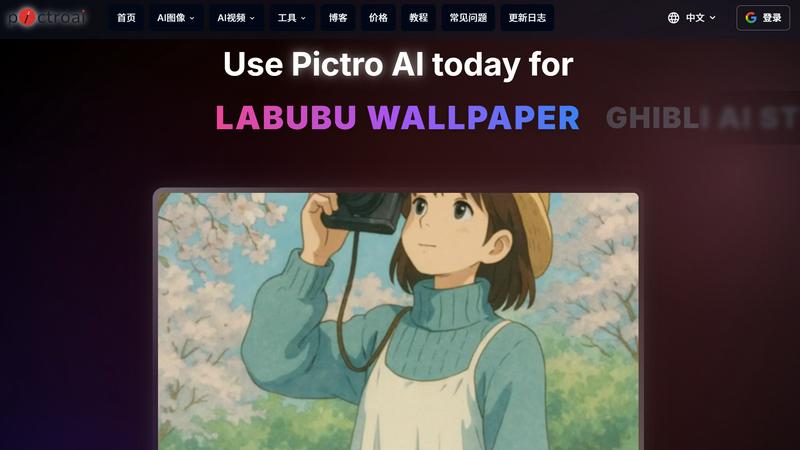
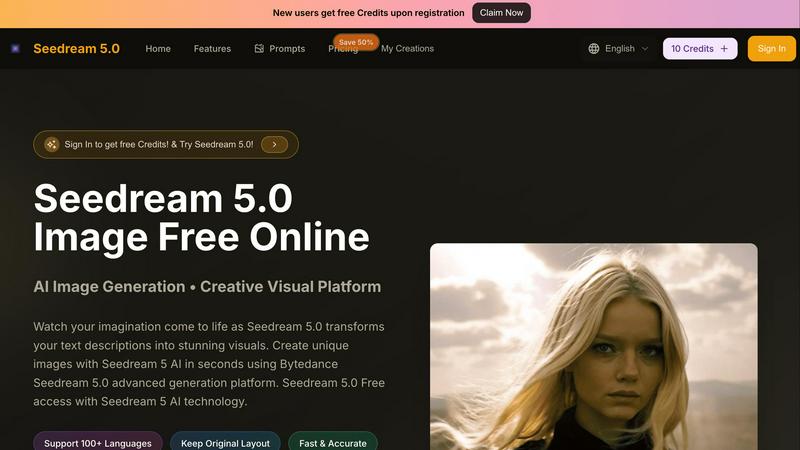
Visual Comparison
Pictro.ai
Seedream 5.0
Feature Comparison
Pictro.ai
World-Class AI Model Integration
Pictro.ai is powered by industry-leading AI models to guarantee professional-grade output. For images, it utilizes Nano Banana Pro to generate photorealistic 4K visuals with exceptional prompt adherence. For video creation, it provides access to advanced models like Sora 2 and Seedance 2.0, enabling users to produce high-quality, dynamic video content from simple text descriptions, all within the same seamless platform.
Studio-Quality Control & Local Editing
Move beyond basic generation with fine-grained creative control. Pictro.ai offers advanced capabilities for precise adjustments, including local region editing for targeted transformations, control over camera angles, professional color grading, and lighting adjustments. This suite of tools allows you to refine every detail, ensuring the final image or video perfectly matches your professional vision and standards.
Advanced Multi-Image & Consistency Tools
Handle complex creative projects with ease. Pictro.ai can seamlessly blend up to 14 images into a single, coherent visual while maintaining element consistency. Furthermore, its 5-person consistency feature ensures multiple characters within one image retain a uniform appearance and similarity, which is invaluable for storytelling, fashion campaigns, and group scenes.
High-Fidelity Multi-Language Text Rendering
Integrate flawless typography directly into your generated visuals. This feature excels at rendering high-fidelity text, from short slogans to long paragraphs, in multiple languages. It understands perfect typography, ensuring that text elements are not just legible but are stylistically integrated as a natural, professional component of the overall composition.
Seedream 5.0
Instant AI Image Generation
Seedream 5.0 allows users to generate high-quality images instantly by simply typing in their text descriptions. This feature eliminates the need for design skills, making professional-quality visuals accessible to everyone.
High-Resolution Outputs
With Seedream 5.0, users can create images in stunning 4K resolution. This high-quality output is perfect for both digital and print media, ensuring that your visuals always look sharp and professional.
Multi-Language Support
Catering to a global audience, Seedream 5.0 supports over 100 languages. This feature enables users from diverse backgrounds to express their creativity without any language barriers, making it a truly inclusive platform.
Versatile Editing Tools
The integrated Seedream 5 AI editor offers a range of editing tools to refine and enhance generated images. Users can upload existing images or modify their text prompts, ensuring they achieve the exact look they desire.
Use Cases
Pictro.ai
E-commerce Product Visualization
Revolutionize online retail by instantly generating and optimizing product visuals. Use Pictro.ai to create lifelike product shots, replace items in scenes while maintaining accurate materials and proportions, and generate consistent lifestyle imagery. This streamlines catalog production, A/B testing for marketing, and creating compelling visuals that drive conversions without expensive photoshoots.
Professional Photo Enhancement & Retouching
Instantly elevate any photograph. Whether you're a photographer needing one-click retouching, a marketer rescuing low-quality user-generated content, or a blogger optimizing composition, Pictro.ai's AI-powered tools can enhance details, improve lighting, and recompose shots to achieve a polished, professional look in seconds, saving hours of manual editing.
Dynamic Fashion & Style Content Creation
Generate on-trend fashion content rapidly. Create Outfit-of-the-Day (OOTD) flat lays, digitally "try on" or transfer outfits between different subjects, and swap accessories while perfectly maintaining fabric texture and body consistency. This allows stylists, influencers, and brands to produce vast volumes of fresh, consistent visual content for social media and advertising at scale.
Educational & Informational AR Content
Develop engaging augmented reality experiences and learning materials. Leverage the platform's deep real-world knowledge to generate accurate infographics, visualizations, and AR information cards for education, tourism, or local life guides. This use case transforms complex information into accessible, visually compelling assets that enhance understanding and engagement.
Seedream 5.0
Marketing Campaigns
Marketers can leverage Seedream 5.0 to create compelling visuals for their campaigns. By inputting specific text prompts, they can generate eye-catching images that resonate with their target audience.
Content Creation
Content creators can utilize Seedream 5.0 to produce original graphics for blogs, social media posts, and websites. This allows them to maintain a consistent aesthetic while saving time and effort in the design process.
Personal Projects
Individuals with a flair for creativity can use Seedream 5.0 for personal projects, such as creating artwork for home decor or unique gifts. The platform makes it easy to turn imaginative ideas into tangible visuals.
Educational Materials
Educators can enhance learning materials by using Seedream 5.0 to generate illustrations that complement their lessons. Visual aids can help clarify concepts and engage students more effectively.
Overview
About Pictro.ai
Pictro.ai is the definitive all-in-one AI creative suite engineered to supercharge your workflow from ideation to final polish. It's a unified, beginner-friendly hub that combines a top-tier AI image generator and a cutting-edge AI video generator, eliminating the need to juggle multiple complex applications. Designed for speed and simplicity, it empowers everyone from professional designers, photographers, and e-commerce sellers to casual creators and marketers. At its core, Pictro.ai leverages the world's best AI models—Nano Banana Pro for stunning 4K images, and Sora 2 and Seedance 2.0 for professional videos—to deliver studio-quality results in seconds. Its value proposition is clear: maximum creative output with minimal friction. Whether you're generating entirely new visuals from text, transforming existing photos with AI styles, or fine-tuning details with powerful editing tools, Pictro.ai provides the integrated toolkit to ideate, create, and perfect any visual project with unprecedented efficiency and control.
About Seedream 5.0
Seedream 5.0 is a groundbreaking AI-powered creative platform that transforms the way visuals are generated from text descriptions. Designed for everyone, from marketers to content creators and imaginative individuals, Seedream 5.0 empowers users to create stunning, high-quality images within seconds, regardless of their artistic skills. Utilizing advanced Bytedance technology, this innovative tool ensures fast, accurate, and high-resolution outputs, making it an ideal solution for a variety of applications. With support for over 100 languages, users can express their creativity without limitations. Whether you need eye-catching visuals for marketing campaigns or unique illustrations for personal projects, Seedream 5.0 brings your ideas to life with remarkable efficiency and ease. Experience the future of visual generation, where imagination meets technology.
Frequently Asked Questions
Pictro.ai FAQ
What AI models does Pictro.ai use for generation?
Pictro.ai integrates state-of-the-art proprietary models for the best results. It uses the Nano Banana Pro model for generating high-resolution, 4K AI images with superior detail and prompt adherence. For AI video generation, the platform provides access to advanced models such as Sora 2 and Seedance 2.0, enabling the creation of professional, dynamic video content directly from text descriptions.
Can I edit specific parts of an AI-generated image?
Yes, Pictro.ai offers precise local editing capabilities. You can select specific regions within an image for transformation, allowing for targeted adjustments to elements like color, texture, or objects without affecting the entire scene. This includes fine control over camera angles, lighting, and color grading, giving you studio-level command over the final output.
How does Pictro.ai handle text within images?
Pictro.ai features advanced multi-language text rendering. It can generate high-fidelity text within images, from short headlines to longer paragraphs, supporting multiple languages. The AI understands and applies proper typography, ensuring the text is not only readable but also stylistically coherent with the overall visual design of the image.
Is there a watermark on content created with Pictro.ai?
Content generated with Pictro.ai includes an invisible SynthID watermark for authentication and protection. This digital watermark is embedded within the image data and is not visibly disruptive. It provides a verification tool to prove the content's origin and authenticity, helping to protect intellectual property while maintaining the visual integrity of your creations.
Seedream 5.0 FAQ
What types of images can I create with Seedream 5.0?
You can create a wide variety of images, including illustrations, photorealistic graphics, fantasy scenes, and more by simply describing what you want in text form. The AI takes care of the rest.
Is there a limit to the text description I can enter?
Yes, there is a character limit of 500 characters for the text description you can enter. This limitation encourages concise and specific prompts, which can help in generating better results.
Can I edit the images after they are generated?
Absolutely! Seedream 5.0 includes a comprehensive editor that allows you to refine and edit generated images. You can adjust colors, styles, and more to achieve your desired outcome.
Is Seedream 5.0 user-friendly for beginners?
Definitely! Seedream 5.0 is designed with user experience in mind, making it easy for beginners to navigate. The intuitive interface and straightforward workflow allow anyone to create beautiful visuals quickly.
Alternatives
Pictro.ai Alternatives
Pictro.ai is a dynamic all-in-one AI image editing platform in the design tools category. It supercharges creative workflows by instantly generating, transforming, and enhancing professional images through an intuitive, beginner-friendly interface. This unified hub is engineered for speed, eliminating the need to switch between disparate apps for different creative tasks. Users often explore alternatives to find a solution that perfectly aligns with their specific needs. Common reasons include budget constraints, a desire for different feature sets like specialized editing tools or generation models, and platform requirements such as desktop software versus web-based access. The search is about finding the right tool-to-task fit for maximum efficiency. When evaluating alternatives, focus on your core workflow needs. Key considerations should include the quality and control of AI image generation, the depth of the editing toolkit, overall ease of use, and the pricing model's scalability. The goal is to identify a platform that streamlines your process from ideation to final polish without compromising on creative potential or speed.
Seedream 5.0 Alternatives
Seedream 5.0 is a cutting-edge AI-powered creative platform that transforms text prompts into stunning visuals, making it a vital tool in the design tools category. Users frequently seek alternatives for various reasons, including pricing concerns, the desire for specific features, or compatibility with different platforms. As the creative landscape evolves, finding an alternative that meets unique needs can enhance the user experience and provide tailored solutions. When choosing an alternative, consider factors such as ease of use, output quality, and versatility in image editing. Additionally, look for platforms that offer robust support for multiple languages and ensure fast processing times, as these attributes will significantly impact your creative workflow and overall satisfaction.