
Seedream 5.0
Seedream 5.0 instantly turns your text prompts into stunning visuals, making creative design effortless and exciting.
Visit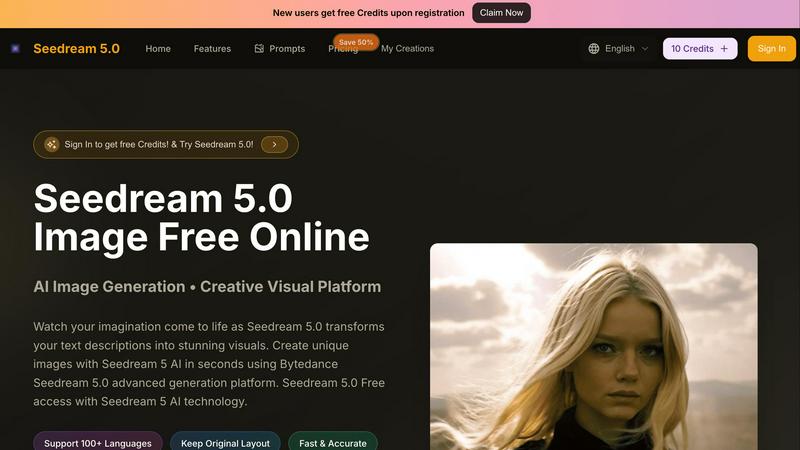
About Seedream 5.0
Seedream 5.0 is a groundbreaking AI-powered creative platform that transforms the way visuals are generated from text descriptions. Designed for everyone, from marketers to content creators and imaginative individuals, Seedream 5.0 empowers users to create stunning, high-quality images within seconds, regardless of their artistic skills. Utilizing advanced Bytedance technology, this innovative tool ensures fast, accurate, and high-resolution outputs, making it an ideal solution for a variety of applications. With support for over 100 languages, users can express their creativity without limitations. Whether you need eye-catching visuals for marketing campaigns or unique illustrations for personal projects, Seedream 5.0 brings your ideas to life with remarkable efficiency and ease. Experience the future of visual generation, where imagination meets technology.
Features of Seedream 5.0
Instant AI Image Generation
Seedream 5.0 allows users to generate high-quality images instantly by simply typing in their text descriptions. This feature eliminates the need for design skills, making professional-quality visuals accessible to everyone.
High-Resolution Outputs
With Seedream 5.0, users can create images in stunning 4K resolution. This high-quality output is perfect for both digital and print media, ensuring that your visuals always look sharp and professional.
Multi-Language Support
Catering to a global audience, Seedream 5.0 supports over 100 languages. This feature enables users from diverse backgrounds to express their creativity without any language barriers, making it a truly inclusive platform.
Versatile Editing Tools
The integrated Seedream 5 AI editor offers a range of editing tools to refine and enhance generated images. Users can upload existing images or modify their text prompts, ensuring they achieve the exact look they desire.
Use Cases of Seedream 5.0
Marketing Campaigns
Marketers can leverage Seedream 5.0 to create compelling visuals for their campaigns. By inputting specific text prompts, they can generate eye-catching images that resonate with their target audience.
Content Creation
Content creators can utilize Seedream 5.0 to produce original graphics for blogs, social media posts, and websites. This allows them to maintain a consistent aesthetic while saving time and effort in the design process.
Personal Projects
Individuals with a flair for creativity can use Seedream 5.0 for personal projects, such as creating artwork for home decor or unique gifts. The platform makes it easy to turn imaginative ideas into tangible visuals.
Educational Materials
Educators can enhance learning materials by using Seedream 5.0 to generate illustrations that complement their lessons. Visual aids can help clarify concepts and engage students more effectively.
Frequently Asked Questions
What types of images can I create with Seedream 5.0?
You can create a wide variety of images, including illustrations, photorealistic graphics, fantasy scenes, and more by simply describing what you want in text form. The AI takes care of the rest.
Is there a limit to the text description I can enter?
Yes, there is a character limit of 500 characters for the text description you can enter. This limitation encourages concise and specific prompts, which can help in generating better results.
Can I edit the images after they are generated?
Absolutely! Seedream 5.0 includes a comprehensive editor that allows you to refine and edit generated images. You can adjust colors, styles, and more to achieve your desired outcome.
Is Seedream 5.0 user-friendly for beginners?
Definitely! Seedream 5.0 is designed with user experience in mind, making it easy for beginners to navigate. The intuitive interface and straightforward workflow allow anyone to create beautiful visuals quickly.
Similar to Seedream 5.0

Cursive Text Generator is a free online tool for creating stylish cursive fonts and copy-paste text for social media, names, bios and more.

The fastest AI STL generator to turn prompts and images into 3D printable STL files.

AI long video generator: turn text, images, audio and video into production-ready AI videos.

AI-native presentation and visual content platform that turns prompts, documents, images, videos, and data into polished, shareable decks.

Create reviewable 2D floor plan images from prompts, dimensions, or reference images.

Convert video to JPG, PNG, or WebP frames in your browser. High-quality video to image converter with no uploads—fast, private, and free.


PDF Convert Now is a free online PDF and image utility that lets users merge, compress, split, rotate, and convert documents.