Email List Cleaner vs securememo.app
Side-by-side comparison to help you choose the right product.

Email List Cleaner
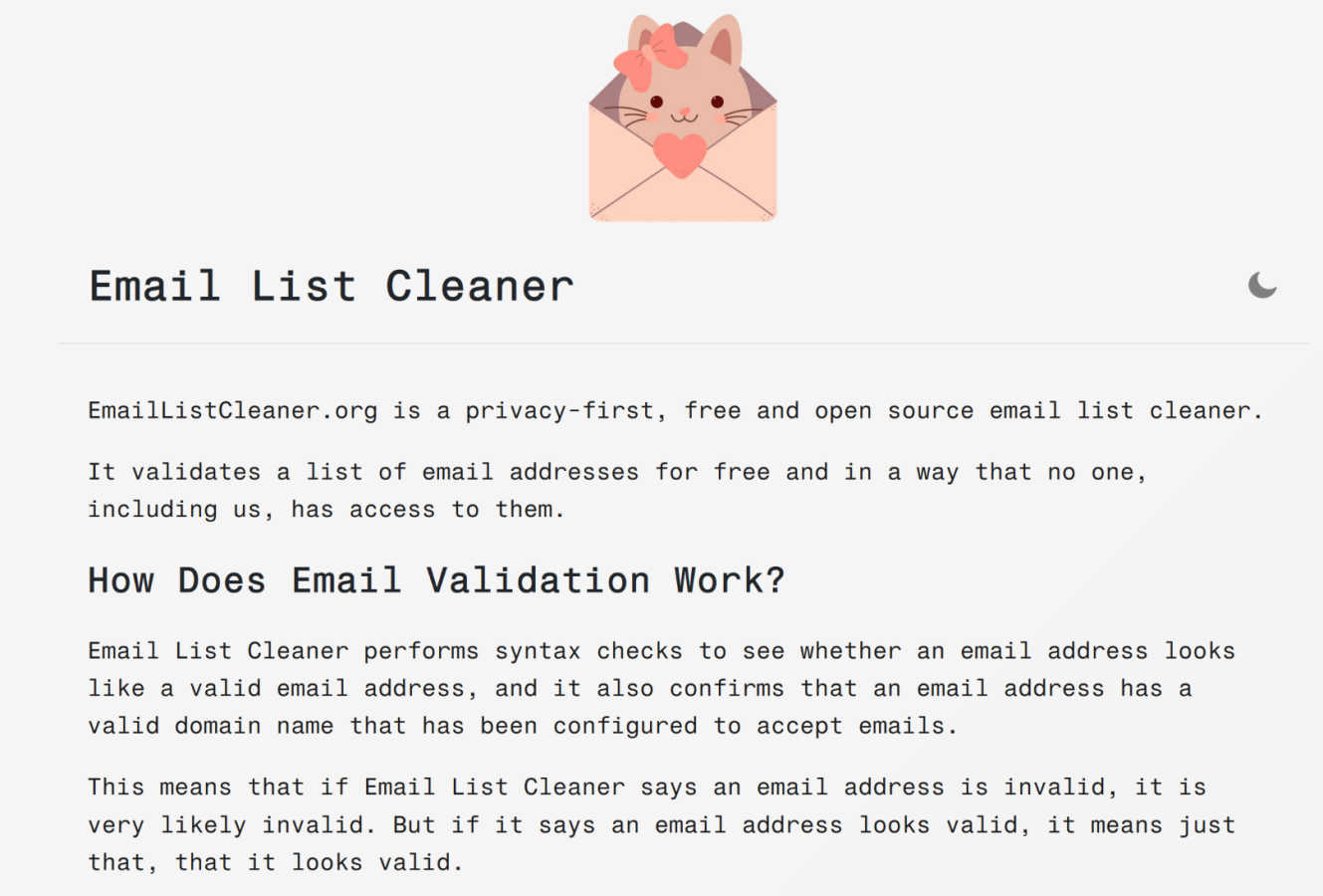
Clean your email lists instantly with free, private validation that runs securely in your browser.
Last updated: March 1, 2026
securememo.app
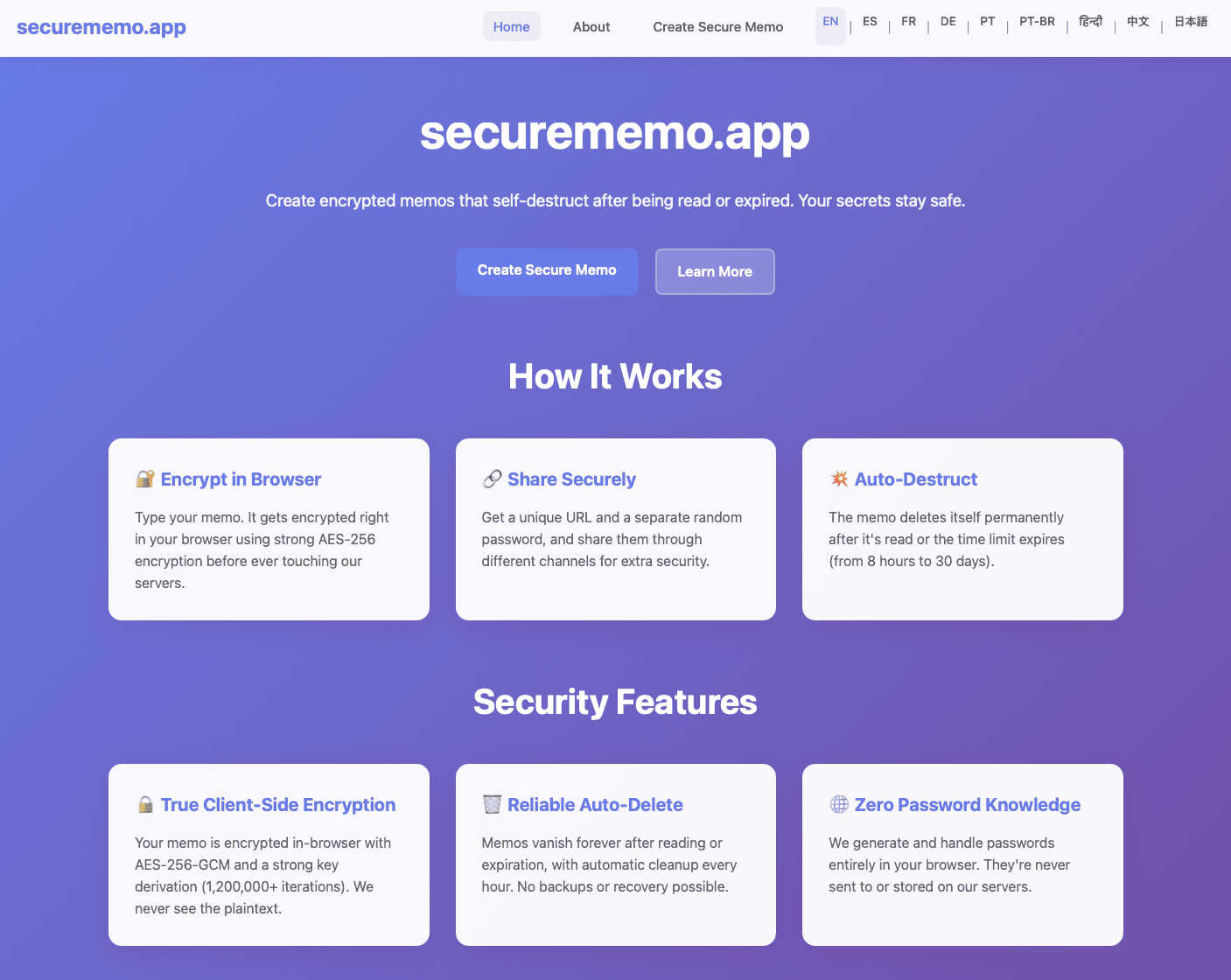
Securememo.app lets you create encrypted memos without accounts or tracking, ensuring total privacy and security.
Visual Comparison
Email List Cleaner
securememo.app
Feature Comparison
Email List Cleaner
Privacy-First, Client-Side Validation
Your data never leaves your browser. Email List Cleaner is architected so that the full email addresses you submit are processed locally. The only external communication is a secure check to Google's DNS service to validate domain names, sending only the domain portion (e.g., "domain.com"). This ensures complete confidentiality, making it the most secure choice for sensitive lists. You can even verify this transparency by reviewing the publicly available source code.
Advanced Email Address Filtering
Go beyond simple syntax checks with granular control over your list hygiene. The tool provides specific toggles to allow or filter out disposable (throw-away) email addresses, role-based addresses (like info@ or support@), and unlikely valid addresses (like [email protected]). This level of detail lets you tailor the cleaning process to your specific campaign goals, whether you're targeting broad outreach or highly qualified personal connections.
Intelligent Duplicate Removal & Normalization
Clean your list of redundant entries with smart duplicate detection. This feature understands email provider quirks, such as Gmail ignoring dots in the local part (so [email protected] equals [email protected]). It also correctly handles email tags (e.g., [email protected]). By normalizing and removing duplicates, you prevent audience fatigue, reduce sending costs, and present a more accurate view of your true reach.
Flexible Input & Comprehensive Validation
The tool accepts email lists in versatile formats—either as plain email addresses (one per line) or in the "Name [email protected]" format. It then runs a robust two-tier validation: first, a strict syntax check to ensure the address is properly formatted, and second, a domain check to confirm the domain exists and is configured to receive mail. This combination provides high-confidence results, separating clearly valid addresses from definite bounces.
securememo.app
Client-Side Encryption
Securememo.app employs robust client-side encryption, ensuring that all data is encrypted directly in your browser. This means that sensitive information is transformed into unreadable code before it ever reaches our servers, so only you can access your notes.
Self-Destructing Notes
Once shared, notes created on Securememo.app are set to self-destruct after being viewed. This feature enhances security by ensuring that sensitive information does not linger longer than necessary, providing peace of mind for users.
Unique Link and Password Sharing
To share your memos securely, you generate a unique link along with a strong, random password. This two-factor approach ensures that your notes can only be accessed by those you intend to share them with, minimizing the risk of unauthorized access.
No Account Required
Securememo.app eliminates the need for user accounts, which not only simplifies the user experience but also prioritizes your anonymity. You can create and share notes without the hassle of registration or personal information, making it incredibly efficient.
Use Cases
Email List Cleaner
Boosting Email Marketing Campaign Performance
For marketers running newsletters, product launches, or promotional blasts, a clean list is non-negotiable. Use Email List Cleaner before every major send to scrub out invalid domains, disposable accounts, and duplicates. This directly increases open and click-through rates, lowers bounce rates, and protects your domain's sender reputation with ISPs, ensuring your high-value content actually lands in the primary inbox.
Preparing for High-Stakes Sales & Outreach
Sales and business development teams rely on accurate contact data. Before launching a targeted cold email or LinkedIn-inMail follow-up sequence, validate your prospect list. Filtering out role-based and unlikely addresses helps you focus efforts on decision-makers, while removing invalid addresses prevents embarrassing bounce-backs and makes your outreach metrics more reliable for measuring true engagement.
Maintaining List Health for Subscription Services
SaaS companies, bloggers, and community managers use this tool for ongoing list maintenance. Regularly cleaning your subscriber base removes inactive or fraudulent accounts acquired through sign-up forms. This ensures your active user count is accurate, improves the performance of lifecycle emails (like onboarding sequences), and can even reduce costs associated with email service provider tiers based on list size.
Auditing & Migrating Legacy Contact Databases
When upgrading CRMs, migrating platforms, or consolidating lists from multiple sources, data quality is paramount. Email List Cleaner is the perfect first step to audit and sanitize legacy databases. Quickly identify and segment out invalid and risky addresses to ensure you import only high-quality, functional contacts into your new system, saving time and preventing data corruption from the start.
securememo.app
Secure Personal Notes
Individuals can use Securememo.app to jot down personal thoughts, reminders, or sensitive information that they do not want to store permanently or share openly. With self-destructing notes, these personal memos can be kept secure.
Business Communication
Teams can share confidential business information, such as project details or sensitive client data, through Securememo.app. The encrypted and self-destructing nature of the notes ensures that vital information remains protected.
Academic Collaboration
Students and educators can collaborate on projects and share sensitive academic notes without fear of data leakage. Securememo.app allows for quick and secure exchanges of ideas and information, fostering a productive learning environment.
Event Planning
For event planners, Securememo.app offers a secure way to share sensitive details about events, such as guest lists or vendor information. With the ability to create temporary notes, planners can maintain confidentiality throughout the planning process.
Overview
About Email List Cleaner
Email List Cleaner is the definitive, privacy-first solution for validating and purifying your email lists. It's a cutting-edge, free, and open-source tool engineered for businesses, marketers, and individuals who demand efficiency and data integrity. The core mission is simple: empower you to maintain a pristine email list that delivers results, without ever compromising your data's privacy. Unlike other services, Email List Cleaner operates with a fundamental guarantee: no one, not even the developers, ever sees or accesses your email addresses. This is achieved by performing the vast majority of validation directly within your own web browser. The tool meticulously checks email syntax and verifies domain existence via secure, external DNS lookups. It goes beyond basic checks by intelligently flagging disposable addresses, role-based accounts, duplicates, and unlikely valid emails. By eliminating invalid, risky, and duplicate addresses, you dramatically boost deliverability, protect sender reputation, and maximize the ROI of every campaign. It's the essential, zero-cost upgrade to your email marketing stack, ensuring your messages reach real people who want to hear from you.
About securememo.app
Securememo.app is a revolutionary privacy-focused memo service designed to help users create and share encrypted, self-destructing notes directly from their web browsers. The primary goal of Securememo.app is to provide a secure environment for sharing sensitive information, ensuring that only the intended recipient has access. With client-side encryption, all notes are encrypted within your browser before reaching our servers, meaning that your data remains completely inaccessible to anyone but you. This makes Securememo.app ideal for individuals and businesses who prioritize confidentiality and want to protect their sensitive information from prying eyes. The service is incredibly user-friendly, requiring no accounts, thus preserving your anonymity. Available in over 20 languages, Securememo.app is accessible to a global audience looking for a simple yet powerful tool to keep their notes secure.
Frequently Asked Questions
Email List Cleaner FAQ
How does Email List Cleaner protect my privacy?
Privacy is the core principle. The validation process happens almost entirely within your web browser. Your full email addresses are never sent to our servers. The only data transmitted externally is the domain name (e.g., "company.com") to Google's public DNS service to verify its existence. This architecture guarantees that no third party, including us, can access, store, or see the email lists you validate.
Can the tool guarantee 100% accuracy in validation?
No, and no third-party service can. Email List Cleaner provides high-confidence validation by checking syntax and domain records. If it marks an address as invalid, it is almost certainly incorrect. However, marking an address as "valid" means it is properly formatted and the domain accepts mail, but we cannot confirm the specific inbox (like [email protected]) actually exists without sending an email, which we do not do.
What are "unlikely valid" email addresses?
These are addresses that pass technical validation (correct syntax and valid domain) but are semantically suspicious for being used by a real person in a professional context. Examples include "[email protected]", "[email protected]", or "[email protected]". The tool flags these so you can decide whether to include them, as they often represent low-quality leads or placeholder entries.
Is Email List Cleaner really free to use?
Yes, completely and indefinitely. Email List Cleaner is a free and open-source project. There are no hidden fees, usage limits, or premium tiers. You can use it to clean lists of any size as often as you need without creating an account or providing payment information. The project is sustained by its principles, not by monetizing your data.
securememo.app FAQ
How does Securememo.app ensure my data is secure?
Securememo.app uses client-side encryption, meaning your notes are encrypted in your browser before they are sent to our servers, ensuring only you can access them.
Can I access my notes after they self-destruct?
No, once a note has been viewed and the self-destruct timer has expired, the note is permanently deleted and cannot be retrieved.
Is there a limit to how many notes I can create?
Securememo.app does not impose strict limits on the number of notes you can create, allowing you to generate as many self-destructing memos as needed.
How do I share a memo securely?
To share a memo, generate a unique link and a strong password. Share the link with your intended recipient and communicate the password through a separate, secure channel.