Magic Hour vs Seedance 2.0 AI Video Generator
Side-by-side comparison to help you choose the right product.

Magic Hour
Magic Hour lets you effortlessly create stunning videos and images in seconds using powerful AI tools, all for free.
Last updated: March 4, 2026

Create cinematic AI videos from text, images, and audio with multi-shot storytelling.
Visual Comparison
Magic Hour

Seedance 2.0 AI Video Generator
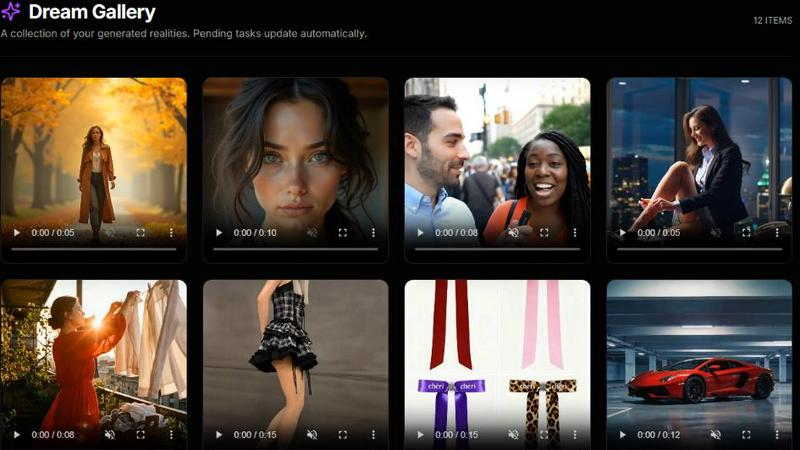
Overview
About Magic Hour
Magic Hour is a revolutionary browser-based AI studio that simplifies professional video and image creation for everyone, regardless of their technical skill level. Designed for solo creators, marketers under tight deadlines, and collaborative teams, Magic Hour enables users to generate stunning visuals quickly and efficiently. With over 100 powerful AI tools consolidated into a single, intuitive platform, it allows users to generate, edit, and enhance media in mere seconds. Whether you're starting with a text prompt, an existing image, or a video clip, Magic Hour transforms your ideas into engaging content seamlessly. From crafting videos from scripts with the text-to-video feature to applying artistic styles to existing footage through video-to-video, the platform offers endless creative possibilities. Users can personalize their content with features like AI Face Swap and Lip Sync, generate professional AI headshots, and upscale image quality effortlessly. With Magic Hour, rapid iteration becomes a breeze, letting you create multiple variations while maintaining a consistent brand style, ensuring that your outputs are ready for social media, advertisements, training clips, and more—all accessible directly from your web browser.
About Seedance 2.0 AI Video Generator
Seedance 2.0 is an AI video generator and demo hub for text-to-video, image-to-video, and multi-shot storytelling workflows. It supports lip-sync oriented audio timing, continuity-focused scene generation, and short-form outputs optimized for social ads. Use prompt examples, choose from multiple aspect ratios, generate drafts, and iterate on transitions and motion for production-ready results.