Gleem.AI Studio vs Seedance 2.0
Side-by-side comparison to help you choose the right product.

Gleem.AI Studio
Gleem.AI Studio simplifies visual creation by seamlessly generating, editing, and managing images in one intuitive.
Last updated: February 26, 2026

Seedance 2.0
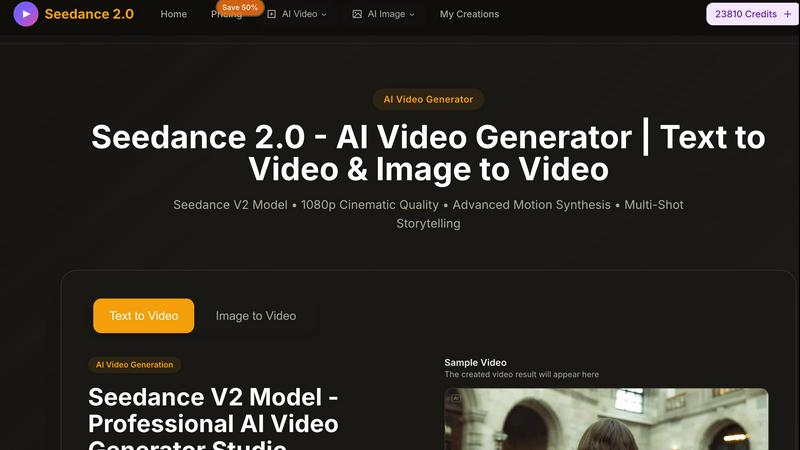
Seedance 2.0 transforms text and images into stunning 1080p videos with advanced storytelling and seamless transitions.
Last updated: March 1, 2026
Visual Comparison
Gleem.AI Studio

Seedance 2.0
Feature Comparison
Gleem.AI Studio
Text-to-Image Generator
Transform your concepts into eye-catching visuals effortlessly with the text-to-image generator. Choose your desired dimensions, articulate your vision, and let Gleem's innovative Prompt Enhance feature elevate your words into stunning imagery.
AI Image Editing
Edit images seamlessly within a single platform using natural and simple prompts. Whether you want to add or remove elements, adjust poses, or apply artistic filters, this intuitive AI editor makes complex tasks feel effortless.
AI Avatars
Create and customize your own AI avatars, inserting them into any scene with a few clicks. Adjust poses or experiment with different outfits without the need for additional photoshoots, all while maintaining full creative control.
Project Organization
Stay organized with dedicated project spaces that house your saved prompts, edits, and version histories. This feature ensures that all your creative assets are easily accessible, allowing you to build upon previous work without losing momentum.
Seedance 2.0
Advanced Motion Synthesis
Seedance 2.0 employs state-of-the-art motion synthesis technology that allows for fluid animations and realistic movements. This feature ensures that the generated videos not only look visually appealing but also maintain a high level of realism, enhancing the overall storytelling experience.
Multi-Shot Storytelling
With its native multi-shot storytelling capabilities, Seedance 2.0 excels at maintaining consistency across scenes. Users can create cohesive narratives that feature multiple shots while ensuring characters, visual styles, and atmospheres remain consistent throughout the video, resulting in a polished final product.
Text & Image to Video Conversion
This feature allows users to transform both text prompts and static images into dynamic video content. Seedance 2.0 intelligently interprets the input, generating visually stunning videos that effectively communicate the intended message, making content creation intuitive and straightforward.
Ultra-Fast Video Generation
Seedance 2.0 is designed for speed without sacrificing quality. The platform boasts industry-leading video generation speeds, allowing users to produce high-resolution videos in moments. This efficiency is ideal for professionals who need to create content quickly while maintaining high standards.
Use Cases
Gleem.AI Studio
Marketing Campaigns
Gleem.AI Studio is ideal for marketers looking to quickly create compelling visuals for campaigns. From social media ads to email newsletters, the platform allows for rapid iterations that align with branding guidelines.
Social Media Content Creation
Boost your online presence by generating and editing engaging social media graphics. With the ability to produce consistent visuals, you can maintain a cohesive look across multiple platforms, enhancing brand recognition.
E-commerce Product Imagery
Small businesses can leverage Gleem.AI Studio to create professional product images without expensive photography. Easily edit images to highlight features, add backgrounds, or create variations for different listings.
Creative Exploration
Artists and designers can use Gleem.AI Studio as a playground for exploring new ideas. The seamless workflow enables quick experimentation with different styles and compositions, fostering an environment of creativity.
Seedance 2.0
Marketing Campaigns
Marketers can leverage Seedance 2.0 to create captivating promotional videos that grab attention and convey their brand message effectively. With the ability to generate high-quality videos quickly, marketers can keep up with fast-paced campaign demands.
Educational Content Creation
Educators can utilize Seedance 2.0 to develop engaging educational videos that enhance learning experiences. By transforming text lessons and images into dynamic visual content, teachers can better illustrate complex concepts and keep students engaged.
Social Media Content
Content creators on platforms like Instagram, TikTok, and YouTube can use Seedance 2.0 to generate eye-catching videos that resonate with their audience. The tool's fast processing and high-quality outputs make it perfect for creating shareable content that stands out.
Artistic Projects
Artists and creative professionals can explore their imagination with Seedance 2.0's diverse visual styles and capabilities. Whether producing animated stories, music videos, or experimental art, the platform allows for limitless creativity and expression.
Overview
About Gleem.AI Studio
Gleem.AI Studio is an innovative, all-in-one AI image workspace crafted for creators who prioritize creativity over configuration. This platform seamlessly integrates AI-driven image generation and editing, eliminating the hassle of toggling between disparate tools. Gleem.AI Studio empowers marketers, content creators, and small teams to produce high-quality visuals with lightning speed. With a focus on simplicity, it streamlines the creative process, allowing users to iterate on their ideas without the distraction of complex settings or fragmented workflows. Whether you're crafting marketing materials, social media graphics, or product visuals, Gleem.AI Studio enhances your creative flow, enabling rapid iterations and visual decisions that resonate.
About Seedance 2.0
Seedance 2.0 is an innovative AI video generator developed by ByteDance, crafted to revolutionize the way users create videos from text and images. Designed for content creators, marketers, educators, and visual storytellers, this powerful tool offers a seamless experience in producing high-quality cinematic videos. With its cutting-edge motion synthesis technology, Seedance 2.0 allows users to effortlessly generate stunning 1080p videos, transforming simple prompts into engaging visual narratives. The platform emphasizes ease of use, making video creation accessible to anyone, regardless of technical expertise. Whether you aim to promote a product, educate an audience, or simply express creativity, Seedance 2.0 stands out with its multi-shot storytelling capabilities, realistic animations, and a user-friendly interface, empowering users to bring their ideas to life with remarkable efficiency.
Frequently Asked Questions
Gleem.AI Studio FAQ
What is Gleem.AI Studio?
Gleem.AI Studio is an all-in-one AI image workspace that combines image generation and editing in a single platform, designed for ease of use for marketers, creators, and small teams.
How does the text-to-image generator work?
The text-to-image generator allows users to input descriptive text that is transformed into visuals. With the Prompt Enhance feature, users can refine their inputs for improved image quality and relevance.
Can I edit images after generating them?
Yes, Gleem.AI Studio features an intuitive AI image editor that lets you modify generated images by adding or removing elements, adjusting poses, and applying filters, all in one place.
Is there a beta program available?
Yes, Gleem.AI Studio currently offers a private beta program. Interested users can join the waitlist for early access and experience the platform firsthand before its official launch.
Seedance 2.0 FAQ
What types of videos can I create with Seedance 2.0?
With Seedance 2.0, you can create a variety of videos ranging from promotional content and educational materials to artistic projects and social media clips. The tool supports both text-to-video and image-to-video generation.
Is Seedance 2.0 easy to use for beginners?
Absolutely! Seedance 2.0 is designed with a user-friendly interface that makes video creation accessible for everyone, regardless of their technical background. The intuitive controls simplify the process, enabling users to focus on creativity.
Can I customize the video styles in Seedance 2.0?
Yes, Seedance 2.0 offers diverse visual styles, allowing users to create videos in various aesthetics, from photorealism to artistic styles like anime and cyberpunk. This flexibility enhances your storytelling options and visual appeal.
How long does it take to generate a video with Seedance 2.0?
Seedance 2.0 is engineered for ultra-fast video generation. Users can expect high-quality videos to be produced in mere moments, making it an ideal solution for those who need quick turnaround times without compromising on quality.
Alternatives
Gleem.AI Studio Alternatives
Gleem.AI Studio is an all-in-one AI image workspace that empowers users to create and edit visuals seamlessly. Designed for marketers, creators, and small teams, it streamlines the process of generating and refining images without the hassle of juggling multiple tools. Users frequently seek alternatives to Gleem.AI Studio for various reasons, including pricing concerns, the need for specific features, or compatibility with their existing workflows. When searching for an alternative, consider factors such as ease of use, integration capabilities, and whether the platform can support your unique creative needs without complicating the process. Choosing the right alternative involves assessing how well it meets your requirements for speed, simplicity, and functionality. Look for solutions that prioritize a user-friendly interface, robust editing features, and a cohesive workflow that allows you to focus on creativity rather than technical setup. Finding a platform that aligns with your vision will enhance your productivity and ensure you can produce stunning visuals efficiently.
Seedance 2.0 Alternatives
Seedance 2.0 is a state-of-the-art AI video generator that falls under the category of design tools, specifically aimed at transforming text and images into vibrant 1080p videos. With its advanced storytelling features and user-friendly interface, it caters to a diverse range of users, including content creators, marketers, and educators. As users explore options to elevate their video production, they often seek alternatives due to various factors such as pricing, specific feature sets, or platform compatibility. When searching for an alternative, it's essential to consider the quality of video output, ease of use, processing speed, and the overall feature set that aligns with your creative needs.