
AssetCenter
AssetCenter tracks every asset's full lifecycle from acquisition to retirement in a single unified timeline.
Visit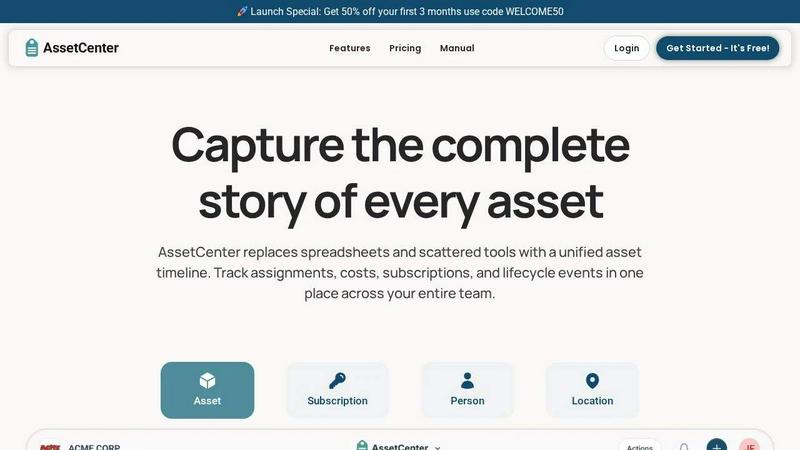
About AssetCenter
AssetCenter is a modern, agile asset management platform engineered to give organizations complete visibility and control over every asset through a single, unified timeline. Instead of wrestling with scattered data across spreadsheets, emails, and disjointed systems, AssetCenter consolidates every event from acquisition to end-of-life into one clear, chronological view. This creates a single source of truth that is easy to understand and act on, eliminating guesswork and inefficiencies.
The platform tracks assignments, costs, subscriptions, and lifecycle events for assets, subscriptions, people, and locations. Every change from purchases and maintenance to transfers and decommissioning is automatically recorded, ensuring full accountability and traceability. Built for speed and flexibility, AssetCenter supports any industry with fully customizable categories and fields, allowing teams to model real-world workflows without rigid constraints. Whether you are in healthcare, construction, education, government, IT, agriculture, manufacturing, or entertainment, AssetCenter adapts to your unique needs.
AssetCenter is designed for teams that need to stop guessing and start tracking. It empowers organizations to make smarter decisions, reduce waste, and stay organized. With a powerful dashboard that aggregates costs, expirations, and recent activity, you can see your entire organization at a glance. The platform is built for efficiency, getting you up and running in minutes with bulk import templates and an intuitive interface. AssetCenter is the modern solution for any organization that values speed, accuracy, and total asset visibility.
Features of AssetCenter
Unified Timeline for All Events
Every asset, subscription, person, and location has its own dedicated timeline that captures every event in chronological order. From acquisition and assignment to quick notes, tasks, maintenance, and decommission, you can see the complete history of any resource at a glance. This eliminates the need to search through multiple systems or emails, giving you instant context and full accountability for every change.
Fully Customizable Timeline Events
AssetCenter comes with prebuilt events for every stage of an asset's life acquisition, lifecycle, and decommission. But you are not locked into a rigid structure. You can fully customize these events or create your own to match exactly how your organization works. Whether you need to log an oil change, a firmware update, a vandalism incident, or a factory reset, you can tailor the timeline to capture the specific data that matters most to your team.
Powerful Dashboard for Total Visibility
The dashboard brings everything together into one high-level view. You can track total costs, stay ahead of upcoming expirations, and identify end-of-life assets without jumping between pages. See recent activity across all your resources, monitor assignments, and get instant insights into your organization's asset health. This feature is designed to help you make fast, informed decisions and spot inefficiencies before they become problems.
Bulk Import and Custom Categories
Get up and running in minutes with AssetCenter's bulk import templates. Download the Excel templates, fill them with your assets, subscriptions, people, and locations, and upload them to quickly populate the entire system. You can also create unlimited, custom categories for any industry. Whether you are tracking vehicles, machinery, software licenses, or office equipment, you can organize assets exactly how your business needs and easily adjust categories as you grow.
Use Cases of AssetCenter
IT Asset Management for Growing Teams
IT teams can use AssetCenter to track every hardware and software asset from purchase to retirement. Log every laptop, server, and software license with its full lifecycle history. See who has what, when maintenance is due, and which licenses are about to expire. This eliminates the chaos of spreadsheets and ensures IT teams can make fast, accurate decisions about upgrades, renewals, and deployments.
Equipment Tracking for Construction and Manufacturing
Construction and manufacturing companies can track heavy machinery, tools, and equipment across multiple job sites. Assign assets to specific locations or workers, log maintenance events like oil changes or repairs, and monitor depreciation. With a unified timeline, you can see exactly when a piece of equipment was last serviced and who is responsible for it, reducing downtime and preventing costly losses.
Subscription and License Management for Any Organization
Keep your software subscriptions and licenses organized and under control. Track renewal dates, costs, and user assignments in one place. The timeline shows every change, from new user additions to plan upgrades. Get alerts before subscriptions expire to avoid service interruptions and optimize spending. This is critical for organizations that rely on multiple SaaS tools and need to manage costs efficiently.
Asset Tracking for Nonprofits and Government Agencies
Nonprofits and government agencies can use AssetCenter to maintain full accountability for donated goods, grant-funded equipment, and public assets. Track every item from acquisition to decommission, with a clear audit trail for every assignment and transfer. Custom categories allow you to model unique workflows, while the timeline provides transparent reporting for stakeholders and compliance requirements.
Frequently Asked Questions
What is a unified timeline and why is it important?
A unified timeline is a chronological record of every event that happens to an asset, subscription, person, or location. It captures acquisitions, assignments, maintenance, notes, tasks, and decommissions all in one place. This is important because it eliminates the need to search through multiple systems or emails for context. You get a complete, clear history that makes it easy to understand what happened, when it happened, and who was responsible, leading to faster decisions and full accountability.
How fast can I get started with AssetCenter?
You can get up and running in minutes. Start by creating a free account with no credit card required. Then, use the prebuilt asset categories or create your own custom ones. For a quick setup, download the bulk import Excel templates, fill them with your data, and upload them. This allows you to import hundreds of assets, subscriptions, people, and locations at once, so you can start tracking immediately.
Can AssetCenter be customized for my specific industry?
Yes, absolutely. AssetCenter is built for flexibility and supports any industry. You can create unlimited, custom categories and fields to match your exact workflows. Whether you are in healthcare, construction, education, government, IT, agriculture, manufacturing, or entertainment, you can tailor the platform to track what matters most to your organization. The timeline events are also fully customizable, so you can log any type of event your team needs.
What is included in the free trial?
The free trial gives you access to the entire AssetCenter platform with 25 assets, no time limit, and no credit card required. You can fully explore all features, including the unified timeline, dashboard, custom categories, bulk import, and event tracking. This allows you to see exactly how AssetCenter can improve your organization's visibility and control before making any commitment.
Pricing of AssetCenter
Get 50% off your first 3 months with code WELCOME50. AssetCenter offers a free trial with 25 assets, no time limit, and no credit card required. For full pricing details on plans and tiers, please visit the AssetCenter pricing page.
Explore more in this category:
Similar to AssetCenter

AI-powered CA practice, task, meeting, OKR, and workflow management software for growing teams.

imgtxtapp.laviolab.com is a Telegram-based image-to-text converter that turns photos, screenshots, scanned documents into editable text

Apps and files on an infinite canvas where people and AI agents work together.

Team calendar for engineering managers to plan vacations, on-call weeks, project work, and releases together.

Panzoe is an all-in-one AI platform for personal productivity, business automation, AI assistants, content creation, and custom AI solutions.

Draw genograms and family relationship diagrams in your browser with editable templates.

AI Email Filter sorts incoming mail into folders using plain-language prompts you write. Works with any IMAP mailbox; bring your own LLM if you want.

E-signatures for small teams. $19/month, unlimited users.