

Alternatives to Calm Your Inbox
Calm Your Inbox helps you regain control by organizing your emails in small, manageable sessions without the stress of overwhelm.
Explore 20 alternatives to Calm Your Inbox. Compare features, pricing, and find the best fit for your needs.

@fuck.it - email with attitude
Private email. Pure. Secure. Exclusive. No ads, no tracking, no data selling. GDPR compliant, EU-hosted.

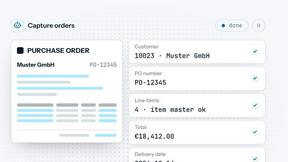

Hidesc
AI-powered CA practice, task, meeting, OKR, and workflow management software for growing teams.

imgtxtapp.laviolab.com
imgtxtapp.laviolab.com is a Telegram-based image-to-text converter that turns photos, screenshots, scanned documents into editable text

Forgot.dev
Team calendar for engineering managers to plan vacations, on-call weeks, project work, and releases together.

JevModel
Bilingual console and guide for the jev decision model: classify, route, and score text or JSON.

Panzoe
Panzoe is an all-in-one AI platform for personal productivity, business automation, AI assistants, content creation, and custom AI solutions.

MyGenogramMaker
Draw genograms and family relationship diagrams in your browser with editable templates.

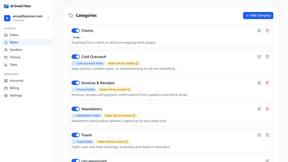
AI Email Filter
AI Email Filter sorts incoming mail into folders using plain-language prompts you write. Works with any IMAP mailbox; bring your own LLM if you want.

stackledge
A strictly human-verified directory for active SaaS, practical AI tools, and custom n8n workflows. Discover software that works without bot spam.



TokenPager
Digital guest pager system with zero hardware. Guests scan QR code to track order status and get buzzed on their own phone. No apps or SMS fees

Suparelay
Call landlines and mobiles in 200+ countries from your browser. The person you call needs no app. See the price before you dial.
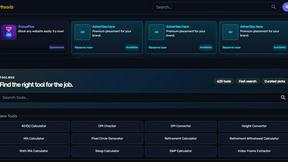
Kody Tools
Free collection of online developer utilities, code formatters, and digital converters designed to streamline your daily workflow.


About Calm Your Inbox Alternatives
Calm Your Inbox is a productivity tool designed to streamline your email management process without the stress and overwhelm that often accompanies it. It helps users tackle inbox clutter by focusing on just a few key senders at a time, allowing for quick and efficient decision-making. This approach is particularly beneficial for those who may feel overwhelmed by complex organizational systems or the relentless pursuit of inbox zero, as it promotes a manageable and less intimidating way to regain control over email. Users commonly seek alternatives to Calm Your Inbox for various reasons, including pricing considerations, specific feature requirements, or the need for compatibility with their existing platforms. When selecting an alternative, it’s essential to evaluate how well the tool aligns with your personal workflow and productivity goals. Look for features that prioritize simplicity, offer flexibility in managing emails, and provide a user-friendly interface to ensure a seamless experience in managing your inbox effectively.
FAQs about Calm Your Inbox Alternatives
What is Calm Your Inbox?
Calm Your Inbox is a productivity tool designed to help you regain control over your email inbox without feeling overwhelmed. It provides a streamlined approach by allowing users to focus on just five senders at a time, making it easier to make decisions about managing emails. The tool is aimed at minimizing inbox clutter while promoting efficiency in email management.
Who is Calm Your Inbox for?
Calm Your Inbox is ideal for anyone who feels overwhelmed by their email management and struggles with inbox inertia. It is particularly beneficial for busy professionals, students, and anyone looking to improve their productivity without committing to complicated systems or sacrificing their personal time. The tool is designed for users who want to achieve a sense of relief from email chaos.
Is Calm Your Inbox free?
The information regarding pricing for Calm Your Inbox is not explicitly stated. However, it is important to review the official website or contact customer support for details about any potential costs or subscription options. This will ensure that you have the most accurate and current information regarding access to the tool.
What are the main features of Calm Your Inbox?
Calm Your Inbox features a straightforward and lightweight design that emphasizes simplicity in email management. Users start by focusing on just five senders, allowing for efficient decision-making on whether to follow up or move on. This approach minimizes the number of decisions required, making it easier to tackle inbox clutter without the stress associated with traditional email management systems.