

Alternatives to EditTextImage
Edit text in any image instantly online, keeping fonts, colors, and perspective intact without Photoshop or font installs.
Explore 20 alternatives to EditTextImage. Compare features, pricing, and find the best fit for your needs.


Flux Lora
Explore Flux LoRA workflows online with a focused AI Studio, model discovery roadmap, and guided training plans.
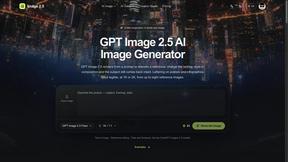
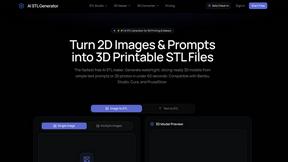
AI STL Generator
The fastest AI STL generator to turn prompts and images into 3D printable STL files.

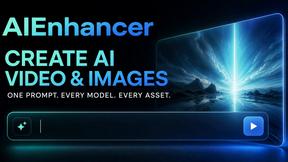
AIEnhancer
Enhance photos, create images, and generate videos with AI workflows, creative effects, and a shared asset library.
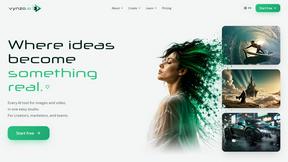
Vynzo
AI image and video studio. Generate from a prompt, animate stills, swap faces, restyle clips and edit — one credit pool, no subscription.
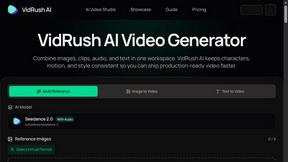
VidRush AI
AI long video generator: turn text, images, audio and video into production-ready AI videos.

Floor Plan AI
Create reviewable 2D floor plan images from prompts, dimensions, or reference images.
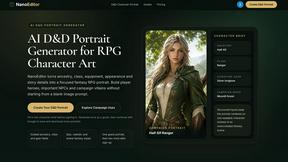
Nano Editor
NanoEditor is an AI-powered D&D portrait generator that turns character details like ancestry, class and gear into focused fantasy RPG art.
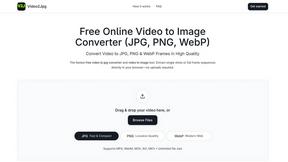
Video2Jpg
Convert video to JPG, PNG, or WebP frames in your browser. High-quality video to image converter with no uploads—fast, private, and free.

Tikdek
An AI video and AI image platform for creating visual content in the browser and scaling production with stable APIs.
Vismuse
Create polished AI images and videos from prompts or references for social posts, ads, flyers, album covers, and campaigns.
AI Image combinder
Create professional product images with AI. Upload your product photo and transform it into stunning marketing visuals, lifestyle scenes, and e-commer
Imagine2
Private browser-based AI image generation and editing with text-to-image, targeted edits, and multi-image references.

PerchanceAI
PerchanceAI is an AI creative studio for image generation, editing, background removal, product photos, and image-to-video creation.
Perchance AI Image Generator
Free Perchance AI Image Generator that runs in your browser. Multi-model text-to-image with no account required.

Kogashitsuka AI
An online AI image tool that enhances photos and illustrations at their original size or upscales them by 2x or 4x.
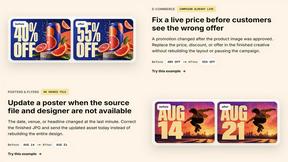
ChangeTextImage
AI-powered image text editor that replaces words in images while preserving the original design, style, and background.
About EditTextImage Alternatives
EditTextImage is a specialized AI-powered tool in the image generation and editing category that lets you replace text within any image without needing the original design file, font files, or expensive software. It works by sampling the typeface, color, shadow, and perspective directly from the pixels, enabling you to fix a typo, swap a date, or test a headline in about 10 seconds. While the tool is incredibly efficient for quick text swaps, users often look for alternatives due to its per-edit pricing model, which caps at 30 edits for a one-time fee, or because they need batch processing, higher resolution outputs, or integration with other design workflows. Others might seek free options for unlimited edits, tools that handle complex graphics like logos or charts, or platforms that offer broader image editing capabilities beyond just text replacement. When evaluating alternatives, prioritize tools that match your specific use case: look for AI text replacement that maintains font integrity and layout precision, especially for paid or custom typefaces. Consider the output quality and resolution, as well as the speed of processing—some alternatives may offer faster bulk edits or subscription models that better fit your volume. Also check for platform compatibility, such as mobile apps versus web-based tools, and whether the alternative handles complex backgrounds, gradients, or 3D text perspectives. Finally, always test with a sample image to ensure the AI accurately preserves shadows, gradients, and spacing, as not all tools handle pixel-level typography as seamlessly as EditTextImage.
FAQs about EditTextImage Alternatives
What is EditTextImage?
EditTextImage is an AI-powered online tool that lets you edit text in any image without needing the original design file, font installations, or software like Photoshop. It samples the typeface, color, drop shadow, and perspective directly from the pixels of the uploaded image, allowing you to replace text seamlessly in about 10 seconds. The output is rendered at 2K resolution, preserving the original layout and visual style.
Who is EditTextImage for?
EditTextImage is designed for marketers, designers, content creators, and anyone who needs to fix a typo, update a date, or swap a headline on a finished image without access to the source file. It is ideal for professionals working with posters, product photos, screenshots, or social media graphics who want a fast, no-subscription solution. The tool also benefits users who need to edit images containing paid fonts or hand-lettering that would otherwise be impossible to replicate.
Is EditTextImage free?
Yes, EditTextImage offers a free first edit with no credit card required, allowing you to test the service risk-free. After that, it operates on a one-time payment model of $9.90 for 30 edits, with no recurring subscription fees. This makes it a cost-effective alternative to tools like Photoshop or Canva, especially for users who only need occasional text edits.
What are the main features of EditTextImage?
The main features include AI-driven text replacement that samples fonts, colors, shadows, and perspective directly from the image pixels, eliminating the need for font files or manual adjustments. It works in about 10 seconds per edit and outputs at 2K resolution. The tool handles paid fonts and hand-lettering seamlessly, and supports tasks like fixing typos, swapping dates, and A/B testing headlines on finished images without requiring the original design file.