

Explore 20 alternatives to Opal. Compare features, pricing, and find the best fit for your needs.
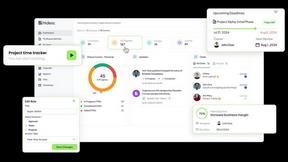
Hidesc
AI-powered CA practice, task, meeting, OKR, and workflow management software for growing teams.

Panzoe
Panzoe is an all-in-one AI platform for personal productivity, business automation, AI assistants, content creation, and custom AI solutions.
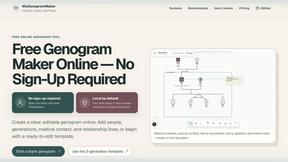
MyGenogramMaker
Draw genograms and family relationship diagrams in your browser with editable templates.
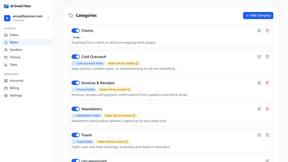
AI Email Filter
AI Email Filter sorts incoming mail into folders using plain-language prompts you write. Works with any IMAP mailbox; bring your own LLM if you want.
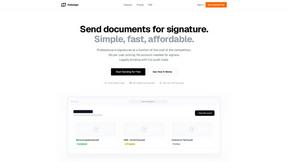
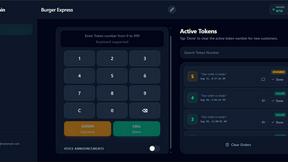
TokenPager
Digital guest pager system with zero hardware. Guests scan QR code to track order status and get buzzed on their own phone. No apps or SMS fees

Suparelay
Call landlines and mobiles in 200+ countries from your browser. The person you call needs no app. See the price before you dial.
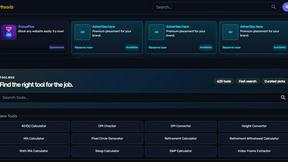
Kody Tools
Free collection of online developer utilities, code formatters, and digital converters designed to streamline your daily workflow.

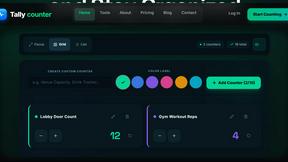
Tally Counter
Online tally counter for tracking attendance, workouts, inventory, visitors, sports scores, habits, and everyday counting tasks.
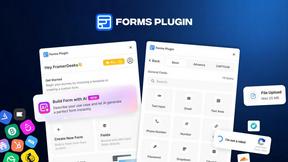
Forms Plugin
The #1 Native Form Builder Plugin for Framer - No Code, No Embeds, No External Platforms.

HomeAnswerBook
Practical, independent guides to home repairs, maintenance, costs, troubleshooting, and everyday fixes.
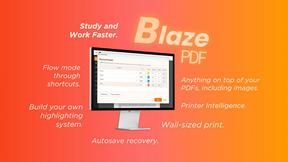
BlazePDF
Highlight faster. Study in flow with custom shortcuts and a workflow built around you. Print smarter, or turn any page into a tiled poster.

Ajax Calculators
AjaxCalculators offers free online calculators, unit converters, and image and document tools. Explore practical tools for finance, health, math, scie
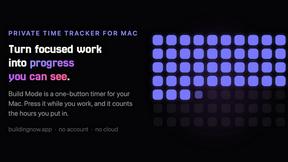
Build Mode for Mac
Build Mode is a Mac app that turns focused sessions into visible progress, so you can see the work adding up before the results arrive.
GoodAppHQ
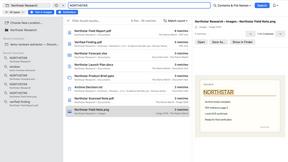
Focused native Mac apps, including ZipSeek for searching documents, images and nested archives locally.
tmps.fyi - Online Clipboard
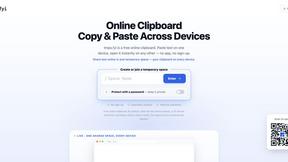
Share text, images, and files across devices — no app, no sign-up. Capture screenshots directly in your desktop browser.

EasyW9Form
Free online tools for tax forms, invoices, and business paperwork for freelancers, contractors, LLCs, and small businesses.
About Opal Alternatives
Opal is a cutting-edge visual workspace that seamlessly organizes all your projects and notes in a manner that feels both intuitive and familiar. As a solution tailored for individuals who think spatially, it revolutionizes project management by providing an infinite digital canvas where users can arrange notes, documents, and links in a way that reflects their unique workflows. This approach alleviates the common frustrations of traditional note-taking and organization methods, allowing users to keep their creative ideas and tasks front and center. However, many users find themselves in search of alternatives to Opal for various reasons. These can include factors such as pricing structures, specific feature sets that may better suit their needs, or compatibility with other platforms they utilize. When looking for an alternative, it's essential to consider the flexibility of the workspace, ease of use, and whether it supports the specific organizational style that aligns with your cognitive processes. Additionally, evaluating the scalability of the solution and its ability to integrate with other tools you already use can greatly enhance your productivity experience.
FAQs about Opal Alternatives
What is Opal?
Opal is a visual knowledge and project management workspace designed to help users organize their projects and notes efficiently. It offers an infinite digital canvas that allows for the easy arrangement of documents, files, and links, catering to those who think spatially. This unique approach to organization enables users to find what they need instantly, making it a powerful tool for managing complex tasks.
Who is Opal for?
Opal is ideal for solopreneurs, consultants, agency owners, writers, and anyone whose work revolves around managing multiple projects and details. It is particularly beneficial for individuals who prefer a visual organization style, allowing them to keep their ideas and tasks visible and easily accessible. Opal is designed to enhance productivity for anyone who thrives on conversations, details, and commitments.
Is Opal free?
Opal offers various pricing plans tailored to different user needs, including a free trial that allows potential users to explore its features. While there may be a basic free version available, accessing the full suite of Opal's functionalities typically requires a subscription. Users can choose the plan that best fits their usage and organizational requirements.
What are the main features of Opal?
Opal’s main features include an infinite digital canvas for organizing notes and projects, drag-and-drop functionality for easy arrangement of content, and a spatial memory approach to help users remember where their information is located. It also allows for seamless integration of documents, files, and links, making retrieval quick and frustration-free. This makes Opal a versatile tool for managing workflows and enhancing productivity.