

Alternatives to Open User Map
Open User Map lets you build an interactive, user-driven WordPress map with frontend submissions and full customization, no coding or API key.
Explore 17 alternatives to Open User Map. Compare features, pricing, and find the best fit for your needs.
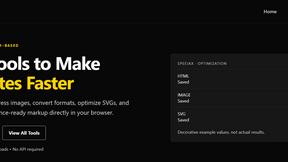

Kovnerov
Personal site of Vlad Kovnerov: analytics dashboards, web development, Telegram bots and browser tools for sellers and subscription tracking.

HostCrafter
Fast, reliable Managed WordPress Hosting with NVMe storage, global servers, free migration, live chat, and simple, transparent pricing for everyone.
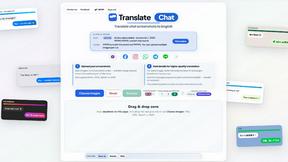
translate_chat
ChatReconstruct turns multiple messy chat screenshots into one coherent English conversation using context-aware AI translation.
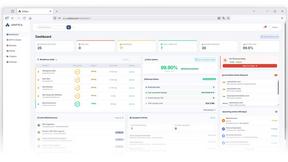
Unifyca
Unifyca centralizes client WordPress site documentation, maintenance, and backups for complete agency control and efficiency.

Shadcn Examples
Ship production-ready React and Tailwind UI blocks with shadcn examples for dashboards, apps, and marketing sites.
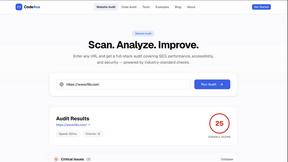
CodeAva
CodeAva is a browser-based toolkit that audits websites, validates code, and formats data so you can ship faster without signup.
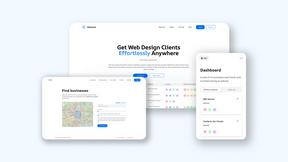
Webleadr
Webleadr instantly finds and contacts web design leads like local businesses without websites in just a few clicks.
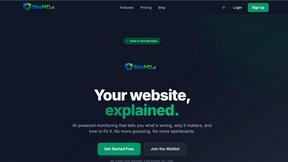
SiteMd
SiteMd quickly scans your website for SEO issues, performance bottlenecks, and security gaps, delivering actionable insights in just 60 seconds.

Idearium
Idearium crafts impactful websites and marketing strategies that drive growth and transform your online presence.

FilexHost
Effortlessly host and share your files with instant, secure links using FilexHost’s simple drag-and-drop interface.

Crawlkit
CrawlKit transforms any website into structured data with a single API call, delivering real-time insights effortlessly.
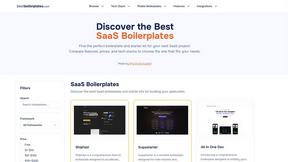
Best Boilerplates
Find and compare top SaaS boilerplates to launch your app faster with the right features and tech stack.

Shadcn UI Kit
Accelerate your project delivery with Shadcn UI Kit's ready-to-use templates and components for modern web development.

Clio Websites
Clio Websites builds custom, high-converting sites with expert SEO to accelerate your business growth.
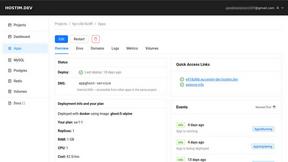
Hostim.dev
Hostim.dev simplifies Docker app deployment with built-in databases on secure EU infrastructure for fast, predictable.

About Open User Map Alternatives
Open User Map is a WordPress plugin that turns your website into an interactive, community-driven mapping tool. It falls squarely into the web development category of user-generated content and interactive map plugins, allowing visitors to add markers, locations, and data directly from the frontend without any coding or complex setup. While it excels at simplicity and privacy by avoiding Google Maps API keys, users often look for alternatives due to specific pricing tiers, the need for more advanced backend analytics, or requirements for deeper integration with other plugins like WooCommerce or directory builders. Others may seek solutions that offer more granular moderation controls or dedicated mobile app support. When evaluating an alternative, prioritize speed of deployment and the efficiency of your workflow. Look for a plugin that matches your performance needs: does it load quickly without bloated scripts? Does it offer a clear approval workflow that scales with your user base? Also consider platform compatibility, as some alternatives might require external APIs or licensing fees that cut into your margins. The best choice will balance customization power with a lean, agile setup process, ensuring your interactive map remains a tool for growth rather than a maintenance headache.
FAQs about Open User Map Alternatives
What is Open User Map?
Open User Map is an interactive maps plugin for WordPress that allows visitors to contribute locations and markers directly from the frontend of your site. It requires no coding, no Google Maps API key, and features a simple setup process. The plugin includes approval workflows and powerful customization options, making it a lightweight solution for community-driven mapping.
Who is Open User Map for?
Open User Map is designed for WordPress site owners who want to crowdsource location data from their audience without technical complexity. It is ideal for community directories, real estate listings, event maps, travel guides, and any project where user contributions are valuable. The plugin suits both beginners and developers who need a fast, efficient mapping solution without external API dependencies.
Is Open User Map free?
Open User Map offers a free version with core functionality, including frontend submissions and basic map display. Premium features such as advanced moderation tools, custom styling options, and extended integration capabilities are available through paid plans. The free tier is sufficient for smaller projects, while the paid versions unlock the full potential for high-traffic or complex mapping needs.
What are the main features of Open User Map?
Key features include frontend location submissions, a built-in approval workflow for moderating user entries, and powerful customization options for markers and map appearance. The plugin operates without requiring a Google Maps API key, using open-source map tiles instead. It also supports real-time updates, custom fields, and seamless integration with WordPress user roles for efficient management.