

Alternatives to Sprite-AI
Describe your pixel sprite idea and Sprite-AI instantly generates game-ready art you can customize and download for any engine.
Explore 20 alternatives to Sprite-AI. Compare features, pricing, and find the best fit for your needs.
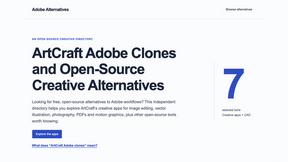
Adobe Alternatives
Explore open-source creative software by workflow, platform and development stage, with comparisons and official project links.
AppIconGenerator
Generate iOS and Android app icons from any image and export all platform sizes for free.
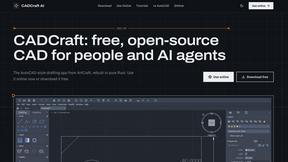
CADCraft
Free, open-source 2D CAD in Rust with precision drafting, layers, dimensions, hatches, plotting, and DWG/DXF/PDF/SVG/PNG support.
Budgetpixel AI
Create and edit AI images, videos, music, and designs in one workspace, with multiple models, reusable characters, and API access.
Seedream 5.5
Seedream 5.5 by ByteDance: 80+ rounds of stable image editing, native RGBA transparency, 100-layer splits, 4K output and reliable multilingual text.
HookAds
Free ad creative hub: 1,750+ prompts behind viral AI ads, 118 hook frameworks, teardowns, swipe files and 27 free AI ad tools.
Try OC Maker
Create OCs from text or images, customize their look, and turn them into animated videos with AI.
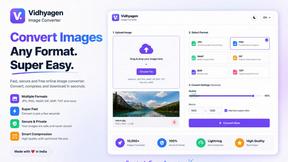
VidhyaGen - Image Converter
All-in-one digital toolkit for effortless image conversion, compression, resizing, and everyday file utilities in a single place.
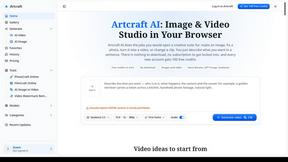
Artcraft AI
AI image and video studio in your browser: generate and edit images, turn photos into videos, edit clips by sentence.
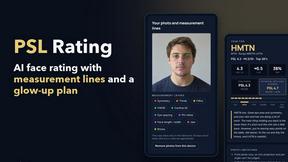
PSL Rating
PSL Rating is an AI face analysis tool. Upload one selfie and get your PSL tier, a 1–10 score and percentile, plus measurement lines you can chec
nanobanana 21
A fast, simple AI image studio powered by Nano Banana 2.1: create and edit high-quality images with accurate details and readable text.
MyGenogramMaker
Draw genograms and family relationship diagrams in your browser with editable templates.
Mini Text Generator
Mini Text Generator is a free online tool for creating tiny text, small caps, superscript, and subscript Unicode text that you can instantly copy and
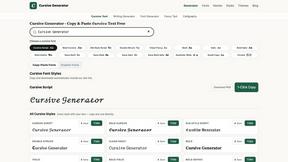
Cursive Text Generator
Cursive Text Generator is a free online tool for creating stylish cursive fonts and copy-paste text for social media, names, bios and more.
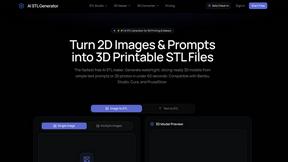
AI STL Generator
The fastest AI STL generator to turn prompts and images into 3D printable STL files.
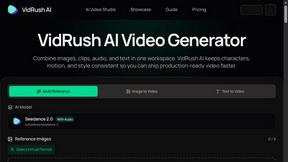
VidRush AI
AI long video generator: turn text, images, audio and video into production-ready AI videos.
About Sprite-AI Alternatives
Sprite-AI is a specialized AI-powered pixel art generator that sits squarely in the design tools category, built specifically for indie game developers, hobbyists, and prototypers who need rapid 2D asset creation without manual drawing skills. Instead of spending hours on pixel-by-pixel work, users describe sprites in plain English and the app instantly produces clean, game-ready art in common sizes like 32x32 or 128x128, complete with a built-in pixel editor for fine-tuning. While Sprite-AI delivers impressive speed and convenience, users commonly seek alternatives due to its token-based pricing model which can become costly for high-volume projects, limited export formats, or a desire for more robust animation tools and broader integration with specific game engines. When evaluating alternatives, prioritize platforms that offer transparent pricing without token caps, support for larger sprite sheets or animated sequences, and direct one-click exports to your preferred engine like Unity or Godot. Also consider the breadth of the community gallery for inspiration and the availability of offline modes or API access for automated workflows, ensuring the tool scales with your production needs rather than bottlenecking your creative pipeline.
FAQs about Sprite-AI Alternatives
What is Sprite-AI?
Sprite-AI is an AI-powered pixel art generator that transforms plain English descriptions into clean, game-ready pixel art images. It produces sprites in standard sizes of 32x32, 64x64, or 128x128 pixels, tailored for specific roles like icons, items, characters, or hero and boss art. The platform includes a built-in pixel editor for manual refinement and exports transparent PNGs compatible with major game engines such as Unity, Godot, GameMaker, and Unreal.
Who is Sprite-AI for?
Sprite-AI is designed for indie game developers, hobbyists, and prototypers who need to generate 2D assets quickly without requiring drawing skills. It is ideal for solo creators or small teams who want to accelerate their game development pipeline from concept to playable prototype. The tool also serves artists who need a starting point for pixel art that they can later refine using the built-in editor.
Is Sprite-AI free?
Sprite-AI operates on a token-based pricing model where users only pay for what they generate, rather than offering a completely free tier. This means each sprite generation consumes a certain number of tokens, which are purchased in bundles. The platform does not provide unlimited free generation, but the token system allows for flexible, pay-as-you-go usage without subscription commitments.
What are the main features of Sprite-AI?
Sprite-AI's main features include text-to-pixel-art generation from plain English descriptions, support for multiple output sizes (32x32, 64x64, 128x128), and role-specific outputs for icons, items, characters, and hero or boss art. It also offers a built-in pixel editor with paint, erase, fill, and color-pick tools for fine-tuning. Additional features include a community gallery for inspiration, prompt guides, and transparent PNG export for seamless integration into Unity, Godot, GameMaker, and Unreal.