

Alternatives to Subclip
Subclip is an AI video editor that lets you edit, caption, and dub videos with voice cloning in one fast platform.
Explore 14 alternatives to Subclip. Compare features, pricing, and find the best fit for your needs.
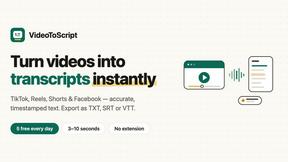
VideoToScript
Turn TikTok, Reels, Shorts, Facebook videos, audio, and video into accurate timestamped transcripts with TXT, SRT, and VTT exports.

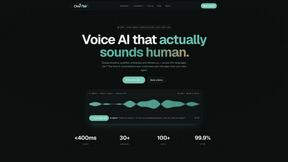
Oravaa
Oravaa's human-sounding Voice AI handles your calls, qualifies leads, and automates follow-ups around the clock.
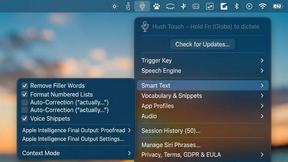
Hush Touch | Voice-to-Text for MacOS
Transform your Mac into a smart dictation tool with Hush Touch, offering offline voice-to-text that learns your.
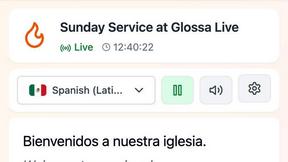
Glossa
Glossa delivers fast, accurate AI translations of sermons in 100+ languages, empowering churches to connect globally.
Qwen3-TTS
Qwen3-TTS transforms text into natural, expressive speech with advanced voice cloning and context-aware prosody.
Qwen3 TTS
Qwen3 TTS instantly creates lifelike, multilingual speech with lightning-fast streaming.

ATOZAITOOLS
ATOZAITOOLS is your free directory to instantly discover and use top AI tools that boost productivity.
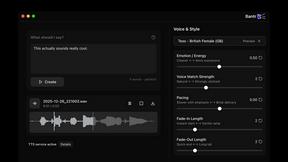
Bantr: Offline & Unlimited TTS for Mac
Bantr is an offline Mac app that delivers unlimited, natural-sounding voiceovers while ensuring your privacy and data.

VoiceAILabs
VoiceAILabs instantly clones your voice with high-fidelity AI for realistic speech in over 30 languages.

KaiCalls
KaiCalls is your 24/7 AI voice agent that captures leads, answers inquiries, and schedules appointments while you rest.
Vowen
Vowen turns your voice into productivity with seamless dictation and AI-powered workflows for effortless task.

Bargou One
Bargou One is your ultimate AI suite for effortless chat, content creation, translation, and transcription across all.
About Subclip Alternatives
Subclip is an AI-powered video editor designed for creators, marketers, and educators, falling squarely into the Speech & Voice and automated video production category. It streamlines editing by treating video like a document, where you drag a transcript to cut footage, and packs in advanced features like voice cloning for re-recording, automatic silence and filler word removal, and multi-language dubbing that preserves background audio. Users typically look for alternatives due to specific needs such as a different pricing model that fits tighter budgets, a need for more robust multi-track editing capabilities that Subclip doesn't offer, or platform compatibility requirements for specific operating systems or export formats. When evaluating alternatives, prioritize tools that match your core workflow speed, check if they support your target languages for dubbing, and ensure the voice cloning or subtitle accuracy meets your professional standards without sacrificing ease of use.
FAQs about Subclip Alternatives
What is Subclip?
Subclip is an AI-powered video editor that allows you to edit videos by manipulating a transcript, similar to editing a text document. It automates complex tasks such as silence removal, filler word elimination, and subtitle generation. The tool also features advanced capabilities like voice cloning for re-recording parts of your video and multi-language dubbing that keeps your original background music intact.
Who is Subclip for?
Subclip is built for a wide range of content creators including YouTubers, podcasters, course creators, and marketing teams. It is designed for anyone who needs to produce polished video content quickly without the steep learning curve of traditional editing software. Educators and businesses that require consistent voiceovers or multi-language versions of their videos will also find its dubbing and voice cloning features highly valuable.
Is Subclip free?
Subclip operates on a freemium pricing model, meaning it offers a free tier with basic access to its features. For users who need more advanced capabilities, higher usage limits, or priority processing, it provides affordable paid plans. This structure allows users to test the core AI editing workflow before committing to a subscription.
What are the main features of Subclip?
The main features of Subclip include AI-powered transcription, auto-subtitle generation, one-click silence and filler word removal, and voice cloning for re-recording audio. It also offers multi-language dubbing that preserves the original background music and allows for text-based video editing by dragging the transcript. These features are designed to drastically reduce the time spent on post-production.