AI Image Extender vs Free AI Image Enhancer
Side-by-side comparison to help you choose the right product.

AI Image Extender
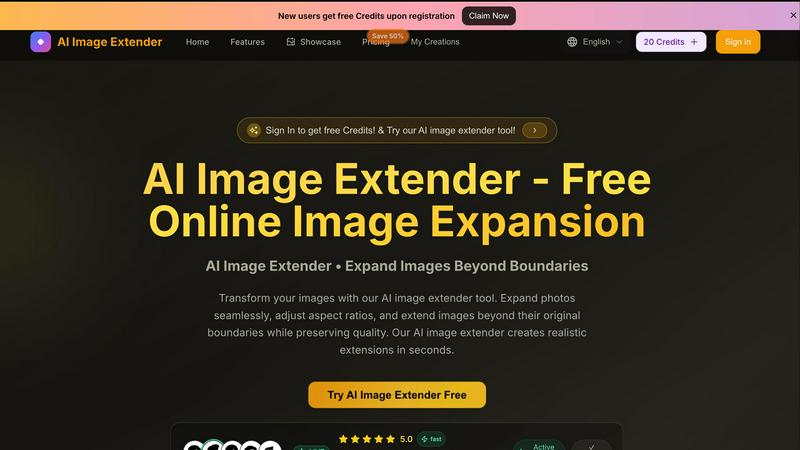
Expand your images instantly with AI, preserving quality as you extend beyond original borders.
Last updated: March 1, 2026

Free AI Image Enhancer
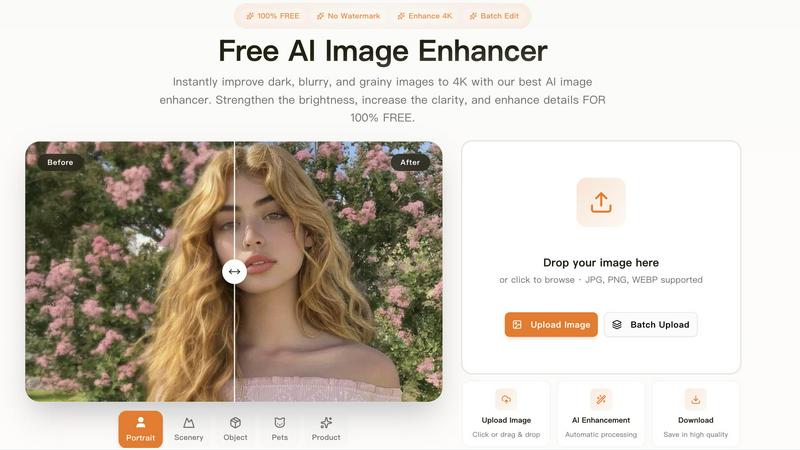
Transform dark, blurry images to stunning 4K quality for free with our AI image enhancer, featuring batch editing and no watermarks.
Last updated: March 11, 2026
Visual Comparison
AI Image Extender
Free AI Image Enhancer
Feature Comparison
AI Image Extender
Intelligent AI Outpainting
Our advanced AI doesn't just stretch pixels; it understands your image's content, style, and context. It intelligently generates new, coherent visual elements that seamlessly blend with the original photo, creating natural-looking extensions that appear as if they were always part of the scene. This goes far beyond simple cloning or content-aware fill.
Lossless Quality Preservation
Harness the power of AI to expand your image's canvas in any direction while meticulously preserving the original quality, sharpness, and detail. The tool analyzes pixels to ensure a perfect match in texture, lighting, and color, so your extended image maintains a high-resolution, professional finish without any blurring or distortion.
Instant Aspect Ratio Adaptation
Effortlessly reformat your images for any social media platform or print requirement. Select from preset ratios like 9:16 for TikTok, 1:1 for Instagram, or 16:9 for YouTube. The AI instantly and intelligently expands the background to fit the new frame, saving you from manual cropping headaches and composition compromises.
Rapid, One-Click Processing
Experience a streamlined workflow designed for maximum efficiency. Simply upload your image, choose your desired expansion style or aspect ratio, and hit "Extend." Within seconds, the AI generates your expanded image, allowing you to preview and download the high-resolution result immediately, accelerating your content creation pipeline.
Free AI Image Enhancer
Automatic AI Enhancement
This feature allows users to enhance their images seamlessly. With just a single click, the AI automatically adjusts color, brightness, and sharpness to deliver high-quality results without any manual intervention.
Batch Processing
Free AI Image Enhancer enables users to enhance multiple images simultaneously. Upload up to 10 files at once, and save time while ensuring that all your photos receive the same high-quality treatment, making it ideal for busy professionals.
High-Resolution Output
The tool supports output resolutions of up to 4K, ensuring that your images maintain clarity and detail even when enlarged. Whether for printing or digital display, your images will always look their best.
Versatile Editing Tools
With a suite of editing options including background removal, old photo restoration, object removal, and face swap features, this all-in-one toolkit provides everything you need to transform your images into stunning visuals.
Use Cases
AI Image Extender
Social Media Content Optimization
Quickly adapt a single hero image for multiple platforms without reshoots. Transform a landscape photo for an Instagram Square (1:1) post, then instantly extend it for a Pinterest Tall (2:3) pin or a TikTok vertical (9:16) video cover. Maintain brand consistency and visual impact across all channels in record time.
Photographic Composition Enhancement
Salvage and perfect shots where the framing was slightly off. Extend the background to include more sky, add space to one side for better balance, or create a wider panoramic feel. This allows photographers to correct compositions post-shoot and achieve the perfect final image they envisioned.
Graphic Design & Marketing Material Creation
Efficiently generate extra canvas space for designers to add text overlays, logos, or other graphic elements without obscuring the main subject. Perfect for creating banners, website headers, flyers, and ad creatives where you need to integrate copy seamlessly onto an existing image.
E-commerce & Product Photography
Easily standardize product images for online listings. Extend a simple background to ensure a clean, consistent look across all product shots for your store. This creates a professional catalog appearance and saves significant time compared to manually editing each photo's backdrop.
Free AI Image Enhancer
Enhancing Family Photos
Transform cherished family memories by improving clarity and color. Use the AI image enhancer to upscale old photos, making them sharper and more vibrant for sharing with family and friends.
Optimizing Social Media Content
Make your posts stand out on platforms like Instagram and Facebook. The tool adjusts various image attributes to create vibrant and eye-catching visuals that can boost engagement and attract followers.
Elevating Real Estate Listings
Make properties more attractive to potential buyers by enhancing real estate photos. Improved color, contrast, and clarity help listings appear more professional and appealing, increasing the chances of a sale.
Upscaling E-commerce Product Images
Enhance product photos to create a professional look that stands out in a crowded market. Sharper details and vibrant colors help attract customers and increase conversions in your online store.
Overview
About AI Image Extender
AI Image Extender is a cutting-edge online tool that instantly revolutionizes how you work with visual content. It leverages powerful generative AI to expand your images beyond their original borders, intelligently filling in new areas with seamless, realistic details. This tool is engineered for speed and precision, allowing photographers, graphic designers, social media managers, and content creators to adapt visuals for any platform or project in seconds. Its core value lies in eliminating the tedious manual work of cropping and resizing, instead offering a one-click solution to extend canvases, adjust aspect ratios, and enhance compositions without any loss in original image quality. With support for JPG, PNG, and WEBP formats and a user-friendly interface, AI Image Extender delivers professional-grade outpainting results instantly. New users can jump right in with free credits upon registration, making high-end image expansion accessible to everyone. Transform your creative workflow and unlock new visual possibilities with this efficient and powerful free online tool.
About Free AI Image Enhancer
Free AI Image Enhancer is a revolutionary browser-based photo editing toolkit designed to take the hassle out of image enhancement. Whether you are a hobbyist, a professional photographer, or someone who simply wants to improve their personal photos, this tool is tailored for you. It allows users to upscale blurry shots, remove backgrounds, restore old family photos, erase unwanted objects, and even perform face swaps, all powered by sophisticated AI technology. The user-friendly interface means there is no learning curve; simply upload your image, select the enhancements you need, and download the polished result. Supporting various formats like JPG, PNG, and WEBP, this tool also accommodates batch processing for up to 10 images simultaneously, ensuring efficiency without compromising quality. With the capability to output images at up to 4K resolution, it's perfect for both personal and professional use. Best of all, it's free to try, with optional credit packs and subscriptions available for users who require more features.
Frequently Asked Questions
AI Image Extender FAQ
How does the AI Image Extender work?
The tool uses a sophisticated generative AI model trained on vast datasets of images. When you upload a photo, the AI analyzes its content, textures, colors, and patterns. It then predicts and generates plausible visual information to fill the new areas you specify, creating a coherent and natural-looking extension that matches the original style seamlessly.
What image formats are supported?
AI Image Extender supports all major web and digital image formats: JPG, PNG, and WEBP. You can upload images in any of these formats, and the final expanded, high-resolution output can be downloaded in a compatible format for immediate use in your projects.
Is there a limit on image size for upload?
Yes, to ensure fast processing for all users, there is a current maximum file size limit of 5MB per upload. For optimal results, we recommend uploading high-quality images that are under this size limit, as clearer source images allow the AI to produce better, more detailed extensions.
Do I need to create an account to use the tool?
While you can explore the interface without an account, you need to sign up to receive your free starting credits and begin extending images. Registration is quick and provides you with credits to try the service, access to your creation history, and the ability to manage your account.
Free AI Image Enhancer FAQ
What image formats are supported?
Free AI Image Enhancer supports JPG, PNG, and WEBP formats, allowing you to upload a variety of image types for enhancement.
Is there a limit on how many images I can enhance at once?
Yes, you can batch process up to 10 images simultaneously, making it easy to enhance multiple photos in one go.
Do I need any special skills to use this tool?
No, the interface is designed for ease of use. You simply upload your image, select the enhancements, and download the improved result, with no technical skills required.
Is the service really free?
Yes, Free AI Image Enhancer is completely free to use for basic features. Additional credit packs and subscription options are available for users who need more advanced capabilities.
Alternatives
AI Image Extender Alternatives
AI Image Extender is a leading tool in the AI-powered design space, specializing in outpainting—seamlessly expanding an image's borders while intelligently generating new, cohesive content. It's a go-to for creators needing to adapt visuals for different platforms or compositions without sacrificing quality. Users often explore alternatives for various reasons. Some need more advanced editing features, specific integrations, or a different pricing model. Others may require desktop software over a web app or seek tools with a different focus within the broader AI image generation and editing landscape. When evaluating other options, prioritize core capabilities like outpainting quality, output resolution, and format support. Also consider workflow speed, ease of use, and whether the tool's cost and platform access align with your project volume and creative needs.
Free AI Image Enhancer Alternatives
Free AI Image Enhancer is a powerful browser-based photo editing tool designed to transform dark, blurry, and grainy images into stunning 4K quality. It falls within the Design Tools and Image & Photo categories, making it a go-to solution for users looking to enhance their images effortlessly with AI-driven technology. As users explore their options, many seek alternatives due to factors such as pricing structures, feature sets, or platform compatibility. When choosing an alternative, it's essential to evaluate the specific capabilities offered, such as batch processing, output quality, and ease of use. Users should also consider whether the alternative fits their particular needs, including support for various file formats or additional editing functions. Prioritizing these elements will help ensure that users find a suitable replacement that meets their image enhancement demands.