
FilexHost vs Modelfy 3D
Side-by-side comparison to help you choose the right product.

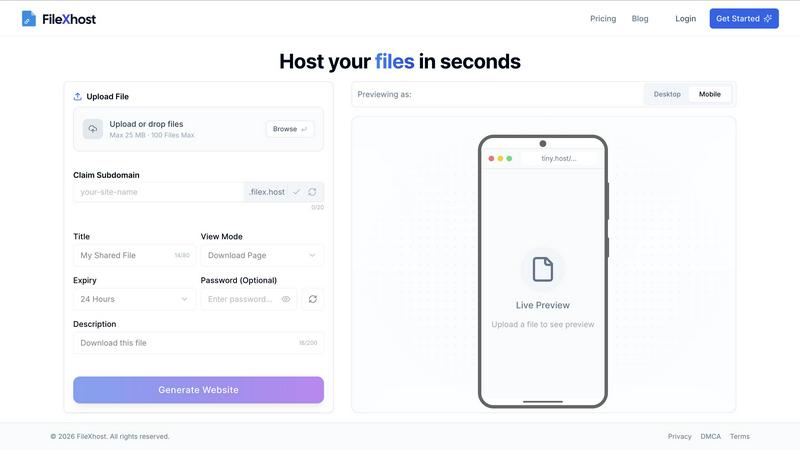
Effortlessly host and share your files with instant, secure links using FilexHost’s simple drag-and-drop interface.
Last updated: February 26, 2026

Modelfy 3D
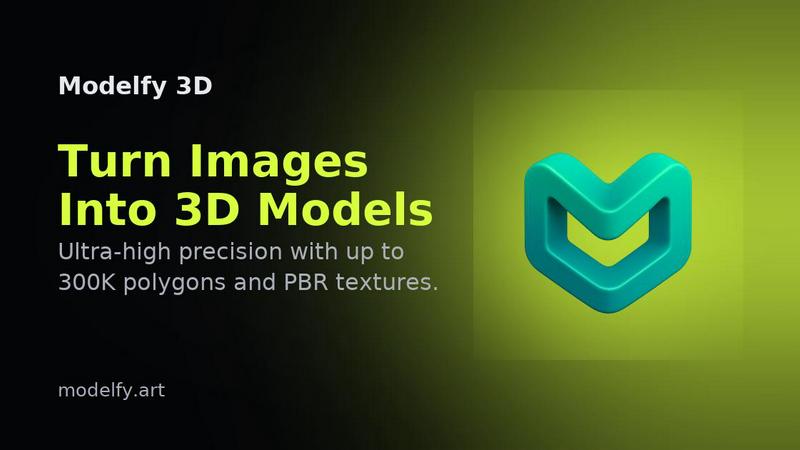
Instantly transform any image into stunning 3D models with Modelfy 3D's advanced AI technology and enterprise-grade.
Last updated: February 26, 2026
Visual Comparison
FilexHost
Modelfy 3D
Feature Comparison
FilexHost
Universal File Support
FileXHost supports a wide array of file types, including PDFs, Excel spreadsheets, images, audio, video, ZIP archives, and even HTML projects. This versatility ensures that users can host virtually any file they need, making it ideal for a range of applications.
Instant Subdomains
With FileXHost, every uploaded file gets an instant subdomain (your-file.filex.host), requiring zero setup. This feature makes sharing your files incredibly efficient, as you can distribute links immediately after upload without additional configuration.
Smart View Modes
FileXHost offers smart view modes that allow recipients to either directly render files in their browsers or access a download page. This flexibility enhances user experience, ensuring that files are easily accessible and viewable in the way that best suits the recipient's needs.
Secure by Default
Every link generated by FileXHost comes with free SSL encryption, ensuring that your files are shared securely. This commitment to security means users can share sensitive documents without worrying about unauthorized access.
About Modelfy 3D
Ultra-High Precision Models
Generate 3D models with unparalleled detail using up to 300,000 polygons. Our proprietary algorithms ensure that every conversion retains the integrity and quality of the original image, making it perfect for any project.
Professional Asset Management
Organize your 3D creations effortlessly with our enterprise-grade asset management system. Users can filter projects by status, archive completed works, and manage custom titles and descriptions for a streamlined workflow.
Multi-Format Export Options
Export your AI-generated 3D models in various industry-standard formats, including GLB for web applications, OBJ for 3D software, and STL for 3D printing. Each export includes texture maps and preview images for comprehensive project files.
Rapid Conversion Time
Transforming images into 3D models has never been faster. While traditional methods can take days, Modelfy 3D completes conversions in just minutes, allowing users to focus on their creative processes instead of waiting.
Use Cases
FilexHost
Client Report Sharing
Professionals can use FileXHost to share client reports effortlessly. By uploading reports and generating secure links, they can provide instant access to clients, ensuring timely communication and feedback without the hassle of email attachments.
Developer Hosting
Developers can host landing pages or mock APIs using FileXHost. With the ability to share live HTML projects, they can easily collaborate with team members or showcase their work to potential clients without any complex setup.
Digital Product Distribution
Creators can distribute digital products such as eBooks, music files, or software through FileXHost. The simple drag and drop interface allows them to share their creations quickly, reaching their audience efficiently and effectively.
Quick File Testing
Individuals needing to test files can use FileXHost for quick sharing and access. Whether it is a presentation, spreadsheet, or media file, users can upload and test their files in real-time without the burden of managing file servers or configurations.
Modelfy 3D
3D Printing
Modelfy 3D is perfect for hobbyists and professionals alike who need to create custom 3D printed objects. The quick transformation from image to model allows rapid prototyping and iteration, enhancing productivity.
Game Development
Game developers can utilize Modelfy 3D to generate unique assets from concept art or reference images. This tool supports the creation of diverse characters and environments, streamlining the game design process.
Architectural Visualization
Architects and designers can easily convert 2D plans and sketches into 3D models, enabling clients to visualize projects more accurately. This aids in presentations and helps secure client approvals faster.
Educational Projects
Educators and students can use Modelfy 3D to create visual aids for presentations or assignments. The ability to generate 3D models from images enhances learning experiences and fosters creativity in educational settings.
Overview
About FilexHost
FileXHost is your go-to solution for instant file hosting and sharing, designed to streamline the process of delivering files effortlessly. It caters to a diverse audience, including professionals, developers, and creators, providing high-speed hosting for any file type—documents, media, spreadsheets, or even entire websites. With FileXHost, sharing files becomes a breeze thanks to its intuitive "Drop & Share" workflow. Users simply drag and drop their files, receive an instant secure URL, and share it without any complicated setups or recipient logins. The platform prioritizes viewer experience, ensuring that files are presented beautifully and optimally without the need for downloads or plugins. Whether you are sharing client reports, hosting landing pages, or distributing digital products, FileXHost combines speed, simplicity, and security to transform how you manage and share your files.
About Modelfy 3D
Modelfy 3D is an innovative AI-driven platform designed to seamlessly transform any 2D image into stunning 3D models in mere seconds. Ideal for creators, designers, and professionals in fields such as 3D printing, gaming, and visual design, Modelfy 3D leverages cutting-edge artificial intelligence technology to deliver ultra-high precision 3D assets with up to 300,000 polygons. Its intuitive interface allows users to upload images without the need for extensive software training, making it accessible for anyone, regardless of their technical background. With its fast conversion times and cost-effective pricing, Modelfy 3D empowers users to accelerate their workflows and achieve professional-grade results efficiently, setting a new standard in the realm of 3D model creation.
Frequently Asked Questions
FilexHost FAQ
What is FileXHost?
FileXHost is an instant file hosting and sharing solution that allows users to upload and share a wide variety of files effortlessly. It prioritizes simplicity and speed, providing users with quick access to secure links for file distribution.
Is it really free?
Yes, FileXHost offers a free plan that allows users to host up to 1,000 files with a maximum size of 25 MB each. This plan includes ad support and a 7-day expiry for hosted files, making it suitable for quick sharing and testing.
What file types are supported?
FileXHost supports a broad range of file types, including documents (PDF, TXT), spreadsheets (XLSX, CSV), images (JPG, PNG), media files (MP4, MP3), and even ZIP archives and HTML projects, ensuring versatility for all your hosting needs.
How do I update my site?
To update your hosted site, simply re-upload your file or website ZIP using the drag and drop interface. FileXHost will automatically generate a new link for you, ensuring that your latest version is always accessible.
Modelfy 3D FAQ
How does Modelfy 3D convert images to 3D models?
Modelfy 3D employs advanced AI algorithms that analyze the 2D image and generate a corresponding 3D model in a matter of minutes. The process is fully automated and requires no technical skills from the user.
What file formats can I export my models in?
You can export your 3D models in several industry-standard formats, including GLB, OBJ, and STL. Each format is optimized for different applications, such as web use, 3D software compatibility, and 3D printing.
Is there a limit to the number of models I can create?
No, Modelfy 3D allows unlimited concurrent conversions, enabling users to generate multiple models at once without any restrictions. This feature is particularly beneficial for professionals managing large projects.
Do I need to install any software to use Modelfy 3D?
No software installation is required. Modelfy 3D is an online tool that can be accessed directly through your web browser, making it convenient for users to create 3D models from anywhere at any time.
Alternatives
FilexHost Alternatives
FilexHost is an innovative file hosting and sharing service that simplifies the process of sharing files through a straightforward drag-and-drop interface. Users can effortlessly upload any file type, from documents to media, and receive a live, shareable URL in seconds, making it an ideal solution for professionals, developers, and creatives alike. However, users often seek alternatives to FilexHost for various reasons, including pricing structures, specific feature sets, or compatibility with particular platforms. When looking for an alternative, it's essential to consider aspects such as ease of use, file type support, security features, and storage options to ensure the chosen service aligns with your needs for fast and reliable file sharing.
Modelfy 3D Alternatives
Modelfy 3D is an innovative tool that falls within the design tools, generative art, and image & photo categories. It utilizes advanced AI technology to instantly transform 2D images into 3D models, making it ideal for a variety of applications including 3D printing and game development. However, users often explore alternatives due to factors such as pricing, specific feature sets, or platform compatibility that may better suit their needs. When considering an alternative to Modelfy 3D, it's crucial to evaluate the ease of use, speed of transformation, and the quality of the resulting 3D models. Additionally, look for tools that offer unique features tailored to your specific projects, whether for professional use or creative endeavors. Understanding these aspects can help you find a solution that aligns with your objectives and enhances your workflow.