Free AI Image Enhancer vs Proofapp
Side-by-side comparison to help you choose the right product.

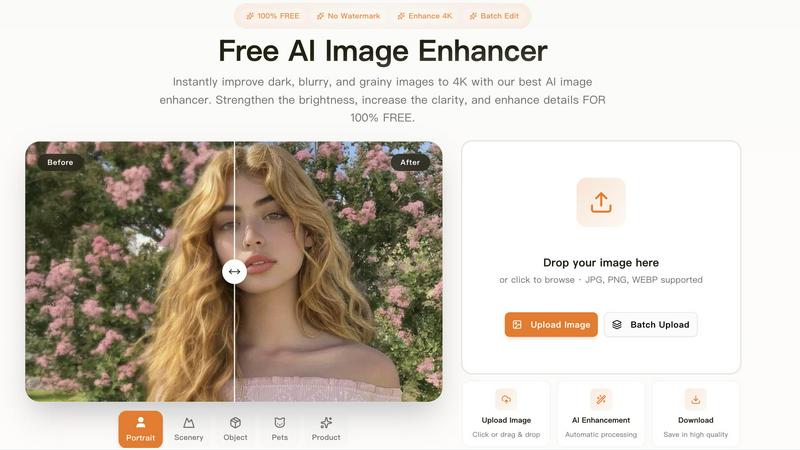
Free AI Image Enhancer
Instantly improve dark, blurry, and grainy images to 4K with our best AI image enhancer. Strengthen the brightness, increase the clarity, and enhance

Proofapp
Proofapp pins visual feedback directly on websites to stop endless email chains.
Last updated: March 4, 2026
Visual Comparison
Free AI Image Enhancer
Proofapp

Overview
About Free AI Image Enhancer
AI Image Enhancer is a browser-based photo editing toolkit that handles the stuff most people dread doing manually — upscaling blurry shots, removing backgrounds, restoring old family photos, erasing unwanted objects, and even swapping faces. Everything runs on AI, so there's no learning curve. Upload your image, pick what you need, and download the result. It works with JPG, PNG, and WEBP, supports batch processing up to 10 images at a time, and outputs up to 4K resolution. Free to try, with credit packs and subscriptions available when you need more.
About Proofapp
Proofapp is the visual feedback platform that kills the endless email chain for good. It's built for designers, developers, freelancers, and agencies who are tired of miscommunication, vague revision notes, and hours wasted playing "screenshot tennis." The core value proposition is simple: replace scattered, text-based feedback with precise, visual collaboration that gets projects shipped faster. You simply paste any website URL, and Proofapp automatically captures desktop and mobile screenshots. From there, your team and clients can click directly on the design to pin comments, reply in threads, attach files, and mark feedback as resolved—all without requiring reviewers to create an account. With features like real-time notifications, Slack integration, multi-page support, and enterprise-grade security, Proofapp centralizes all communication into one actionable dashboard. It's a 5-minute setup that saves teams 5+ hours per week, reduces revision rounds by 60%, and turns chaotic feedback into a streamlined, visual workflow. Stop describing problems and start pointing at them.