
Imgezy vs Modelfy 3D
Side-by-side comparison to help you choose the right product.

Imgezy
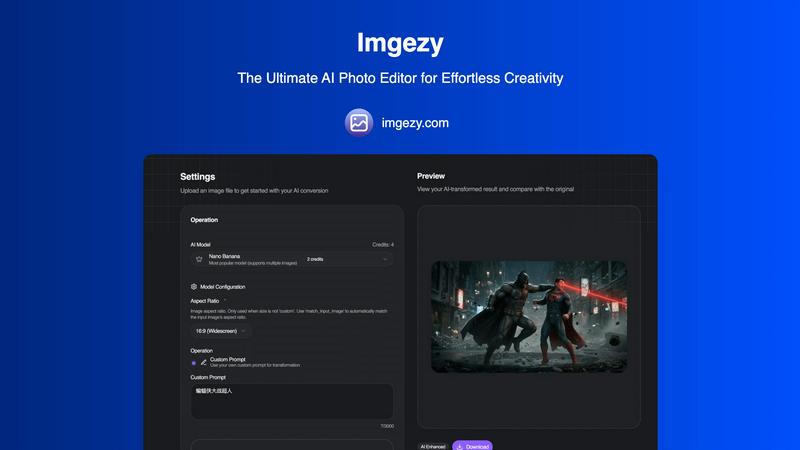
Imgezy is your AI photo editor for effortlessly removing objects and changing backgrounds in seconds.
Last updated: March 1, 2026

Modelfy 3D
Instantly transform any image into stunning 3D models with Modelfy 3D's advanced AI technology and enterprise-grade.
Last updated: February 26, 2026
Visual Comparison
Imgezy
Modelfy 3D
Feature Comparison
Imgezy
Object Removal
Imgezy’s object removal feature allows users to eliminate unwanted items, people, or distractions from their photos effortlessly. The AI intelligently analyzes the image, identifies the specified objects, and reconstructs the background with pixel-perfect accuracy, ensuring that no traces of the removed elements remain.
Background Replacement
With the background replacement feature, users can instantly change the backdrop of their images. Whether you want to switch to a solid color or a breathtaking landscape, Imgezy makes it easy to create stunning visuals that stand out and capture attention.
Photo Enhancement
Imgezy automatically enhances your photos with its photo enhancement feature. It optimizes colors, lighting, and sharpness, allowing your images to pop and look more vibrant without requiring any manual adjustments. This feature is perfect for those who want to elevate their images quickly.
Batch Processing
Save time on large projects with Imgezy's batch processing capability. This feature enables users to edit multiple images simultaneously, making it ideal for e-commerce sellers and marketers who need to process numerous photos quickly and efficiently.
Modelfy 3D
Ultra-High Precision Models
Generate 3D models with unparalleled detail using up to 300,000 polygons. Our proprietary algorithms ensure that every conversion retains the integrity and quality of the original image, making it perfect for any project.
Professional Asset Management
Organize your 3D creations effortlessly with our enterprise-grade asset management system. Users can filter projects by status, archive completed works, and manage custom titles and descriptions for a streamlined workflow.
Multi-Format Export Options
Export your AI-generated 3D models in various industry-standard formats, including GLB for web applications, OBJ for 3D software, and STL for 3D printing. Each export includes texture maps and preview images for comprehensive project files.
Rapid Conversion Time
Transforming images into 3D models has never been faster. While traditional methods can take days, Modelfy 3D completes conversions in just minutes, allowing users to focus on their creative processes instead of waiting.
Use Cases
Imgezy
Social Media Creators
Social media creators benefit from Imgezy by quickly editing their photos to make them more appealing to their audience. With features like background replacement and object removal, they can create stunning visuals that attract likes and shares.
E-commerce Sellers
E-commerce sellers can enhance product images with professional-quality edits using Imgezy. By removing distractions and optimizing backgrounds, sellers can present their products in the best light, significantly improving their chances of making a sale.
Marketers
Marketers can leverage Imgezy to create eye-catching promotional materials. Whether it’s for social media ads or email campaigns, the ability to quickly enhance and edit images allows them to maintain a consistent and professional brand image.
Personal Use
For individuals looking to perfect their personal photos, Imgezy offers an easy solution. Whether it’s removing unwanted guests from vacation pictures or enhancing family portraits, users can achieve stunning results without needing advanced editing skills.
Modelfy 3D
3D Printing
Modelfy 3D is perfect for hobbyists and professionals alike who need to create custom 3D printed objects. The quick transformation from image to model allows rapid prototyping and iteration, enhancing productivity.
Game Development
Game developers can utilize Modelfy 3D to generate unique assets from concept art or reference images. This tool supports the creation of diverse characters and environments, streamlining the game design process.
Architectural Visualization
Architects and designers can easily convert 2D plans and sketches into 3D models, enabling clients to visualize projects more accurately. This aids in presentations and helps secure client approvals faster.
Educational Projects
Educators and students can use Modelfy 3D to create visual aids for presentations or assignments. The ability to generate 3D models from images enhances learning experiences and fosters creativity in educational settings.
Overview
About Imgezy
Imgezy is the ultimate AI-powered photo editor designed to revolutionize your editing experience. It simplifies complex photo editing tasks into straightforward commands, allowing users to achieve professional-grade results without needing extensive design skills. This powerful tool caters to a diverse audience, from social media creators and e-commerce sellers to marketers and everyday individuals looking to enhance their personal photos. The main value proposition of Imgezy lies in its unmatched efficiency: users can simply describe their desired edits in plain language, and the advanced AI takes care of the rest in mere seconds. Forget the long hours spent learning complicated software; with Imgezy, you can just type commands like "remove the tourist" or "enhance colors," and watch the AI deliver flawless, pixel-perfect edits. Trusted by over 200,000 users, Imgezy consolidates multiple editing features like object removal, background replacement, and image enhancement into one powerful, streamlined platform, making it the only AI photo editor you'll ever need.
About Modelfy 3D
Modelfy 3D is an innovative AI-driven platform designed to seamlessly transform any 2D image into stunning 3D models in mere seconds. Ideal for creators, designers, and professionals in fields such as 3D printing, gaming, and visual design, Modelfy 3D leverages cutting-edge artificial intelligence technology to deliver ultra-high precision 3D assets with up to 300,000 polygons. Its intuitive interface allows users to upload images without the need for extensive software training, making it accessible for anyone, regardless of their technical background. With its fast conversion times and cost-effective pricing, Modelfy 3D empowers users to accelerate their workflows and achieve professional-grade results efficiently, setting a new standard in the realm of 3D model creation.
Frequently Asked Questions
Imgezy FAQ
How does Imgezy work?
Imgezy uses advanced AI algorithms to process your image edits. Users simply describe the desired changes in plain language, and the AI executes the instructions, delivering high-quality edits in seconds.
What types of images can I edit with Imgezy?
Imgezy supports all major image formats, including JPG, PNG, and WebP. This flexibility allows users to edit a wide range of photos, from personal snapshots to professional product images.
Is there a limit to the number of images I can edit?
The number of images you can edit depends on the pricing plan you choose. Plans include various credit allocations, allowing for different amounts of image edits each month.
Can I use Imgezy for commercial purposes?
Yes, Imgezy offers plans that include a commercial license, allowing you to use edited images for business and promotional purposes without any restrictions.
Modelfy 3D FAQ
How does Modelfy 3D convert images to 3D models?
Modelfy 3D employs advanced AI algorithms that analyze the 2D image and generate a corresponding 3D model in a matter of minutes. The process is fully automated and requires no technical skills from the user.
What file formats can I export my models in?
You can export your 3D models in several industry-standard formats, including GLB, OBJ, and STL. Each format is optimized for different applications, such as web use, 3D software compatibility, and 3D printing.
Is there a limit to the number of models I can create?
No, Modelfy 3D allows unlimited concurrent conversions, enabling users to generate multiple models at once without any restrictions. This feature is particularly beneficial for professionals managing large projects.
Do I need to install any software to use Modelfy 3D?
No software installation is required. Modelfy 3D is an online tool that can be accessed directly through your web browser, making it convenient for users to create 3D models from anywhere at any time.
Alternatives
Imgezy Alternatives
Imgezy is an AI-powered photo editor designed to simplify the editing process for users by allowing them to make professional-grade edits quickly and effortlessly. This innovative tool caters to a wide range of users, from social media influencers to e-commerce sellers, all of whom require high-quality photo enhancements without the complexity of traditional software. As users explore their options, they often seek alternatives due to factors like pricing, specific feature sets, or compatibility with their preferred platforms. When searching for an alternative, it's important to consider key aspects such as user interface simplicity, the speed and accuracy of editing capabilities, and the range of editing options available. A good alternative should provide intuitive tools that empower users to achieve their creative vision with minimal effort while also being budget-friendly and compatible with their devices.
Modelfy 3D Alternatives
Modelfy 3D is an innovative tool that falls within the design tools, generative art, and image & photo categories. It utilizes advanced AI technology to instantly transform 2D images into 3D models, making it ideal for a variety of applications including 3D printing and game development. However, users often explore alternatives due to factors such as pricing, specific feature sets, or platform compatibility that may better suit their needs. When considering an alternative to Modelfy 3D, it's crucial to evaluate the ease of use, speed of transformation, and the quality of the resulting 3D models. Additionally, look for tools that offer unique features tailored to your specific projects, whether for professional use or creative endeavors. Understanding these aspects can help you find a solution that aligns with your objectives and enhances your workflow.