
Imgezy
Imgezy is your AI photo editor for effortlessly removing objects and changing backgrounds in seconds.
Visit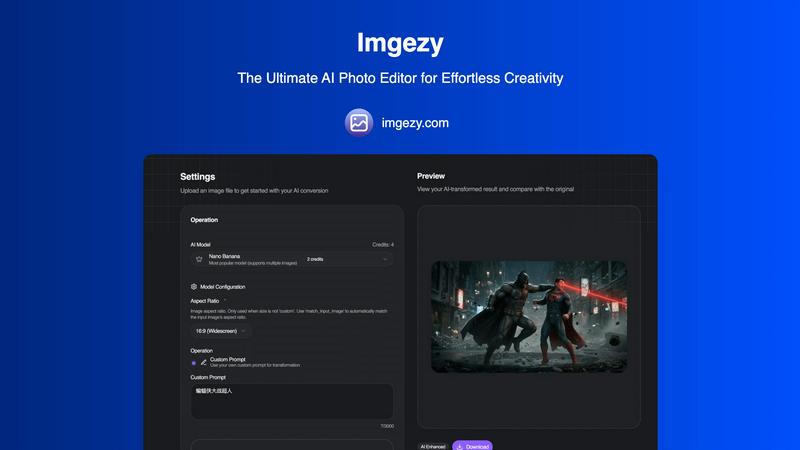
About Imgezy
Imgezy is the ultimate AI-powered photo editor designed to revolutionize your editing experience. It simplifies complex photo editing tasks into straightforward commands, allowing users to achieve professional-grade results without needing extensive design skills. This powerful tool caters to a diverse audience, from social media creators and e-commerce sellers to marketers and everyday individuals looking to enhance their personal photos. The main value proposition of Imgezy lies in its unmatched efficiency: users can simply describe their desired edits in plain language, and the advanced AI takes care of the rest in mere seconds. Forget the long hours spent learning complicated software; with Imgezy, you can just type commands like "remove the tourist" or "enhance colors," and watch the AI deliver flawless, pixel-perfect edits. Trusted by over 200,000 users, Imgezy consolidates multiple editing features like object removal, background replacement, and image enhancement into one powerful, streamlined platform, making it the only AI photo editor you'll ever need.
Features of Imgezy
Object Removal
Imgezy’s object removal feature allows users to eliminate unwanted items, people, or distractions from their photos effortlessly. The AI intelligently analyzes the image, identifies the specified objects, and reconstructs the background with pixel-perfect accuracy, ensuring that no traces of the removed elements remain.
Background Replacement
With the background replacement feature, users can instantly change the backdrop of their images. Whether you want to switch to a solid color or a breathtaking landscape, Imgezy makes it easy to create stunning visuals that stand out and capture attention.
Photo Enhancement
Imgezy automatically enhances your photos with its photo enhancement feature. It optimizes colors, lighting, and sharpness, allowing your images to pop and look more vibrant without requiring any manual adjustments. This feature is perfect for those who want to elevate their images quickly.
Batch Processing
Save time on large projects with Imgezy's batch processing capability. This feature enables users to edit multiple images simultaneously, making it ideal for e-commerce sellers and marketers who need to process numerous photos quickly and efficiently.
Use Cases of Imgezy
Social Media Creators
Social media creators benefit from Imgezy by quickly editing their photos to make them more appealing to their audience. With features like background replacement and object removal, they can create stunning visuals that attract likes and shares.
E-commerce Sellers
E-commerce sellers can enhance product images with professional-quality edits using Imgezy. By removing distractions and optimizing backgrounds, sellers can present their products in the best light, significantly improving their chances of making a sale.
Marketers
Marketers can leverage Imgezy to create eye-catching promotional materials. Whether it’s for social media ads or email campaigns, the ability to quickly enhance and edit images allows them to maintain a consistent and professional brand image.
Personal Use
For individuals looking to perfect their personal photos, Imgezy offers an easy solution. Whether it’s removing unwanted guests from vacation pictures or enhancing family portraits, users can achieve stunning results without needing advanced editing skills.
Frequently Asked Questions
How does Imgezy work?
Imgezy uses advanced AI algorithms to process your image edits. Users simply describe the desired changes in plain language, and the AI executes the instructions, delivering high-quality edits in seconds.
What types of images can I edit with Imgezy?
Imgezy supports all major image formats, including JPG, PNG, and WebP. This flexibility allows users to edit a wide range of photos, from personal snapshots to professional product images.
Is there a limit to the number of images I can edit?
The number of images you can edit depends on the pricing plan you choose. Plans include various credit allocations, allowing for different amounts of image edits each month.
Can I use Imgezy for commercial purposes?
Yes, Imgezy offers plans that include a commercial license, allowing you to use edited images for business and promotional purposes without any restrictions.
Similar to Imgezy

The fastest AI STL generator to turn prompts and images into 3D printable STL files.

AjaxCalculators offers free online calculators, unit converters, and image and document tools. Explore practical tools for finance, health, math, scie

AI long video generator: turn text, images, audio and video into production-ready AI videos.

NanoEditor is an AI-powered D&D portrait generator that turns character details like ancestry, class and gear into focused fantasy RPG art.

Remove anything from video. Preview 5 seconds free.

GPT Image 3 is a browser-based AI image workspace for generation, reference-based editing, and conversational refinement. Users can start from a text

Free AI image editor that edits, retouches, and transforms photos with natural-language text prompts.

PDF Convert Now is a free online PDF and image utility that lets users merge, compress, split, rotate, and convert documents.