
Free AI Image Enhancer vs QuickImg
Side-by-side comparison to help you choose the right product.

Free AI Image Enhancer
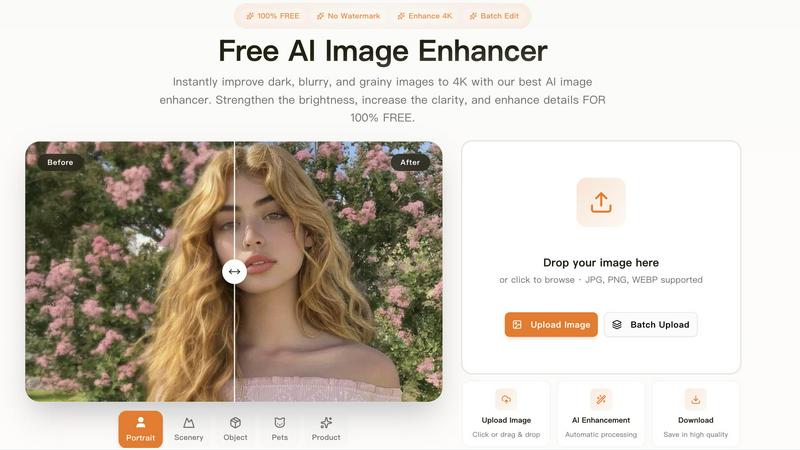
Transform dark, blurry images to stunning 4K quality for free with our AI image enhancer, featuring batch editing and no watermarks.
Last updated: March 11, 2026

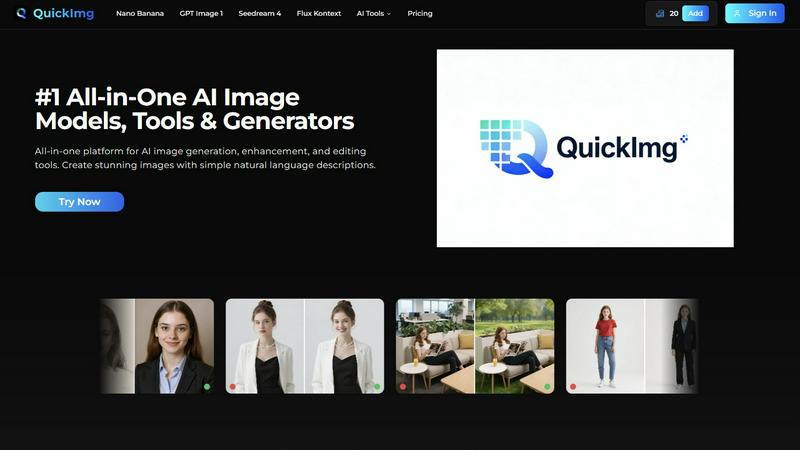
QuickImg is your all-in-one AI platform to effortlessly generate, enhance, and edit stunning images.
Last updated: February 28, 2026
Visual Comparison
Free AI Image Enhancer
QuickImg
Feature Comparison
Free AI Image Enhancer
Automatic AI Enhancement
This feature allows users to enhance their images seamlessly. With just a single click, the AI automatically adjusts color, brightness, and sharpness to deliver high-quality results without any manual intervention.
Batch Processing
Free AI Image Enhancer enables users to enhance multiple images simultaneously. Upload up to 10 files at once, and save time while ensuring that all your photos receive the same high-quality treatment, making it ideal for busy professionals.
High-Resolution Output
The tool supports output resolutions of up to 4K, ensuring that your images maintain clarity and detail even when enlarged. Whether for printing or digital display, your images will always look their best.
Versatile Editing Tools
With a suite of editing options including background removal, old photo restoration, object removal, and face swap features, this all-in-one toolkit provides everything you need to transform your images into stunning visuals.
About QuickImg
Unified AI Model Hub
Access multiple top-tier AI image generation models in one dashboard. Choose from options like Nano Banana Pro for high-resolution 2K/4K output, GPT Image 1 for superior text rendering, or Seedream 4 for ultra-fast 4K generation. This hub eliminates the hassle of managing separate accounts across different services, allowing you to instantly select the best model for your specific task without ever leaving the platform.
Natural Language Command Center
Generate and edit images using simple, everyday language. There's no need to learn complex prompt engineering. Just type what you want to see or describe the edit you need—like "a cat wearing a spacesuit on Mars" or "change the background to a sunset beach"—and QuickImg's AI interprets your command to deliver precise, high-quality results instantly, streamlining the creative process dramatically.
One-Click Specialized Tools
Execute complex edits with a single click using a comprehensive suite of AI-powered utilities. Instantly remove backgrounds, erase watermarks and text, upscale images to 4K, change clothes in a photo, or convert pictures to PNG. These tools automate sophisticated photo editing tasks that traditionally require expert skills and multiple software steps, delivering professional outcomes in record time.
Ready-to-Use Template Library
Jumpstart your projects with a vast collection of pre-designed templates for common scenarios. Need a product shot, social media banner, or promotional graphic? Browse the template library, customize it with your text and elements using natural language commands, and have a polished visual ready in minutes. This feature massively accelerates content production for recurring design needs.
Use Cases
Free AI Image Enhancer
Enhancing Family Photos
Transform cherished family memories by improving clarity and color. Use the AI image enhancer to upscale old photos, making them sharper and more vibrant for sharing with family and friends.
Optimizing Social Media Content
Make your posts stand out on platforms like Instagram and Facebook. The tool adjusts various image attributes to create vibrant and eye-catching visuals that can boost engagement and attract followers.
Elevating Real Estate Listings
Make properties more attractive to potential buyers by enhancing real estate photos. Improved color, contrast, and clarity help listings appear more professional and appealing, increasing the chances of a sale.
Upscaling E-commerce Product Images
Enhance product photos to create a professional look that stands out in a crowded market. Sharper details and vibrant colors help attract customers and increase conversions in your online store.
QuickImg
Rapid Social Media Content Creation
Content creators and social media managers can produce a high volume of engaging, platform-specific graphics at lightning speed. Generate unique post images, create branded banners, transform photos into trending art styles (like anime), and remove backgrounds for product showcases—all within minutes to maintain a consistent and captivating online presence without a design team.
E-commerce Product Image Enhancement
Online sellers can professionally enhance their product catalogs without a photoshoot studio. Use QuickImg to upscale low-quality supplier images, remove distracting backgrounds for clean white-background shots, erase watermarks, and even generate lifestyle context images for products. This streamlines listing creation and improves conversion rates with superior visuals.
Creative Concepting and Brainstorming
Marketers, writers, and designers can quickly visualize concepts and ideas during brainstorming sessions. Generate multiple visual variations for a new campaign, create character concepts for a story, or produce mood boards and concept art from simple text descriptions. This accelerates the creative iteration process and helps teams align on a visual direction faster.
Personal Photo Editing and Fun
Everyday users can easily perform advanced photo edits for personal projects. Turn a pet photo into a human character, restore and enhance old family pictures, remove photobombers or text from images, create unique avatars, or simply have fun transforming selfies into different artistic styles—all with an easy-to-use, non-technical interface.
Overview
About Free AI Image Enhancer
Free AI Image Enhancer is a revolutionary browser-based photo editing toolkit designed to take the hassle out of image enhancement. Whether you are a hobbyist, a professional photographer, or someone who simply wants to improve their personal photos, this tool is tailored for you. It allows users to upscale blurry shots, remove backgrounds, restore old family photos, erase unwanted objects, and even perform face swaps, all powered by sophisticated AI technology. The user-friendly interface means there is no learning curve; simply upload your image, select the enhancements you need, and download the polished result. Supporting various formats like JPG, PNG, and WEBP, this tool also accommodates batch processing for up to 10 images simultaneously, ensuring efficiency without compromising quality. With the capability to output images at up to 4K resolution, it's perfect for both personal and professional use. Best of all, it's free to try, with optional credit packs and subscriptions available for users who require more features.
About QuickImg
QuickImg is the definitive all-in-one platform for AI-powered image creation, editing, and enhancement. It's engineered for speed and simplicity, allowing anyone—from professional designers and marketers to content creators and hobbyists—to generate stunning visuals in seconds. The core value proposition is powerful simplicity: access a suite of cutting-edge AI models and specialized tools through a single, intuitive interface. Forget complex software and the need for expert-level prompts. With QuickImg, you simply describe your vision in natural language or upload an image, and the platform's advanced AI does the heavy lifting. Whether you're creating original artwork from scratch, upscaling low-resolution photos, removing unwanted objects, or transforming a photo into an anime masterpiece, QuickImg consolidates the entire workflow. It eliminates the need to juggle multiple subscriptions and websites, saving you significant time and money. Backed by partnerships with over 50 global tech leaders, QuickImg delivers industry-leading, reliable technology that makes professional-grade visual content accessible, efficient, and incredibly fast for everyone.
Frequently Asked Questions
Free AI Image Enhancer FAQ
What image formats are supported?
Free AI Image Enhancer supports JPG, PNG, and WEBP formats, allowing you to upload a variety of image types for enhancement.
Is there a limit on how many images I can enhance at once?
Yes, you can batch process up to 10 images simultaneously, making it easy to enhance multiple photos in one go.
Do I need any special skills to use this tool?
No, the interface is designed for ease of use. You simply upload your image, select the enhancements, and download the improved result, with no technical skills required.
Is the service really free?
Yes, Free AI Image Enhancer is completely free to use for basic features. Additional credit packs and subscription options are available for users who need more advanced capabilities.
QuickImg FAQ
What AI models are available on QuickImg?
QuickImg provides access to several leading AI models in one platform. This includes Google's Gemini-powered Nano Banana Pro for advanced text and high-resolution output, OpenAI's GPT Image 1 for superior multimodal generation, ByteDance's ultra-fast Seedream 4, and Flux Kontext for precise, consistent editing. You can choose the model that best fits your specific generation or editing task.
Do I need to know how to write AI prompts?
No, professional prompt engineering is not required. QuickImg is built for natural language input. You simply describe what you want to create or edit in plain English (or your preferred language). The AI is trained to understand your description and generate or modify the image accordingly, making the technology accessible to complete beginners.
What kind of edits can I make to existing images?
You can perform a wide array of edits using QuickImg's one-click tools and natural language commands. Key edits include removing backgrounds, watermarks, or unwanted text; upscaling resolution; changing background colors; swapping clothing; transforming photo styles (e.g., to anime); converting formats (like to PNG); and making precise adjustments by describing the change you want.
Is there a free trial or a discount available?
QuickImg offers a limited-time discount for new users. You can currently get 50% OFF on your first purchase by using the promo code QI50 at checkout. This allows you to experience the full power of the platform's AI models and tools at a significantly reduced rate to start creating immediately.
Alternatives
Free AI Image Enhancer Alternatives
Free AI Image Enhancer is a powerful browser-based photo editing tool designed to transform dark, blurry, and grainy images into stunning 4K quality. It falls within the Design Tools and Image & Photo categories, making it a go-to solution for users looking to enhance their images effortlessly with AI-driven technology. As users explore their options, many seek alternatives due to factors such as pricing structures, feature sets, or platform compatibility. When choosing an alternative, it's essential to evaluate the specific capabilities offered, such as batch processing, output quality, and ease of use. Users should also consider whether the alternative fits their particular needs, including support for various file formats or additional editing functions. Prioritizing these elements will help ensure that users find a suitable replacement that meets their image enhancement demands.
QuickImg Alternatives
QuickImg is a leading AI image generation and editing platform, designed to turn text descriptions into stunning visuals with ease. It falls squarely into the AI Assistants category, empowering users to create and enhance images without needing advanced design skills. Users often explore alternatives for various reasons. Budget constraints, the need for specific niche features, or compatibility with different operating systems can drive the search. Some may seek platforms with different AI model strengths or more granular control over the editing process. When evaluating other options, focus on core needs. Consider the quality and diversity of AI models, the intuitiveness of the interface, and the overall value relative to cost. The right tool should match your workflow speed and deliver the professional results you require without unnecessary complexity.