Free AI Image Enhancer vs Remove Shadow From Photo
Side-by-side comparison to help you choose the right product.

Free AI Image Enhancer
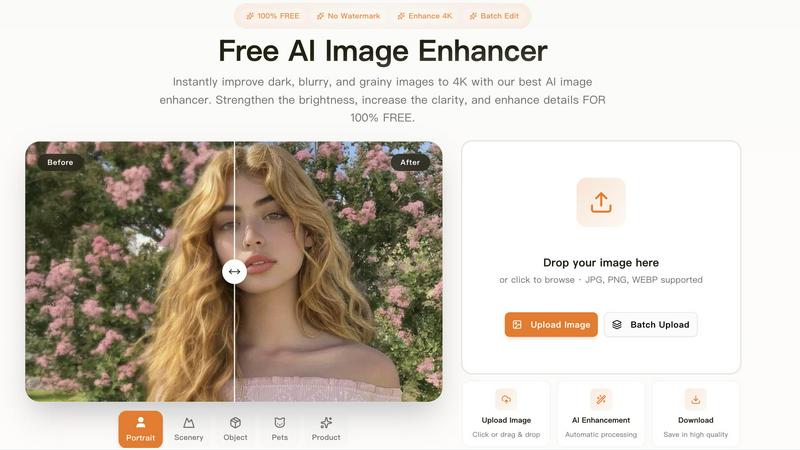
Transform dark, blurry images to stunning 4K quality for free with our AI image enhancer, featuring batch editing and no watermarks.
Last updated: March 11, 2026

Remove Shadow From Photo
Effortlessly eliminate unwanted shadows from your photos in seconds with our AI-powered removal tool for stunning.
Last updated: February 28, 2026
Visual Comparison
Free AI Image Enhancer
Remove Shadow From Photo

Feature Comparison
Free AI Image Enhancer
Automatic AI Enhancement
This feature allows users to enhance their images seamlessly. With just a single click, the AI automatically adjusts color, brightness, and sharpness to deliver high-quality results without any manual intervention.
Batch Processing
Free AI Image Enhancer enables users to enhance multiple images simultaneously. Upload up to 10 files at once, and save time while ensuring that all your photos receive the same high-quality treatment, making it ideal for busy professionals.
High-Resolution Output
The tool supports output resolutions of up to 4K, ensuring that your images maintain clarity and detail even when enlarged. Whether for printing or digital display, your images will always look their best.
Versatile Editing Tools
With a suite of editing options including background removal, old photo restoration, object removal, and face swap features, this all-in-one toolkit provides everything you need to transform your images into stunning visuals.
Remove Shadow From Photo
AI-Powered Shadow Removal
Our tool employs state-of-the-art AI technology to detect and eliminate shadows from your images automatically. This means you can achieve studio-quality results without any manual effort.
Quick and Premium Modes
Choose between Quick Mode for instant results on simple shadows or Premium Mode for high-quality removal of complex shadows. Regardless of your choice, you can expect efficient and effective shadow elimination.
Multi-Genre Support
Whether you are dealing with portraits, product images, landscapes, or architectural shots, our tool excels in removing shadows caused by various lighting conditions. It works seamlessly across different photo genres, ensuring versatility in your editing needs.
High-Resolution Output
Remove Shadow From Photo supports 4K resolution, enabling you to keep the original quality of your images intact. This feature ensures your photos remain crisp and clear, ideal for both print and digital platforms.
Use Cases
Free AI Image Enhancer
Enhancing Family Photos
Transform cherished family memories by improving clarity and color. Use the AI image enhancer to upscale old photos, making them sharper and more vibrant for sharing with family and friends.
Optimizing Social Media Content
Make your posts stand out on platforms like Instagram and Facebook. The tool adjusts various image attributes to create vibrant and eye-catching visuals that can boost engagement and attract followers.
Elevating Real Estate Listings
Make properties more attractive to potential buyers by enhancing real estate photos. Improved color, contrast, and clarity help listings appear more professional and appealing, increasing the chances of a sale.
Upscaling E-commerce Product Images
Enhance product photos to create a professional look that stands out in a crowded market. Sharper details and vibrant colors help attract customers and increase conversions in your online store.
Remove Shadow From Photo
Professional Photography
Photographers can leverage this tool to enhance their portfolios by creating flawless images that are free from distracting shadows, making them more appealing to clients and audiences.
E-commerce Product Listings
Online sellers can ensure their product images look pristine by removing shadows that may detract from the product's appeal. High-quality images can lead to higher conversion rates.
Social Media Enhancement
Social media enthusiasts can elevate their posts by using this tool to refine their pictures, ensuring that every snapshot is eye-catching and professional-looking.
Real Estate Marketing
Real estate agents can greatly benefit from removing shadows in property photos, allowing potential buyers to see homes in the best light possible, thus enhancing the overall presentation.
Overview
About Free AI Image Enhancer
Free AI Image Enhancer is a revolutionary browser-based photo editing toolkit designed to take the hassle out of image enhancement. Whether you are a hobbyist, a professional photographer, or someone who simply wants to improve their personal photos, this tool is tailored for you. It allows users to upscale blurry shots, remove backgrounds, restore old family photos, erase unwanted objects, and even perform face swaps, all powered by sophisticated AI technology. The user-friendly interface means there is no learning curve; simply upload your image, select the enhancements you need, and download the polished result. Supporting various formats like JPG, PNG, and WEBP, this tool also accommodates batch processing for up to 10 images simultaneously, ensuring efficiency without compromising quality. With the capability to output images at up to 4K resolution, it's perfect for both personal and professional use. Best of all, it's free to try, with optional credit packs and subscriptions available for users who require more features.
About Remove Shadow From Photo
Remove Shadow From Photo is an innovative online tool crafted for anyone who wishes to uplift their images by removing pesky shadows in mere seconds. Powered by advanced AI technology, this platform is ideal for a wide range of users including professional photographers, e-commerce sellers, and casual photographers alike. With just a simple image upload, our sophisticated algorithms spring into action, expertly eliminating unwanted shadows and enhancing your pictures effortlessly. The end result? Clean, shadow-free images that are perfect for sharing on social media or for professional use. New users can take advantage of free credits upon registration, making it accessible for everyone. With support for over 100 languages, fast processing options, and a user-friendly interface, Remove Shadow From Photo is your go-to solution for high-quality image enhancements.
Frequently Asked Questions
Free AI Image Enhancer FAQ
What image formats are supported?
Free AI Image Enhancer supports JPG, PNG, and WEBP formats, allowing you to upload a variety of image types for enhancement.
Is there a limit on how many images I can enhance at once?
Yes, you can batch process up to 10 images simultaneously, making it easy to enhance multiple photos in one go.
Do I need any special skills to use this tool?
No, the interface is designed for ease of use. You simply upload your image, select the enhancements, and download the improved result, with no technical skills required.
Is the service really free?
Yes, Free AI Image Enhancer is completely free to use for basic features. Additional credit packs and subscription options are available for users who need more advanced capabilities.
Remove Shadow From Photo FAQ
How does the AI shadow removal work?
The AI shadow removal technology analyzes your uploaded image, identifying shadow areas and automatically applying corrections to remove them while preserving other details.
What image formats does Remove Shadow From Photo support?
Our tool supports JPG, PNG, and WEBP formats, allowing for a wide range of images to be processed, all while maintaining a maximum file size of 5MB.
Is there a limit to the number of images I can process?
There is currently no limit on the number of images you can process; however, free credits are granted to new users for their initial edits, promoting easy access to the tool.
Can I adjust the aspect ratio of my images?
Yes, you can choose from several aspect ratios including 9:16, 16:9, 1:1, 3:4, and 4:3, ensuring your images fit perfectly for any platform or purpose.
Alternatives
Free AI Image Enhancer Alternatives
Free AI Image Enhancer is a powerful browser-based photo editing tool designed to transform dark, blurry, and grainy images into stunning 4K quality. It falls within the Design Tools and Image & Photo categories, making it a go-to solution for users looking to enhance their images effortlessly with AI-driven technology. As users explore their options, many seek alternatives due to factors such as pricing structures, feature sets, or platform compatibility. When choosing an alternative, it's essential to evaluate the specific capabilities offered, such as batch processing, output quality, and ease of use. Users should also consider whether the alternative fits their particular needs, including support for various file formats or additional editing functions. Prioritizing these elements will help ensure that users find a suitable replacement that meets their image enhancement demands.
Remove Shadow From Photo Alternatives
Remove Shadow From Photo is an innovative online tool designed to instantly eliminate unwanted shadows from images, making it an essential asset in the realm of photo editing. This tool falls under the Image & Photo category and leverages advanced AI technology to deliver clean, professional-quality results. Users often search for alternatives due to various factors such as pricing, specific feature sets, or compatibility with different platforms. It's crucial to evaluate alternatives based on their ease of use, processing speed, and the quality of results they offer, ensuring they meet your unique photo editing needs. When selecting an alternative, consider the technology used for shadow removal, the flexibility of processing options, and whether the tool can handle a variety of image types. Additionally, look for user-friendly interfaces that simplify the editing process, allowing you to achieve impressive results without needing extensive technical knowledge. The right alternative should enhance your photos while fitting seamlessly into your workflow.