Free AI Image Enhancer vs Toon Composer
Side-by-side comparison to help you choose the right product.

Free AI Image Enhancer
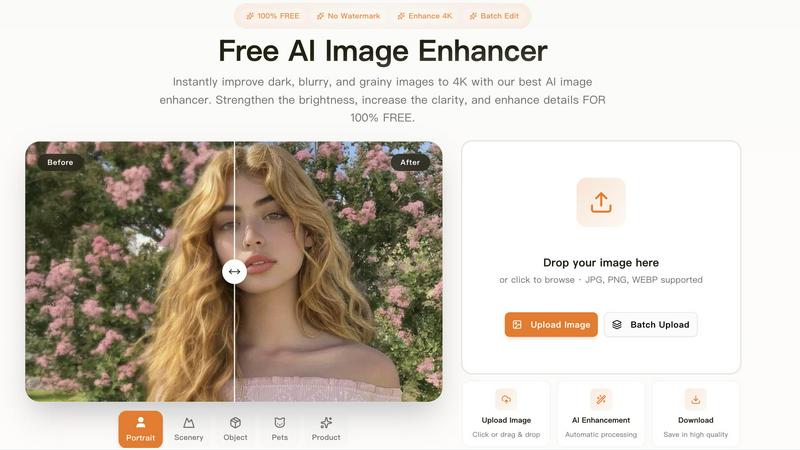
Transform dark, blurry images to stunning 4K quality for free with our AI image enhancer, featuring batch editing and no watermarks.
Last updated: March 11, 2026

Toon Composer
ToonComposer instantly transforms your sketches into fluid AI-powered cartoon animations.
Last updated: February 28, 2026
Visual Comparison
Free AI Image Enhancer
Toon Composer
Feature Comparison
Free AI Image Enhancer
Automatic AI Enhancement
This feature allows users to enhance their images seamlessly. With just a single click, the AI automatically adjusts color, brightness, and sharpness to deliver high-quality results without any manual intervention.
Batch Processing
Free AI Image Enhancer enables users to enhance multiple images simultaneously. Upload up to 10 files at once, and save time while ensuring that all your photos receive the same high-quality treatment, making it ideal for busy professionals.
High-Resolution Output
The tool supports output resolutions of up to 4K, ensuring that your images maintain clarity and detail even when enlarged. Whether for printing or digital display, your images will always look their best.
Versatile Editing Tools
With a suite of editing options including background removal, old photo restoration, object removal, and face swap features, this all-in-one toolkit provides everything you need to transform your images into stunning visuals.
Toon Composer
Sketch-to-Animation Engine
This core feature transforms rudimentary line-art sketches into smooth, professional cartoon animations using AI-powered generative post-keyframing. You provide the creative vision through sparse keyframes, and the AI intelligently generates the complex motion and visual continuity, bypassing countless hours of manual frame-by-frame drawing and painting.
Sparse Input Support
Toon Composer excels with minimal input, drastically lowering the barrier to animation. It can generate compelling sequences from as little as a single sketch and one colored reference frame. For precise control, it also supports multiple sketches placed at any point in the timeline, giving animators direct command over key motions without needing to draw every single frame.
Region-wise Control
This feature allows for spatially sparse sketches, meaning you can leave blank regions in your input. The AI then generates plausible, context-aware content to fill these gaps, whether based on the surrounding artwork or guided by text prompts. This reduces manual labor and empowers rapid ideation and iteration.
Unified Inbetweening & Colorization
Toon Composer streamlines the pipeline by combining two critical, traditionally separate stages—inbetweening and colorization—into a single generative process. This unified approach eliminates error accumulation between stages and ensures consistent, high-quality output from sketch to final colored animation in one swift operation.
Use Cases
Free AI Image Enhancer
Enhancing Family Photos
Transform cherished family memories by improving clarity and color. Use the AI image enhancer to upscale old photos, making them sharper and more vibrant for sharing with family and friends.
Optimizing Social Media Content
Make your posts stand out on platforms like Instagram and Facebook. The tool adjusts various image attributes to create vibrant and eye-catching visuals that can boost engagement and attract followers.
Elevating Real Estate Listings
Make properties more attractive to potential buyers by enhancing real estate photos. Improved color, contrast, and clarity help listings appear more professional and appealing, increasing the chances of a sale.
Upscaling E-commerce Product Images
Enhance product photos to create a professional look that stands out in a crowded market. Sharper details and vibrant colors help attract customers and increase conversions in your online store.
Toon Composer
Professional Studio Production
Animation studios can integrate Toon Composer into their pipeline to rapidly produce high-quality animatics, action sequences, and secondary character motions. This accelerates project timelines, reduces labor costs on repetitive inbetweening tasks, and allows senior artists to focus on creative direction and complex keyframes.
Independent Animator Projects
Solo creators and small teams can leverage Toon Composer to produce pilot episodes, short films, and promotional content with a production quality that rivals larger studios. It empowers independent artists to tell their stories without being bottlenecked by the immense time investment of traditional frame-by-frame animation.
Animation Education & Prototyping
Educators and students can use Toon Composer to quickly visualize animation principles and bring storyboards to life. It's an excellent tool for rapid prototyping, allowing for fast iteration on character movements and scene timing, making the learning process more dynamic and immediately rewarding.
Pre-Visualization & Storyboarding
Film, game, and advertising creatives can use Toon Composer to transform static storyboard panels into animated pre-visualizations. This provides a much clearer sense of timing, pacing, and motion before committing to full production, enabling better planning and client presentations.
Overview
About Free AI Image Enhancer
Free AI Image Enhancer is a revolutionary browser-based photo editing toolkit designed to take the hassle out of image enhancement. Whether you are a hobbyist, a professional photographer, or someone who simply wants to improve their personal photos, this tool is tailored for you. It allows users to upscale blurry shots, remove backgrounds, restore old family photos, erase unwanted objects, and even perform face swaps, all powered by sophisticated AI technology. The user-friendly interface means there is no learning curve; simply upload your image, select the enhancements you need, and download the polished result. Supporting various formats like JPG, PNG, and WEBP, this tool also accommodates batch processing for up to 10 images simultaneously, ensuring efficiency without compromising quality. With the capability to output images at up to 4K resolution, it's perfect for both personal and professional use. Best of all, it's free to try, with optional credit packs and subscriptions available for users who require more features.
About Toon Composer
Toon Composer is a revolutionary AI-powered tool engineered by Tencent ARC Lab to supercharge cartoon animation production. It fundamentally transforms the traditional, labor-intensive animation pipeline by converting simple, sparse sketches directly into fluid, fully-colored animations. At its core, Toon Composer leverages a cutting-edge generative post-keyframing technology, built on a state-of-the-art DiT (Diffusion Transformer) video foundation model specifically adapted for the cartoon domain. This powerful engine unifies the separate processes of inbetweening (creating frames between key poses) and colorization into one seamless, intelligent workflow. Designed for maximum efficiency, it slashes production timelines by up to 90%, making professional-grade animation accessible and fast. Toon Composer is the ultimate productivity weapon for professional animation studios seeking to scale output, independent animators pushing creative boundaries solo, and animation students mastering the craft with industry-leading technology.
Frequently Asked Questions
Free AI Image Enhancer FAQ
What image formats are supported?
Free AI Image Enhancer supports JPG, PNG, and WEBP formats, allowing you to upload a variety of image types for enhancement.
Is there a limit on how many images I can enhance at once?
Yes, you can batch process up to 10 images simultaneously, making it easy to enhance multiple photos in one go.
Do I need any special skills to use this tool?
No, the interface is designed for ease of use. You simply upload your image, select the enhancements, and download the improved result, with no technical skills required.
Is the service really free?
Yes, Free AI Image Enhancer is completely free to use for basic features. Additional credit packs and subscription options are available for users who need more advanced capabilities.
Toon Composer FAQ
What are the technical requirements to run Toon Composer?
Toon Composer is a resource-intensive AI model. For generating 480p animations, it requires approximately 57GB of VRAM. It is built on PyTorch and leverages CUDA for GPU acceleration, meaning a powerful NVIDIA GPU is essential for local operation. Users can also access it via hosted demos like on Hugging Face.
How does Toon Composer integrate with existing animation software?
Toon Composer is designed for seamless pipeline integration. It supports popular industry tools through compatible file formats. You can import layered PSD files from Photoshop, export sequences to Blender or After Effects for compositing, and work with formats compatible with Toon Boom Harmony and OpenToonz via FFmpeg.
What makes Toon Composer different from other AI animation tools?
Toon Composer is specifically architected for the cartoon domain, using a Spatial Low-rank Adapter (SLRA) on a powerful DiT model to maintain artistic style and temporal coherence. Its unique unified workflow for inbetweening and colorization, combined with sparse input and region-wise control, is tailored for professional animation production, not just video generation.
Is Toon Composer's research and model publicly available?
Yes, Toon Composer is based on open-source research from Tencent ARC Lab. The academic publication, code, and model weights are available for the research community, promoting transparency and further innovation. It was trained on the proprietary PKData dataset and evaluated using the custom PKBench benchmark.
Alternatives
Free AI Image Enhancer Alternatives
Free AI Image Enhancer is a powerful browser-based photo editing tool designed to transform dark, blurry, and grainy images into stunning 4K quality. It falls within the Design Tools and Image & Photo categories, making it a go-to solution for users looking to enhance their images effortlessly with AI-driven technology. As users explore their options, many seek alternatives due to factors such as pricing structures, feature sets, or platform compatibility. When choosing an alternative, it's essential to evaluate the specific capabilities offered, such as batch processing, output quality, and ease of use. Users should also consider whether the alternative fits their particular needs, including support for various file formats or additional editing functions. Prioritizing these elements will help ensure that users find a suitable replacement that meets their image enhancement demands.
Toon Composer Alternatives
Toon Composer is a revolutionary AI-powered design tool that instantly transforms sketches into fluid cartoon animations. It belongs to the cutting-edge categories of generative art and video production, leveraging a specialized DiT model to automate inbetweening and colorization. Users often explore alternatives for various reasons. These can include budget constraints, specific feature needs like different export formats or integration capabilities, platform compatibility, or simply a desire to compare the rapidly evolving landscape of AI animation tools before committing. When evaluating an alternative, focus on your core workflow needs. Key considerations are the quality of AI-generated motion, the level of control over the output, support for sparse or rough sketches, and the overall efficiency gain compared to traditional frame-by-frame methods. The right tool should match your technical requirements and creative speed.