
Published on:
October 14, 2025
Pricing:
About AI Formatter
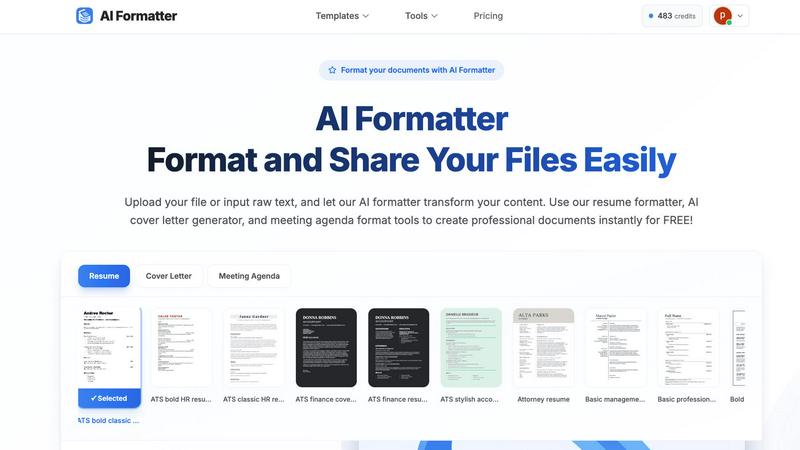
AI Formatter is a revolutionary cloud-based platform that leverages advanced artificial intelligence to automate and perfect professional document creation. It is designed for job seekers, busy professionals, businesses, and academics who need to produce polished, effective documents without spending hours on manual formatting. The core value proposition is immense time savings and guaranteed quality. Users simply upload a raw file (like a Word doc, PDF, or TXT) or input text, and the AI intelligently structures and styles the content into a professionally designed template in seconds. With a proven 95%+ ATS (Applicant Tracking System) pass rate, it ensures resumes and cover letters are optimized to get seen by recruiters. Beyond resumes, it streamlines the creation of meeting agendas, invoices, receipts, and more. The platform combines powerful AI automation with an intuitive real-time editor for fine-tuning, multi-format export, and secure sharing, making it the ultimate tool to boost productivity, enhance professionalism, and eliminate the tedious grind of document formatting.
Features of AI Formatter
AI-Powered Formatting Engine
At the heart of AI Formatter is its sophisticated AI engine that intelligently analyzes raw text and documents. It understands context, identifies key sections (like work experience, skills, or agenda items), and automatically applies perfect formatting, structure, and styling. This happens in mere seconds, transforming chaotic drafts into coherent, visually appealing documents ready for professional use, all while preserving your original content and intent.
Vast Library of ATS-Optimized Templates
Choose from over 162 professionally designed templates tailored for resumes, cover letters, meeting agendas, and invoices. Every template is engineered to be ATS-friendly, ensuring your resume passes through automated screening systems with a 95%+ success rate. This library provides industry-specific styles and layouts, giving you a powerful head start in creating documents that impress both software and human readers.
Intuitive Real-Time Online Editor
After the AI works its magic, take full control with the built-in, user-friendly editor. Make adjustments on the fly: customize fonts, colors, spacing, and layouts with simple clicks. This feature allows for personalization and fine-tuning without any technical design skills, ensuring the final document meets your exact specifications and brand identity before you download or share it.
Multi-Format Export & Secure Sharing
Once your document is perfected, export it seamlessly in your preferred format, including PDF, Microsoft Word (.DOCX), and more. This flexibility ensures compatibility with any application or submission portal. Additionally, AI Formatter provides secure sharing options, allowing you to generate shareable links or send documents directly from the platform, streamlining collaboration and distribution.
Use Cases of AI Formatter
Job Seekers Crafting Winning Applications
Job hunters can upload their existing resume or paste raw text to instantly transform it into an ATS-optimized, professionally formatted resume. They can then use the AI cover letter generator to create a compelling, tailored cover letter in minutes. This end-to-end solution drastically cuts application preparation time while maximizing the chances of landing an interview.
Professionals Preparing for Meetings
Managers, team leads, and executives can quickly convert rough notes or bullet points into a structured, clear meeting agenda. Using the meeting agenda format tool ensures all meetings have a professional outline, stay on track, and communicate objectives effectively to all participants, enhancing organizational efficiency and communication.
Freelancers & Small Businesses Creating Invoices
Freelancers, consultants, and small business owners can use the AI invoice generator to create polished, detailed invoices from raw data or draft information. This eliminates the hassle of manual invoice creation in word processors, ensures consistency and professionalism in client billing, and helps maintain a streamlined financial workflow.
Students and Academics Formatting Papers
Students and researchers can use AI Formatter to ensure their essays, reports, and academic documents adhere to specific formatting guidelines. By inputting their text, they can apply consistent styles for headings, citations, and layouts, saving valuable time that can be redirected toward research and content development.
Frequently Asked Questions
What file formats can I upload to AI Formatter?
AI Formatter supports a wide range of common document formats for upload, including PDF, DOC, DOCX, and TXT files. This ensures you can start from almost any existing document you have. The maximum file size for uploads is 10MB, which is sufficient for most standard professional documents.
How does the AI ensure my resume is ATS-friendly?
The AI is trained on the parsing algorithms used by popular Applicant Tracking Systems. It structures your content using clear, machine-readable formatting, optimizes keyword placement, and uses templates designed to avoid common ATS pitfalls like complex columns, graphics, or unusual fonts. This results in the platform's high 95%+ pass rate.
Can I customize the document after the AI formats it?
Absolutely. The AI provides a perfectly formatted first draft, but you retain complete creative control. The integrated real-time editor allows you to change fonts, colors, adjust spacing, reorder sections, and edit text directly. You can customize every aspect to match your personal or company brand before finalizing.
In what formats can I download my finished document?
For maximum flexibility, AI Formatter allows you to download your professionally formatted document in multiple universal formats. You can export your work as a PDF for secure sharing, as a Microsoft Word document (.DOCX) for further editing in Word, or in other standard formats suitable for your needs.
Pricing of AI Formatter
AI Formatter offers a powerful free tier that allows users to access core formatting tools and templates to create professional documents instantly at no cost. For users requiring advanced features, unlimited exports, and full access to the entire template library, premium subscription plans are available. Detailed pricing for these upgraded tiers can be found on the official AI Formatter website under the "Pricing" section.
Similar to AI Formatter

AI-powered CA practice, task, meeting, OKR, and workflow management software for growing teams.

imgtxtapp.laviolab.com is a Telegram-based image-to-text converter that turns photos, screenshots, scanned documents into editable text

Apps and files on an infinite canvas where people and AI agents work together.

Team calendar for engineering managers to plan vacations, on-call weeks, project work, and releases together.

Panzoe is an all-in-one AI platform for personal productivity, business automation, AI assistants, content creation, and custom AI solutions.

AI academic assistant for writing, research, presentations, and coding

Draw genograms and family relationship diagrams in your browser with editable templates.

Clever AI Humanizer is a free tool that makes AI-generated text sound more human.