
Alternatives to AI Formatter
Instantly format raw text into polished professional documents with AI.
Explore 20 alternatives to AI Formatter. Compare features, pricing, and find the best fit for your needs.

Hidesc
AI-powered CA practice, task, meeting, OKR, and workflow management software for growing teams.
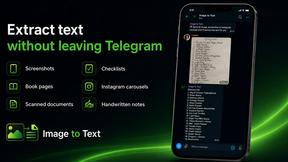
imgtxtapp.laviolab.com
imgtxtapp.laviolab.com is a Telegram-based image-to-text converter that turns photos, screenshots, scanned documents into editable text
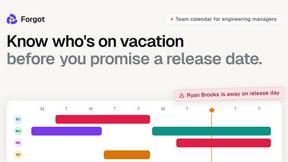
Forgot.dev
Team calendar for engineering managers to plan vacations, on-call weeks, project work, and releases together.

Panzoe
Panzoe is an all-in-one AI platform for personal productivity, business automation, AI assistants, content creation, and custom AI solutions.
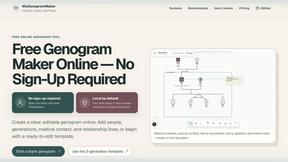
MyGenogramMaker
Draw genograms and family relationship diagrams in your browser with editable templates.

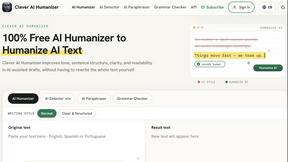
Clever AI Humanizer
Clever AI Humanizer is a free tool that makes AI-generated text sound more human.
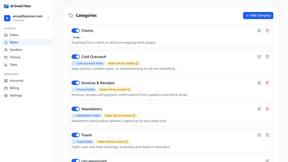
AI Email Filter
AI Email Filter sorts incoming mail into folders using plain-language prompts you write. Works with any IMAP mailbox; bring your own LLM if you want.

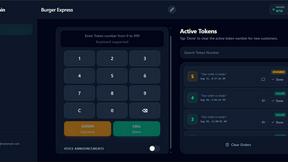
TokenPager
Digital guest pager system with zero hardware. Guests scan QR code to track order status and get buzzed on their own phone. No apps or SMS fees

Suparelay
Call landlines and mobiles in 200+ countries from your browser. The person you call needs no app. See the price before you dial.
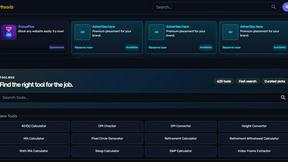
Kody Tools
Free collection of online developer utilities, code formatters, and digital converters designed to streamline your daily workflow.

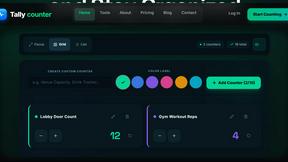
Tally Counter
Online tally counter for tracking attendance, workouts, inventory, visitors, sports scores, habits, and everyday counting tasks.
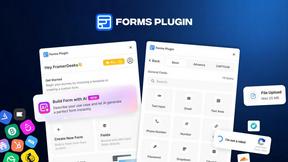
Forms Plugin
The #1 Native Form Builder Plugin for Framer - No Code, No Embeds, No External Platforms.

HomeAnswerBook
Practical, independent guides to home repairs, maintenance, costs, troubleshooting, and everyday fixes.
About AI Formatter Alternatives
AI Formatter is a dynamic productivity tool that uses artificial intelligence to instantly transform raw text into polished, professional documents. It falls squarely into the document creation and formatting category, designed to save users hours of manual work. Users often explore alternatives for various reasons. This could be due to specific budget constraints, a need for different feature sets like advanced integrations, or platform compatibility requirements. Finding the right fit is crucial for maximizing workflow efficiency. When evaluating other options, focus on core needs. Key considerations include the quality and variety of templates, the intelligence of the automation, ease of customization, and output flexibility. Prioritize tools that seamlessly integrate into your existing process to maintain a fast, agile workflow.
FAQs about AI Formatter Alternatives
What is AI Formatter?
AI Formatter is a cloud-based SaaS tool that uses AI to instantly convert raw text or uploaded files into professionally formatted, ATS-optimized documents.
Who is AI Formatter for?
It's designed for job seekers, professionals, businesses, and academics who need to create polished documents quickly and efficiently.
Is AI Formatter free?
Yes, AI Formatter offers a free tier with access to over 1000 professional templates to transform raw text instantly.
What are the main features of AI Formatter?
Key features include an extensive ATS-optimized template library, AI-powered formatting, an intuitive real-time online editor, and multi-format export capabilities.