
AnimeGenerator
AnimeGenerator lets you instantly create anime images, videos, and motion comics with dedicated modes for faster, consistent production.
Visit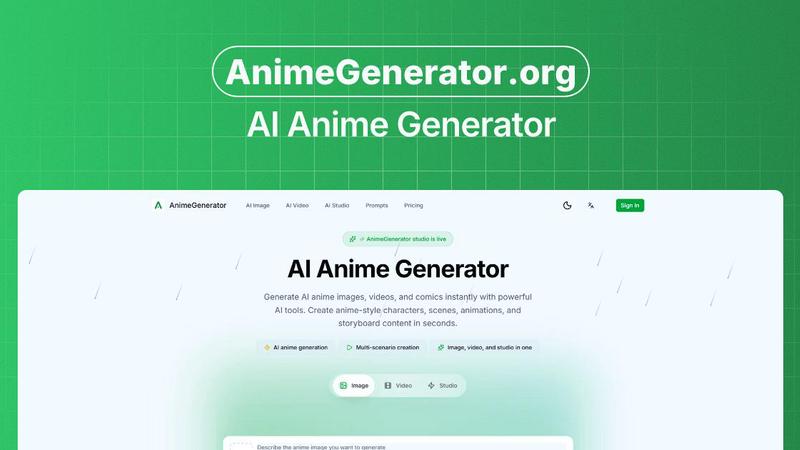
About AnimeGenerator
AnimeGenerator is a powerful, all-in-one AI-driven platform built to revolutionize anime content creation. It enables users to generate high-quality anime images, videos, and motion comics in seconds, eliminating the traditional bottlenecks of complex animation workflows. Designed for solo creators, indie animators, voice actors, content strategists, and professional studios alike, AnimeGenerator streamlines the entire production pipeline into intuitive, guided steps. The core value proposition is speed without sacrificing consistency: users can build characters, intricate scenes, dynamic animations, and comprehensive storyboards faster than ever before. The platform’s core functionality revolves around a simple, four-step process for image generation: write a detailed prompt describing the character, scene, pose, lighting, and mood; choose from advanced AI models like GPT Image 2 or Nano Banana Pro and select the ideal aspect ratio for reels, shorts, or episodes; upload reference images for enhanced style or character fidelity; and finally, generate and refine outputs with quick adjustments. Beyond static images, AnimeGenerator offers dedicated modes for video and motion comic creation, complete with story scripting, shot design, character libraries, AI voice and lip sync, auto-editing with subtitles, and multi-format export. With over 18,000 motion comic clips created and 6,000 active creators already on board, AnimeGenerator is the fastest route from concept to production-ready anime content.
Features of AnimeGenerator
Story Scripting and Plot Generation
AnimeGenerator eliminates the blank page problem by automatically generating structured plot arcs and scene outlines from simple prompts. Instead of spending hours on narrative development, users input a core premise, and the AI produces a coherent storyline with clear scene setup, dialogue intent, and emotional beats. This feature is built for speed, allowing creators to iterate on narrative direction instantly and move directly into visual production without losing momentum.
Storyboard and Shot Design Automation
This feature auto-creates shot lists and composition guides that feel intentional and cinematic. Users no longer need to manually plan every angle or transition; AnimeGenerator analyzes the script and generates a sequence of shots with pacing that works for episodic content, reels, or shorts. The result is a clean progression that saves hours of manual storyboarding, letting creators focus on polishing rather than rebuilding from scratch.
Character Library for Consistent Visuals
Maintaining on-model characters across multiple scenes is one of the hardest challenges in anime production. AnimeGenerator solves this with reusable character sheets that ensure every generated image, video, or motion comic retains consistent facial features, proportions, color palettes, and clothing details. This feature is critical for series creators who need episode-to-episode continuity, and it dramatically reduces the time spent on manual corrections.
AI Voice and Lip Sync Integration
AnimeGenerator brings characters to life with emotional voice styles and automatically synced mouth movements. Users can generate dialogue lines, select from various voice tones, and the AI handles the lip-sync animation seamlessly. This feature eliminates the tedious manual alignment that often kills turnaround times, allowing voice actors and animators to tweak a line and regenerate the scene without breaking the entire workflow.
Use Cases of AnimeGenerator
Indie Anime Production for Solo Creators
Solo creators can now produce full anime episodes or motion comics without a large team. By using AnimeGenerator’s script-to-storyboard pipeline, character library, and automated lip sync, an individual can go from a single premise to a structured outline with beats and mini cliffhangers. This makes weekly posting realistic and sustainable, turning a passion project into a consistent content series. The platform handles the heavy lifting, so creators focus on creative direction rather than technical execution.
Short-Form Content for Social Media
Social video producers and content strategists need fast, vertical-ready anime clips for platforms like YouTube Shorts, Instagram Reels, and TikTok. AnimeGenerator’s multi-format export allows instant switching between 9:16 and 16:9 aspect ratios, while its framing choices are optimized for subtitles and close-ups. Users generate eye-catching anime visuals with auto-captions and type-safe layouts, ensuring their content stands out in crowded feeds and drives engagement with minimal post-production effort.
Professional Storyboarding for Studios
Professional studios can leverage AnimeGenerator to accelerate pre-production. Instead of manually sketching every shot, storyboard artists input scene descriptions and receive clean, composition-guided shot lists. The AI ensures pacing feels intentional and that transitions flow logically. This drastically reduces the time from script to animatic, allowing studios to allocate more resources to animation and polish. It’s a force multiplier for teams working under tight deadlines.
Voice Actor and Animator Collaboration
Voice actors and animators often struggle with lip-sync alignment, especially when lines change late in production. AnimeGenerator’s AI voice and lip sync integration solves this by allowing voice actors to record or generate lines and instantly see synced mouth movements. If a line needs tweaking, the scene regenerates quickly without breaking character consistency. This collaborative workflow reduces friction, speeds up iteration, and ensures the final output matches the creative vision.
Frequently Asked Questions
What AI models does AnimeGenerator support for image generation?
AnimeGenerator offers multiple advanced AI models, including GPT Image 2 and Nano Banana Pro. Users can select the model that best fits their desired style and quality. Each model is optimized for anime aesthetics, and users can experiment with different options to achieve the perfect look for their characters and scenes.
Can I maintain consistent character designs across multiple scenes?
Yes, absolutely. AnimeGenerator includes a dedicated Character Library feature that allows you to create and save reusable character sheets. By uploading reference images or defining key visual attributes, the AI ensures that characters remain on-model across all generated images, videos, and motion comics. This is essential for episodic series and long-form projects.
How does the story scripting feature work?
The story scripting feature generates plot arcs and scene outlines from a simple prompt. You provide a core premise or idea, and the AI produces a structured narrative with clear scene setup, dialogue intent, and emotional beats. This output can then be directly fed into the storyboard and shot design tools, creating a seamless pipeline from concept to visual production.
What export formats and aspect ratios are available?
AnimeGenerator supports multi-format export, allowing you to switch between vertical (9:16) and landscape (16:9) aspect ratios instantly. This flexibility is ideal for creating content optimized for social media reels, shorts, episodes, and motion comic scenes. The platform also includes auto-editing, subtitles, and type-safe layouts to ensure your final output is production-ready.
Explore more in this category:
Similar to AnimeGenerator

Make any images possible — generate, edit, and transform images with AI models like GPT Image and Gemini in seconds.

Explore runway, dance, music and object video templates. Compare source and remix examples, upload your reference photos and create a new version.

Create a face swap video from your photos. Explore trending dance, runway and music video templates, choose a format, and make yourself the star.

Create AI images, videos, and more with one creative toolkit

Your AI agent picks relevant directories, submits your product in your browser and tracks every step. One-time purchase.

Free open-source Android comic & manga cloud reader streaming encrypted libraries from S3, WebDAV & OPDS.

All-in-one AI workspace to generate images, videos, and audio with multiple leading AI models.

Free AI age filter: upload an adult portrait, add 10-40 years, meet your older self. No app needed.