
Bank Statement Engine
Bank Statement Engine instantly converts PDF bank statements into Excel, CSV, and more with no signup or limits.
VisitPublished on:
July 6, 2026
Pricing:
About Bank Statement Engine
Bank Statement Engine is a powerful, free online tool designed to instantly convert PDF bank statements into clean, structured data formats like Excel, CSV, JSON, QBO, OFX, and QIF. It eliminates the tedious, error-prone process of manually entering transaction data from bank statements into accounting software or spreadsheets. The engine works with over 10,000 banks worldwide, including major institutions like Chase, Barclays, HDFC, SBI, and RBC, making it a truly global solution. Built for accountants, bookkeepers, small business owners, and developers, its core value proposition is speed and accuracy. You simply drop a PDF statement onto the platform and receive a perfectly formatted output file in seconds. The tool handles complex scenarios with ease, including scanned PDFs through its built-in OCR technology and password-protected statements. Privacy is a cornerstone of the service; files are automatically and permanently deleted from servers after 24 hours, and no signup or account creation is ever required for basic use. For developers, a robust REST API is available to integrate this conversion power directly into custom workflows and applications. Bank Statement Engine is not just a converter; it is an efficiency engine that transforms a painful, recurring task into a frictionless, two-step operation, freeing up valuable time for higher-value financial analysis and decision-making. The platform is continually improved based on user feedback, ensuring high accuracy and support for an ever-growing list of bank formats.
Features of Bank Statement Engine
Instant Multi-Format Export
Stop wrestling with raw PDF data. Bank Statement Engine instantly converts your statements into the exact format your workflow demands. Choose from Excel (XLSX) for spreadsheets, CSV for accounting software like Xero and Zoho Books, JSON for developers, or financial formats like QBO, OFX, and QIF for direct import into QuickBooks and other accounting platforms. This eliminates manual data entry and format conversion, getting you straight to analysis.
Global Bank and Document Support
Forget compatibility issues. The engine is built to handle statements from over 10,000 financial institutions across the USA, India, UK, Europe, Australia, the Middle East, and Africa. It does not matter if your statement is a standard text PDF, a scanned image, or even password-protected. The built-in OCR technology intelligently extracts data from scanned documents, and the system can securely process encrypted files, ensuring no statement is left behind.
Zero-Friction, Zero-Cost Access
There are no hidden fees, no signup forms, and no page limits for basic use. You can start converting immediately without creating an account or providing a credit card. The anonymous free tier allows you to convert up to 10 pages per day, giving you a risk-free way to test the tool's accuracy and speed. For users who need to process more pages or bulk convert multiple files, a free registered account unlocks unlimited conversions without any subscription costs.
Bank-Grade Security and Privacy
Your financial data is handled with the utmost care. All files are processed on secure servers using HTTPS encryption, ensuring your data is safe during upload and conversion. The service is designed for privacy-first operation: files are automatically and permanently deleted from the servers after 24 hours, and they are never shared with third parties. This means you get the convenience of a powerful online tool without compromising the confidentiality of your sensitive financial information.
Use Cases of Bank Statement Engine
Streamlining Monthly Bookkeeping
Accountants and bookkeepers face a deluge of bank statements every month. Instead of spending hours manually entering transactions into accounting software like QuickBooks, Xero, or Sage, they can use Bank Statement Engine. By converting a stack of PDFs into CSV or QBO files in seconds, they automate the data entry process. This dramatically reduces the risk of human error and frees up billable hours for client advisory services, tax preparation, and strategic financial planning.
Empowering Small Business Owners
Small business owners often wear many hats and lack dedicated accounting staff. Manually reconciling bank statements with their records is a time-consuming chore that can lead to mistakes. With Bank Statement Engine, an owner can simply upload their monthly statement and download a clean Excel file. This allows them to quickly categorize expenses, track cash flow, and prepare reports for their accountant, giving them real-time financial clarity without needing to learn complex accounting software.
Developer Data Integration
Developers building financial applications, expense trackers, or personal finance tools often need to ingest transaction data from user-uploaded PDFs. Bank Statement Engine provides a powerful REST API to solve this. Developers can seamlessly integrate the conversion engine into their own platforms, allowing users to upload statements and receive structured JSON data. This eliminates the need to build and maintain complex, bank-specific PDF parsing logic, accelerating development and improving the user experience of their applications.
Bulk Statement Analysis and Auditing
For financial analysts, auditors, or loan officers who need to review multiple statements from a single client or across a portfolio, the bulk conversion feature is invaluable. By registering for a free account, users can upload and process several statements at once, exporting them all into a standardized CSV or Excel format. This enables rapid cross-referencing, trend analysis, and anomaly detection across different time periods or accounts, turning a manual, paper-based review into a fast, data-driven audit process.
Frequently Asked Questions
How do I convert a PDF bank statement to Excel?
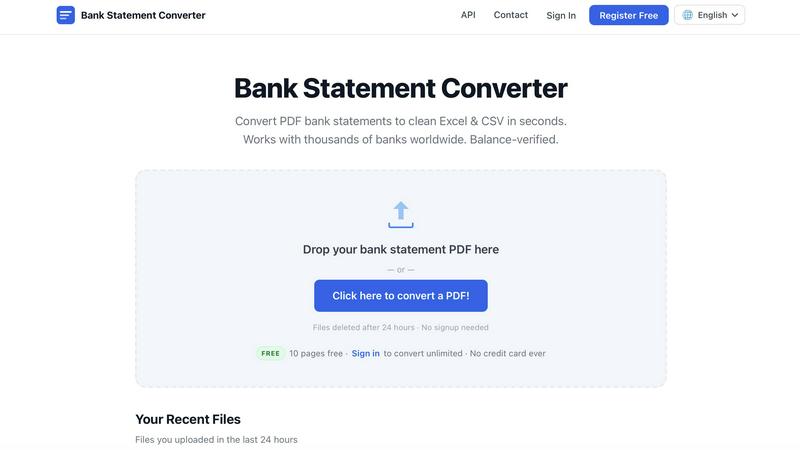
Converting your statement is incredibly simple. Go to the Bank Statement Engine website and drag and drop your PDF file onto the designated area, or click to browse and select the file from your computer. The tool will process the file automatically. Once the conversion is complete, you will see a preview of the data. Simply click the download button for your chosen format, such as Excel (XLSX) or CSV, and the clean, structured file will be saved to your device.
Is my bank statement data secure?
Yes, security and privacy are top priorities. All file transfers to and from our servers are protected by HTTPS encryption, the same standard used by banks and online stores. Your files are processed on secure servers and are not accessible to anyone else. To ensure your data does not remain on our systems, all uploaded files and their converted outputs are automatically and permanently deleted from our servers after 24 hours. We do not share your data with any third parties.
Can I convert a scanned bank statement?
Absolutely. Bank Statement Engine includes a powerful built-in Optical Character Recognition (OCR) engine. This technology can read and extract text from scanned PDF documents and images. When you upload a scanned statement, the OCR engine automatically identifies the text, including transaction dates, descriptions, and amounts, and converts it into a usable, digital format. This allows you to process even old or paper-only bank statements with the same ease as a digital text PDF.
Is there an API for developers?
Yes, a comprehensive REST API is available for developers who need to integrate bank statement conversion into their own applications, workflows, or services. The API allows you to programmatically upload PDFs, receive structured data in formats like JSON, and manage conversions. This is ideal for building custom financial tools, automating data pipelines, or adding a "convert statement" feature to your existing software. Detailed documentation and endpoint specifications are available in the API Docs section of the website.
Pricing of Bank Statement Engine
The service operates on a simple, transparent, and free pricing model designed to remove all barriers to use. There are no subscriptions, no credit card requirements, and no hidden fees. You can start converting immediately.
Anonymous (Free): No account is needed. This tier allows you to convert up to 10 pages per day. You can download your results in CSV and Excel formats, process password-protected PDFs, and access your file history for 24 hours. This is perfect for occasional, quick conversions.
Registered (Free): Creating a free account (no credit card required) unlocks unlimited page conversions. You can also bulk convert multiple files in one go, download in CSV and Excel formats, process password-protected PDFs, and maintain a 24-hour file history. This tier is recommended for regular users and professionals who need higher volume.
Bespoke Services: For clients with unique or high-volume document processing needs, or those requiring custom API integration, bespoke services are available. You can contact the team directly to discuss specific requirements and get a tailored solution.
Similar to Bank Statement Engine

Panzoe is an all-in-one AI platform for personal productivity, business automation, AI assistants, content creation, and custom AI solutions.

Panorama screenshot editor for App Store listings on iPhone and iPad.

BillionVerify is a professional email verification service built to solve one problem: bad email data costs businesses money.

Search 20,000+ open-source and SaaS tools by the job you need done or the app you want to replace.

AI Email Filter sorts incoming mail into folders using plain-language prompts you write. Works with any IMAP mailbox; bring your own LLM if you want.

A strictly human-verified directory for active SaaS, practical AI tools, and custom n8n workflows. Discover software that works without bot spam.

E-signatures for small teams. $19/month, unlimited users.

Digital guest pager system with zero hardware. Guests scan QR code to track order status and get buzzed on their own phone. No apps or SMS fees