
Budgeting App
Walleta uses AI to scan receipts, track expenses, and set monthly budgets for effortless on-device money management on iPhone.
Visit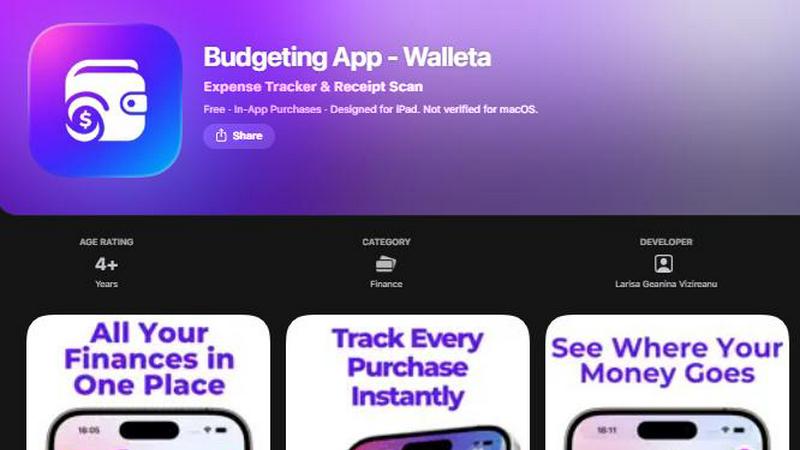
About Budgeting App
Walleta is a free iOS budget planner and AI expense tracker that redefines how you manage money on your iPhone. It is designed for users who want monthly limits, receipt capture, and category analytics without ever linking a bank account. Walleta eliminates the need for multiple finance tools by combining receipt scanning, manual expense logging, monthly budgets, calendar views, spending history, multi-currency support, and beautiful analytics into one private, on-device workflow. Whether you are a traveler, expat, student, or privacy-first household, Walleta lets you track every dollar with speed and precision. The core value proposition is simple: snap a receipt, let on-device AI extract the merchant, total, date, and category, then verify and save in seconds. You set monthly budget caps, watch real-time progress, and get alerts when spending nears limits. With fourteen built-in categories including food, groceries, transport, shopping, health, rent, bills, subscriptions, coffee, travel, and fun, one-tap logging is effortless. Privacy is absolute: no bank connection, no email signup, no cloud sync, and no ad tracking pixels. All your financial data stays on your device. Walleta Pro unlocks unlimited AI scans after three free OCR tries, making it the fastest way to log expenses without compromising control or security.
Features of Budgeting App
AI Receipt Scanning with On-Device Intelligence
Point your camera at any receipt and Walleta's AI instantly reads the merchant, total, date, and category. This on-device intelligence processes everything locally, so your data never leaves your iPhone. After scanning, you verify the extracted details before saving, ensuring accuracy every time. Free users get three AI scans to test the feature, while Walleta Pro unlocks unlimited scans. This feature eliminates manual typing, turning receipt capture into a two-second task that fits seamlessly into your fast-paced routine.
One-Tap Category Logging with 14 Built-In Categories
Logging expenses is as fast as a single tap. Walleta includes fourteen pre-defined categories: Food, Groceries, Transport, Shopping, Health, Rent, Bills, Subscriptions, Coffee, Travel, and Fun. You can assign any expense to its category instantly, building a detailed spending history without friction. This feature is designed for efficiency, allowing you to record purchases on the go, whether you are at the grocery store, grabbing coffee, or paying a bill. No typing, no searching, just tap and save.
Real-Time Monthly Budgets with Alerts
Set a spending limit for each month and watch your progress update in real time. Walleta displays a visual budget cap that shows exactly how much you have spent and how much remains. When you approach or exceed your budget, the app sends alerts so you can adjust your spending immediately. This proactive feature helps you avoid overspending and stay on track with your financial goals. The dynamic progress bar updates with every logged expense, giving you instant feedback on your financial health.
Comprehensive Analytics with Pie Charts, Bar Graphs, and Calendar View
Walleta transforms your spending data into actionable insights. Visual breakdowns include pie charts, bar graphs, and category summaries for weekly, monthly, and yearly periods. The calendar view lets you browse expenses day by day, showing exactly what you spent on any date at a glance. Multi-currency codes and spending history archives support travelers and expats who need flexible money tracking. These analytics are built for speed, letting you review patterns and make informed decisions in seconds.
Use Cases of Budgeting App
Travelers and Expats Managing Multi-Currency Expenses
Travelers and expats often deal with multiple currencies and unpredictable spending. Walleta auto-detects your local currency or lets you set any currency code manually. You can scan receipts from different countries, log expenses in their native currencies, and review spending patterns across trips. The calendar view and analytics help you track daily costs, avoid budget overruns, and archive past cycles for future reference. This use case is perfect for anyone who needs flexible, private money tracking without cloud sync.
Privacy-Conscious Households Avoiding Bank Linking
Many users refuse to connect their bank accounts to finance apps due to security concerns. Walleta operates entirely on-device with no bank connection, no email signup, and no cloud sync. All your financial data stays on your iPhone. This makes it ideal for privacy-first households who want to track cash, debit, or credit card spending without exposing their financial history to third parties. Manual logging and receipt scanning give you full control over what gets recorded.
Students and Budget-Conscious Individuals Tracking Daily Spending
Students and young professionals often need to stick to tight monthly budgets. Walleta lets you set a spending limit for each month and monitors progress in real time. With one-tap category logging, you can quickly record expenses like food, transport, and subscriptions. The pie charts and bar graphs show where your money goes, helping you identify areas to cut back. This use case empowers users to build healthy financial habits without complex setup or ongoing fees.
Freelancers and Side Hustlers Logging Business Expenses
Freelancers and side hustlers need to track business expenses for tax purposes without mixing personal and professional finances. Walleta allows you to log expenses by category, scan receipts for documentation, and archive spending history. The multi-currency support is useful for international clients. While not a tax or accounting tool, Walleta provides a clean, organized record of expenses that can be exported or reviewed during tax season. The privacy-first approach ensures sensitive business data remains on your device.
Frequently Asked Questions
Does Walleta connect to my bank or require an account?
No. Walleta is a completely offline, on-device expense tracker. It does not connect to your bank, require an email signup, or use cloud sync. All your financial data stays on your iPhone. You can start tracking immediately without creating an account or sharing personal information.
How does the AI receipt scanning work and what are its limitations?
Walleta uses on-device AI to read the merchant, total, date, and category from receipt photos. You point your camera, snap a picture, and the AI extracts the details. You then verify before saving. The feature works best with clear, readable receipts. Faded, crumpled, or poorly lit receipts may require manual entry. Free users get three AI scans to try the feature; Walleta Pro unlocks unlimited scans.
Can I set monthly budgets and get alerts when I overspend?
Yes. You can define a spending limit for each month. Walleta displays a real-time progress bar showing how much you have spent and how much remains. When you approach or exceed your budget, the app sends alerts to help you avoid overspending. This feature works for all logged expenses across the fourteen built-in categories.
What categories are available and can I customize them?
Walleta includes fourteen built-in categories: Food, Groceries, Transport, Shopping, Health, Rent, Bills, Subscriptions, Coffee, Travel, and Fun. You can assign any expense to one of these categories with a single tap. Customization options are limited to these predefined categories to maintain a fast, streamlined logging experience.
Pricing of Budgeting App
Walleta is free to download and use on iPhone. Free users get three AI receipt scans to try the feature. Walleta Pro, available via in-app purchase, unlocks unlimited AI receipt scans. Manual one-tap logging, monthly budgets, analytics, calendar view, multi-currency support, and spending history are all included in the free version. No subscription is required for core functionality. Pricing details for Walleta Pro are available within the app on the App Store.
Similar to Budgeting App


AjaxCalculators offers free online calculators, unit converters, and image and document tools. Explore practical tools for finance, health, math, scie

Free online tools for tax forms, invoices, and business paperwork for freelancers, contractors, LLCs, and small businesses.


Log your income and expenses in seconds with AI receipt scanning, budgets, and on-device privacy on iPhone, no signup needed.

CalcFi delivers instant, cited financial math for every money decision with no signup required.

Find and cancel forgotten subscriptions in minutes with AI for just $3.

Fintrack is your AI money copilot that tracks spending and automatically uncovers hidden savings for you.