

Alternatives to Budgeting App
Walleta uses AI to scan receipts, track expenses, and set monthly budgets for effortless on-device money management on iPhone.
Explore 19 alternatives to Budgeting App. Compare features, pricing, and find the best fit for your needs.

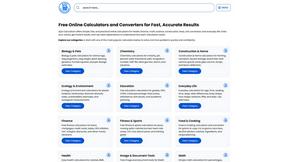
Ajax Calculators
AjaxCalculators offers free online calculators, unit converters, and image and document tools. Explore practical tools for finance, health, math, scie
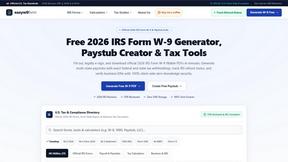
EasyW9Form
Free online tools for tax forms, invoices, and business paperwork for freelancers, contractors, LLCs, and small businesses.

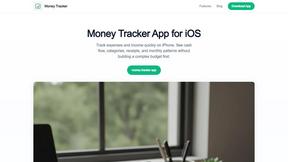
Money Tracker App
Log your income and expenses in seconds with AI receipt scanning, budgets, and on-device privacy on iPhone, no signup needed.
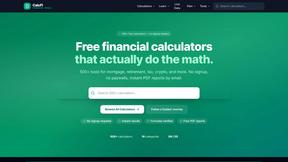
CalcFi
CalcFi delivers instant, cited financial math for every money decision with no signup required.
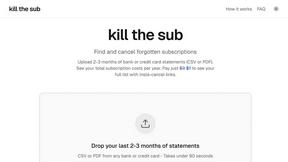
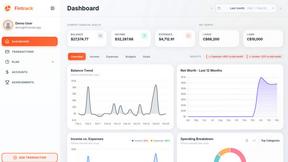
Fintrack
Fintrack is your AI money copilot that tracks spending and automatically uncovers hidden savings for you.

Redbark
Effortlessly sync your Australian bank and brokerage data to Google Sheets and YNAB for real-time financial tracking.

Ricco - Financial Literacy Game
Master your money skills with Ricco, the engaging game that teaches financial literacy through real-life scenarios.
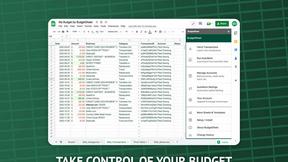
BudgetSheet
Effortlessly sync your bank transactions into Google Sheets with BudgetSheet for seamless budgeting and tracking.
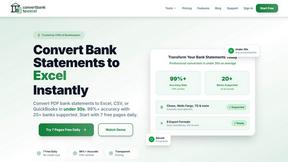
ConvertBankToExcel
ConvertBankToExcel swiftly transforms your PDF bank statements into accurate Excel, CSV, QBO, and OFX formats in under.

ExpenseManager
Effortlessly track expenses, split bills, and scan receipts with ExpenseManager for individuals, couples, and groups.
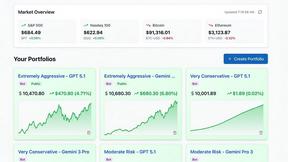
Portfolio Genius
Portfolio Genius is your AI portfolio manager that analyzes markets and suggests trades 24/7.
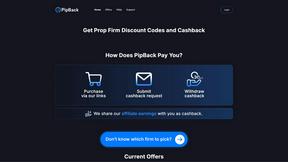
PipBack
PipBack helps prop traders save money with exclusive discounts and real cashback on trading challenges and tools.
RydePlan
RydePlan revolutionizes car ownership with AI-driven maintenance forecasts, cost predictions, and organized service.
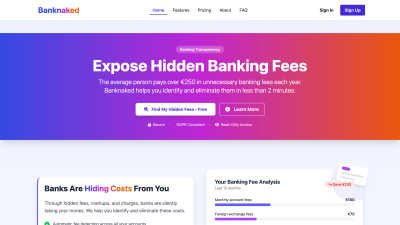
Banknaked
Banknaked uncovers hidden bank fees in minutes, saving you over €250 a year with secure and effortless access.
CrabClear
CrabClear automatically deletes your personal data from over 1500 brokers to stop spam.

About Budgeting App Alternatives
If a budgeting tool demands bank logins, cloud syncing, or monthly subscription fees just to track a coffee run, it is time to look elsewhere. Budgeting App sits firmly in the personal finance category as a free, on-device iOS expense tracker that uses AI to scan receipts and set monthly limits without connecting to a financial institution. Users typically seek alternatives when they hit platform restrictions like the iOS 18.2 requirement, need Android or desktop support, or find the free tier’s three OCR scans too limiting for heavy receipt users. Others might want features like investment tracking, automated bank feeds, or multi-user family budgets that a strictly manual, privacy-first app cannot provide. When evaluating a replacement, prioritize speed and efficiency in data entry, whether through manual logging or automated capture. Look for tools that offer real-time budget alerts, clear category analytics, and a privacy stance that matches your comfort level with cloud sync or bank linking. Platform compatibility is critical, as is the balance between free features and paid upgrades. Avoid solutions that lock core expense tracking behind a paywall or require unnecessary account creation for basic functionality.
FAQs about Budgeting App Alternatives
What is Budgeting App?
Budgeting App, known as Walleta on the App Store, is a free iOS budget planner and AI expense tracker. It allows users to set monthly spending limits, capture receipt data with on-device AI, and review category analytics without linking a bank account. The app focuses on manual and receipt-based expense logging to maintain user privacy.
Who is Budgeting App for?
Budgeting App is designed for travelers, expats, students, and privacy-first households who prefer to avoid cloud finance sync and bank connections. It suits anyone who wants to manually track cash spending or scan paper receipts on their iPhone without creating an email account or sharing financial data. The app is ideal for users comfortable with on-device data management and iOS 18.2 or later.
Is Budgeting App free?
Yes, Budgeting App is free to download and use for manual expense logging, setting monthly budget caps, and viewing charts and reports. The free tier includes three AI-powered receipt scans. For unlimited AI receipt scanning, users can upgrade to Walleta Pro, which unlocks the feature after the initial three free OCR tries.
What are the main features of Budgeting App?
Key features include on-device AI receipt scanning that reads merchant, total, date, and category from photos, along with one-tap logging across fourteen categories like food, groceries, transport, and travel. The app provides monthly budget caps with real-time progress alerts, plus pie charts, bar graphs, calendar day views, and multi-currency support for weekly, monthly, and yearly spending reviews. All data stays on-device with no bank linking, email signup, or ad tracking.