
PDF Convert Now
PDF Convert Now is a free online PDF and image utility that lets users merge, compress, split, rotate, and convert documents.
Visit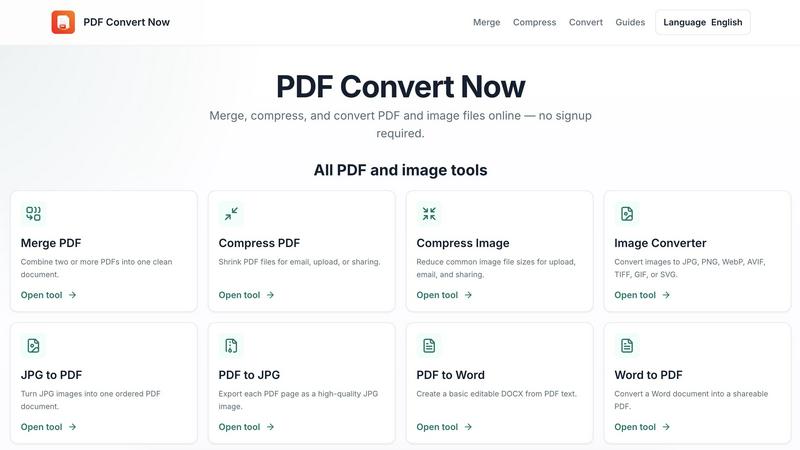
About PDF Convert Now
PDF Convert Now is a free, browser-based document utility for working with PDF and image files. It is designed for quick everyday tasks without requiring users to create an account or install desktop software.
Its main features include merging and splitting PDFs, compressing PDFs and images, rotating PDF pages, and converting between common document/image formats. Supported workflows shown on the site include JPG/PNG to PDF, PDF to JPG/PNG, PDF to Word, Word to PDF, HWP to PDF, DWG to PDF, and general image conversion.
The website emphasizes a straightforward workflow: choose a tool, upload a file, process it, and download the result. According to the site's own description, uploaded files are sent to its processing API for the requested operation, temporary processing files are cleaned up afterward, and no account is required. It also advises users to verify organizational policies before processing sensitive documents online.
Beyond conversion tools, PDF Convert Now also has an educational Guides section covering topics such as reducing PDF size without sacrificing readability, merging files in the correct order, choosing image formats, preparing PDFs for upload portals, and understanding limitations of PDF-to-Word conversion.
Similar to PDF Convert Now

Free collection of online developer utilities, code formatters, and digital converters designed to streamline your daily workflow.

All-in-One POS, Inventory & Accounting Software for Bangladeshi Businesses

Online tally counter for tracking attendance, workouts, inventory, visitors, sports scores, habits, and everyday counting tasks.

AI tattoo generator for turning ideas, photos & sketches into expressive designs.

The #1 Native Form Builder Plugin for Framer - No Code, No Embeds, No External Platforms.

Practical, independent guides to home repairs, maintenance, costs, troubleshooting, and everyday fixes.

Highlight faster. Study in flow with custom shortcuts and a workflow built around you. Print smarter, or turn any page into a tiled poster.
