
Sketch To
Effortlessly turn images into stunning sketches or vice versa with Sketch To's advanced AI technology for all creators.
Visit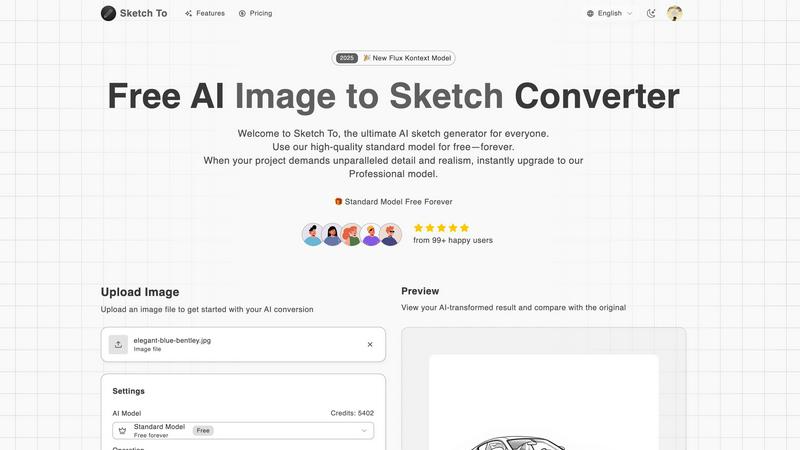
About Sketch To
Sketch To is a cutting-edge AI-powered tool that revolutionizes the creative process by seamlessly converting images to sketches and sketches back to high-quality images. Designed for artists, designers, and creative enthusiasts, Sketch To leverages the latest advancements in artificial intelligence to provide users with an intuitive platform for transforming visual content. Whether you are a professional looking to enhance your portfolio or a hobbyist eager to add a unique flair to your projects, Sketch To caters to diverse creative needs. The tool empowers users to effortlessly elevate their photos into stunning sketches or convert their hand-drawn artwork into photorealistic images. With a user-friendly interface and powerful features, Sketch To is accessible to everyone, featuring a free standard model for all users. For those who demand more detail, the professional upgrade offers world-class AI capabilities, ensuring every transformation meets the highest standards of artistic quality. With instant processing and high-resolution output, Sketch To enables creators to bring their visions to life quickly and efficiently.
Features of Sketch To
AI Image to Sketch Conversion
Transforming photos into beautiful sketches has never been easier. Sketch To's AI engine specializes in converting images into artistic pencil sketches, ideal for artists and designers seeking to create unique visual content. This feature allows you to add an artistic touch to any photo, making it perfect for social media posts, portfolios, or personal projects.
Sketch to Image Transformation
Turn your sketches into realistic images with impressive detail and accuracy. This feature is designed for professionals who need high-quality outputs for commercial use. The Pro model enhances every line and shade of your original sketch, creating stunning images that retain the essence of your artwork while adding depth and realism.
Instant Processing
Say goodbye to long waiting times with Sketch To's instant processing feature. The powerful AI processing engine ensures that your image or sketch is converted in seconds, allowing you to focus on your creativity rather than waiting for results. This efficiency is crucial for busy professionals and creative enthusiasts alike.
High-Resolution Output
Quality matters when it comes to visual content. Sketch To offers high-resolution outputs that are perfect for printing and professional use. Whether you are creating artwork for exhibitions or social media, the ability to download your creations in high quality ensures that every detail is captured beautifully.
Use Cases of Sketch To
Social Media Content Creation
Artists and influencers can utilize Sketch To to create engaging social media posts. By converting photos into sketches, users can add a unique and artistic flair to their content, helping them stand out in a crowded digital landscape and attract more followers.
Portfolio Enhancement
For professionals in the creative field, Sketch To serves as a powerful tool to enhance portfolios. By transforming their original artwork into photorealistic images, artists can showcase their versatility and skill, making a strong impression on potential clients or employers.
Educational Projects
Students and educators can leverage Sketch To for various educational projects. By converting images related to their subjects into sketches or vice versa, they can create visually appealing presentations or reports that capture attention and improve understanding of complex topics.
Personal Art Projects
Hobbyists and aspiring artists can use Sketch To to experiment with their creativity. Whether they want to transform their family photos into artistic sketches or elevate their doodles into detailed images, the tool provides a fun and accessible way to explore artistic possibilities without the need for extensive drawing skills.
Frequently Asked Questions
What types of images can I upload to Sketch To?
Sketch To supports multiple image formats, allowing users to upload JPEG, PNG, and other common file types. This flexibility ensures that you can work with a wide range of images for your creative projects.
Is there a cost associated with using Sketch To?
Sketch To offers a free standard model for all users, allowing them to explore the features with trial credits. For those who require more advanced capabilities, a professional upgrade is available for a fee, providing access to superior quality and detail.
How quickly can I expect to see my results?
With Sketch To's instant processing capabilities, you can expect to see your converted images or sketches in just seconds. This rapid turnaround time is designed to enhance your creative workflow and minimize downtime.
Can I use Sketch To for commercial projects?
Yes, Sketch To is suitable for both personal and commercial use. The professional model offers enhanced realism and detail, making it ideal for professional projects, marketing materials, and any other commercial applications where high-quality visuals are essential.
Similar to Sketch To

AI image and video studio in your browser: generate and edit images, turn photos into videos, edit clips by sentence.

Turn two photos into a cinematic AI zombie love story video with sound, a free scene preview, and no watermark.

imgtxtapp.laviolab.com is a Telegram-based image-to-text converter that turns photos, screenshots, scanned documents into editable text

Turn one selfie into grainy late-90s horror photos for the viral Ghostface AI trend, plus an optional spooky video. Ready in about 2 minutes.

Face recognition API that is a drop-in replacement for AWS Rekognition. Index, search, compare and detect faces, billed per photo, no subscription.

Panorama screenshot editor for App Store listings on iPhone and iPad.

AIPetGen turns a photo of your dog, cat, or other pet, or a written description, into a new picture or a short animation.

A fast, simple AI image studio powered by Nano Banana 2.1: create and edit high-quality images with accurate details and readable text.