
TinyFast
Compress images, videos, and PDFs instantly and securely on your Mac with TinyFast's simple drag-and-drop functionality.
Visit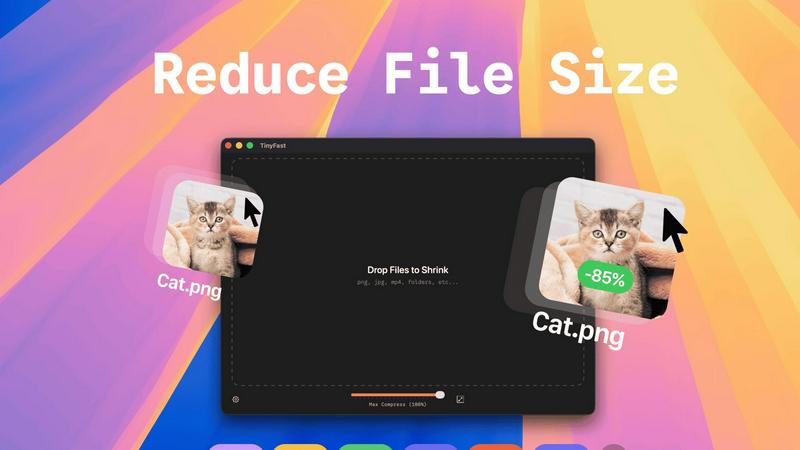
About TinyFast
TinyFast is an innovative macOS application crafted to transform how you compress files effortlessly. Designed with a sleek and intuitive drag-and-drop interface, TinyFast allows users to quickly shrink a variety of file types, including PNG, JPEG, MP4, MOV, PDF, SVG, WebP, MP3, and GIF, right on their Mac. Say goodbye to time-consuming uploads and the anxiety of exposing sensitive files to unknown servers. This tool is perfect for developers, designers, and content creators who prioritize speed and privacy. TinyFast empowers users to maintain control over their files, compressing them swiftly without losing quality. By streamlining your workflow, TinyFast not only enhances productivity but also offers a fast, local, and secure solution for file compression that you can rely on.
Features of TinyFast
Batch & Drag-Drop Shrink
Experience the unparalleled efficiency of dragging entire folders into TinyFast for instant optimization. This feature allows you to compress multiple files simultaneously, saving you time and effort while delivering optimized output in mere seconds.
Blazing-Fast Compression
TinyFast harnesses optimized native engines designed for speed, enabling you to shrink large files in seconds. Forget the waiting game associated with uploads and downloads; this application provides rapid compression that keeps your workflow flowing smoothly.
Resize Resolution
Take advantage of the automatic resize feature for your images and videos. Set the desired resolution, and TinyFast will ensure your files are not only compressed but also perfectly sized for your needs, enhancing the visual quality while reducing size.
100% Local & Private
With TinyFast, your privacy is paramount. All files remain on your device, ensuring that sensitive data is never exposed to cloud servers or third-party applications. This non-disclosure design guarantees total privacy, making it the ideal choice for professionals managing confidential files.
Use Cases of TinyFast
Graphic Designers
Graphic designers can significantly benefit from TinyFast's ability to compress images without sacrificing quality. This allows for quicker uploads to clients or websites, enhancing the overall efficiency of design processes and project delivery.
Video Editors
For video editors, TinyFast provides a seamless way to compress video files while maintaining high quality. This ensures faster rendering times and easier sharing, whether for social media or client presentations, without lengthy upload times.
Content Creators
Content creators can utilize TinyFast to optimize images and videos for their online platforms. By compressing files locally, they can enhance their web pages' loading times, improving user experience while safeguarding their creative assets.
Developers
Developers will find TinyFast invaluable for compressing code files and documentation quickly. The ability to maintain file integrity while reducing size simplifies project management and enhances collaboration among team members.
Frequently Asked Questions
How does TinyFast ensure the privacy of my files?
TinyFast guarantees privacy by keeping all file compression operations local to your device. No uploads to cloud servers occur, ensuring your sensitive files remain confidential and secure.
What types of files can I compress with TinyFast?
You can compress a wide variety of file types with TinyFast, including images (PNG, JPG, TIFF, HEIC, WebP, GIF), videos (MP4, MOV, M4V), documents (PDF, DOCX), code files (JS, CSS, JSON), and audio files (MP3).
Is there a limit to how many files I can compress?
With the free version, you can compress up to 5 files per day. However, with the lifetime plan or monthly subscription, you can enjoy unlimited local compressions without any restrictions.
Can I resize my images and videos while compressing them?
Absolutely! TinyFast offers a resize resolution feature that allows you to automatically adjust the dimensions of your images and videos during the compression process, ensuring they meet your specific needs.
Explore more in this category:
Similar to TinyFast

AI Email Filter sorts incoming mail into folders using plain-language prompts you write. Works with any IMAP mailbox; bring your own LLM if you want.

E-signatures for small teams. $19/month, unlimited users.

Digital guest pager system with zero hardware. Guests scan QR code to track order status and get buzzed on their own phone. No apps or SMS fees

Free collection of online developer utilities, code formatters, and digital converters designed to streamline your daily workflow.

A free browser-based toolkit for creating, cutting, converting, and previewing sprite sheet animations.

All-in-One POS, Inventory & Accounting Software for Bangladeshi Businesses

Online tally counter for tracking attendance, workouts, inventory, visitors, sports scores, habits, and everyday counting tasks.

AI tattoo generator for turning ideas, photos & sketches into expressive designs.