
VRChat Avatar Maker
Turn character ideas into previewable, rigged VRChat avatars fast with text, image, or multi-view inputs in one streamlined workspace.
Visit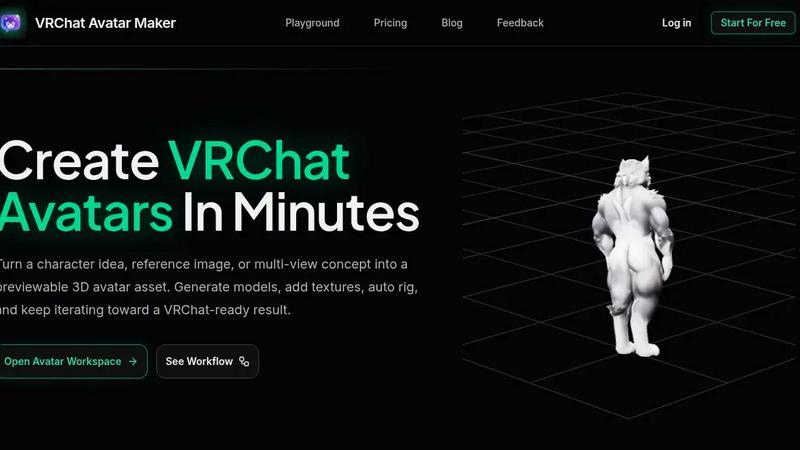
About VRChat Avatar Maker
VRChat Avatar Maker is a dedicated creator workspace engineered to compress the entire avatar creation pipeline into a single, efficient workflow. It moves beyond isolated AI tools by offering a complete, sequential environment where you can turn a simple prompt, a single concept image, or a full set of multi-view references into a previewable, rigged, and downloadable 3D avatar asset. The product is built specifically for VRChat creators who need to move fast from an initial idea to a usable in-game model. Instead of generating a static image and starting a manual modeling process from scratch, users can generate a base model, apply and repaint textures, auto-rig the character with motion presets, and preview the result—all within the same workspace. This eliminates the friction of switching between disparate software and losing creative momentum. The core value proposition is speed and iteration: you can explore multiple character directions, refine assets, and download a VRChat-ready file without needing deep expertise in 3D modeling, texturing, or rigging. It supports popular styles like anime, furry, and cute avatars, making it a versatile tool for a wide community. By treating each output as a step in a continuing pipeline rather than a final product, VRChat Avatar Maker empowers creators to focus on their vision, not the technical hurdles.
Features of VRChat Avatar Maker
Text to Avatar
Turn a written character idea directly into a 3D avatar model. This feature allows you to use detailed prompts to describe style, clothing, mood, and silhouette, generating a first-pass custom avatar concept in minutes. It is the fastest way to move from a thought to a tangible asset without needing any reference images.
Text to Image for Concept Exploration
Generate high-quality character concept art before committing to a 3D model. This feature is ideal for testing different styles, poses, or color palettes quickly. By using positive and negative prompts, you can visually validate a direction and refine your ideas before moving into the modeling phase, saving significant time and resources.
Image to Avatar and Multi-View Generation
Upload a single character image or a set of front, left, back, and right reference views to create a stronger, more accurate avatar foundation. This capability ensures that the generated model closely matches your original vision, especially when working from existing concept art or character sheets, providing a much higher degree of control from the start.
Texture Generation and Auto Rigging
Once a model is generated, apply and repaint textures directly within the workspace to add color, detail, and realism. Then, use the auto-rigging feature with built-in motion presets to prepare the avatar for animation. This seamless continuation from modeling to texturing to rigging is the core of the product’s efficient, non-destructive pipeline.
Use Cases of VRChat Avatar Maker
Rapid Prototyping of Custom Avatars
A creator has a vague idea for a new cyberpunk character. Instead of spending hours in a 3D modeling suite, they open the workspace, type a detailed prompt, and generate a base model within minutes. They can then quickly iterate on the silhouette and style before investing time in high-detail work, drastically reducing the early-stage design cycle.
Converting Fan Art into Playable Assets
An artist has a high-quality 2D drawing of an original character. They upload this single image into the Image to Avatar feature. The AI generates a 3D model that captures the key features of the art. They then use the texture repainting tool to match the original colors and auto-rig the model, turning a static drawing into a fully functional VRChat avatar.
Streamlining Collaborative Character Design
A team of creators is designing a group of avatars for a VRChat world. One member uses Text to Image to generate concept art for approval. Once the style is locked, another member uses the Multi-View feature with the approved concept sketches to create the final 3D models. The entire team can review and iterate on the same asset pipeline, improving communication and workflow speed.
Creating a Series of Themed Avatars
A user wants to create a set of matching animal avatars for an event. They use Text to Avatar to generate the first model, say a fox. They then use the same base prompt but change the species keyword to generate a wolf and a bear. Each model is then textured and rigged individually, allowing for a cohesive look across multiple avatars without starting from scratch each time.
Frequently Asked Questions
What kind of avatar styles does VRChat Avatar Maker support?
The product is designed to support a wide range of popular VRChat styles, including anime, furry, cute, and realistic characters. The underlying AI models are trained on diverse datasets, allowing you to achieve a variety of aesthetics by using specific keywords in your prompts or by providing matching reference images.
Do I need any 3D modeling experience to use this tool?
No, VRChat Avatar Maker is built to be accessible for creators of all skill levels. The entire workflow from text or image input to a rigged, downloadable asset is automated. You do not need to manually sculpt, UV map, or weight paint. The tool handles the complex technical steps so you can focus on the creative direction.
Can I use my own generated models for commercial VRChat worlds?
Yes, you retain full ownership of any assets you create using VRChat Avatar Maker. You are free to use the generated avatars for personal use, in VRChat worlds, or for commercial projects. There are no restrictions on how you use the final downloadable files, provided you comply with the platform’s terms of service.
What is the typical turnaround time for generating an avatar?
The generation time varies based on the complexity of the prompt or image and the current server load. However, the tool is optimized for speed. Most Text to Avatar and Image to Avatar generations complete within a few minutes. You can track the progress of your task directly in the workspace and preview results as soon as they are ready.
Explore more in this category:
Similar to VRChat Avatar Maker

AI transcription for voice notes, meetings, and audio files in 1,700 languages, with AI summaries and subtitle export and unlimited chat ai usage.

AI sales agent that finds qualified leads, runs outreach, follows up automatically, creates content, and helps book more meetings.

The tool for the job, without the sales pitch. 146 AI tools we paid for, set up and actually used before listing them.

No sponsored slots, no paid placement. Just SaaS growth tools that passed screening, sorted into categories you can browse.

AI long video generator: turn text, images, audio and video into production-ready AI videos.

Tools Network is a curated directory of the best AI tools across 25+ categories — from writing and image generation to coding and marketing.

Create reviewable 2D floor plan images from prompts, dimensions, or reference images.
